Google Photos is one of those apps that virtually the whole world is using. Naturally, every change on Google Photos, regardless of how big or small it is, potentially affects billions of users.
Today, we can sigh with relief: Google Photos has announced a major update that has to do with the way we edit our images in the app. Specifically, it's about those pesky duplicates.
That, however, is a missed opportunity to address a bigger problem and I'll touch on that shortly. First, the official news.
The "seamless save experience"
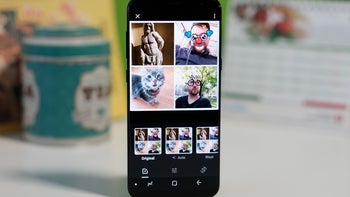
Google Photos, one of the most popular apps out there. | Image by PhoneArena
"Major update: A more seamless save experience in Google Photos" is how the announcement's been titled. I'm always amused by the big corporate jargon.
What they wanted to say is that when you press "Save" after editing a photo, the image will no longer create a duplicate. Hence, after you edit a photo, you won't have to go and delete your original file in order to keep just the one you've already retouched.
Google is altering the save behavior on Android and you'll be able to revisit and fine-tune previous edits without filling up your library with duplicate images.
Until now, certain advanced editing tools, including Magic Eraser and Unblur, required users to save their results as separate copies. The same applied to edits involving Ultra HDR and C2PA formats. With the new change, devices running Android 11 or newer (I bet you've moved from Android 11 long ago) will save these adjustments directly to the existing photo instead of creating another version.
Recommended For You
This also means that edits are no longer a one-and-done deal. You can reopen a previously edited image and continue tweaking it, with settings such as filters and brightness adjustments retaining their last-used values.
Poll
0 Votes
How often do you use Google Photos for editing?
How about copying your edit settings?
Ask any photographer and they'll confirm that the joy of editing photos one by one is… well, there's no enjoying that. Let's say you've got 25 really cool images out of a productive shooting day. And you want to lift the shadows a bit, dial down the black point and the highlights, play with the vibrance and saturation sliders and fine-tune the skin tones bar.
You have to do it one by one, and it's a pain in the rear for that many photos. Wouldn't it be better if you could copy and paste your edit settings from one photo to another? Back to you, Google.
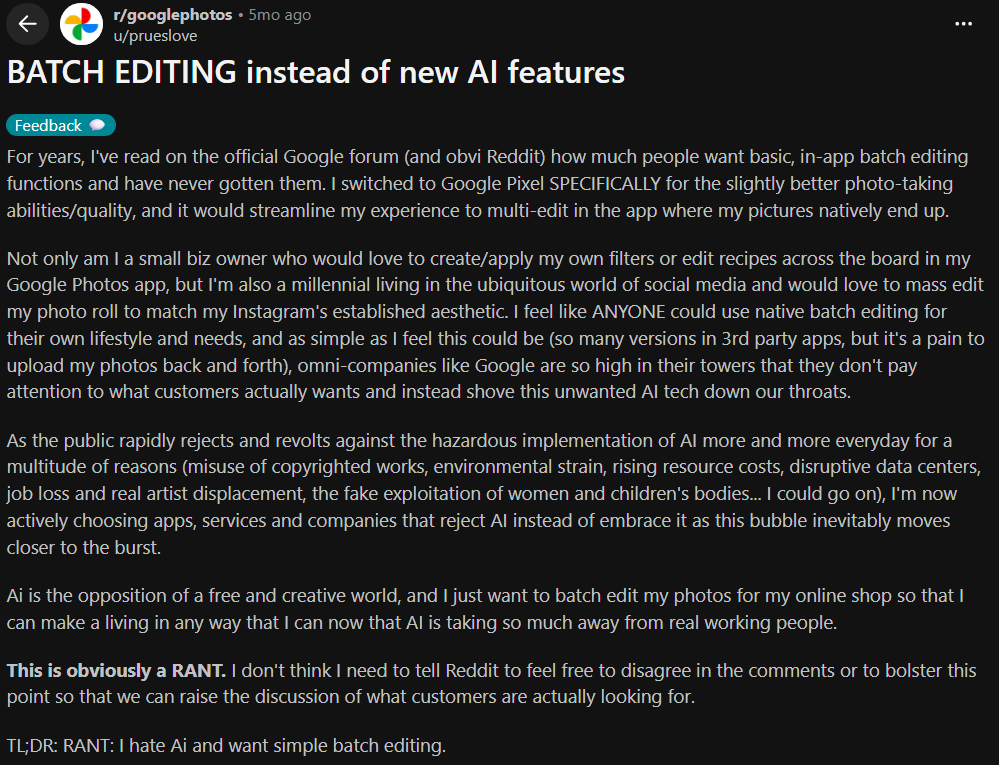
People on Reddit, for example, have been ranting about batch retouching in Google Photos for quite some time now:
Get a free Galaxy A17 with Straight Talk. To claim this deal, you need to pair the phone with activation on a Silver Unlimited Plan or higher. This tier costs $45 per month. Offer valid through 01/10/27 while supplies last online.
Sebastian is one of PhoneArena’s senior opinionators. A veteran news writer with almost 20 years of experience in media and technology, he not only covers all the hot news about Galaxies and iPhones, but often provides hot takes on industry trends. He’s fascinated with camera-focused flagships from the likes of Oppo and Vivo, as well as foldable phones.
A discussion is a place, where people can voice their opinion, no matter if it
is positive, neutral or negative. However, when posting, one must stay true to the topic, and not just share some
random thoughts, which are not directly related to the matter.
Things that are NOT allowed:
Off-topic talk - you must stick to the subject of discussion
Offensive, hate speech - if you want to say something, say it politely
Spam/Advertisements - these posts are deleted
Multiple accounts - one person can have only one account
Impersonations and offensive nicknames - these accounts get banned
To help keep our community safe and free from spam, we apply temporary limits to newly created accounts:
New accounts created within the last 24 hours may experience restrictions on how frequently they can
post or comment.
These limits are in place as a precaution and will automatically lift.
Moderation is done by humans. We try to be as objective as possible and moderate with zero bias. If you think a
post should be moderated - please, report it.
Have a question about the rules or why you have been moderated/limited/banned? Please,
contact us.






Things that are NOT allowed:
To help keep our community safe and free from spam, we apply temporary limits to newly created accounts: