Google Messages is reportedly getting redesigned voice messaging and media viewing features
Several tweaks could make multimedia messages on Google Messages look and feel better.

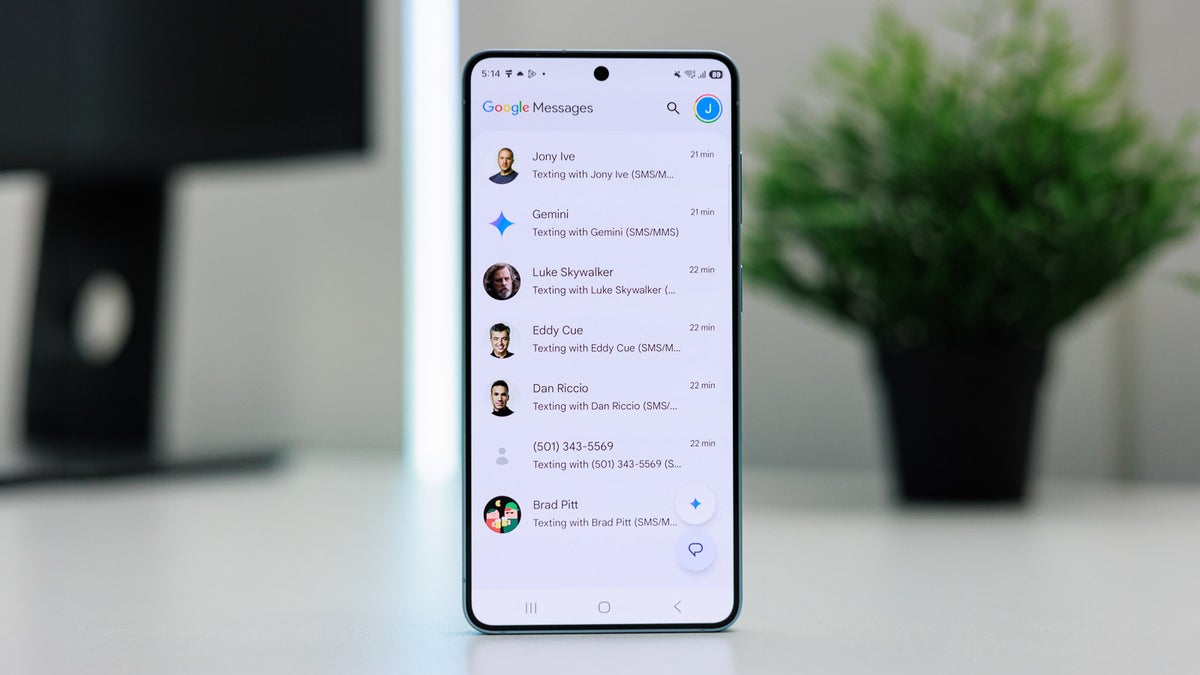
Google Messages keeps getting updated. | Image by PhoneArena
If there’s one thing that it seems you can count on, it's that Google Messages is getting many new features and visual upgrades. We’ve already seen that the app is about to get some upgrades to its voice messaging features, but a new leak suggests that audio messages will get even more improvements soon.
When you receive an audio message on Google Messages, you can see how long the audio is, but once you play it, there’s no indication how far into it you’ve listened. Apparently, Google is working on a redesigned interface that’ll resolve this issue.
The latest beta of the app, version 20261120_01 includes a new audio message card, which includes a progress indicator, according to an Android Authority report. The feature is straightforward, and makes listening to longer messages a bit less stressful, as you can see how far along you are.
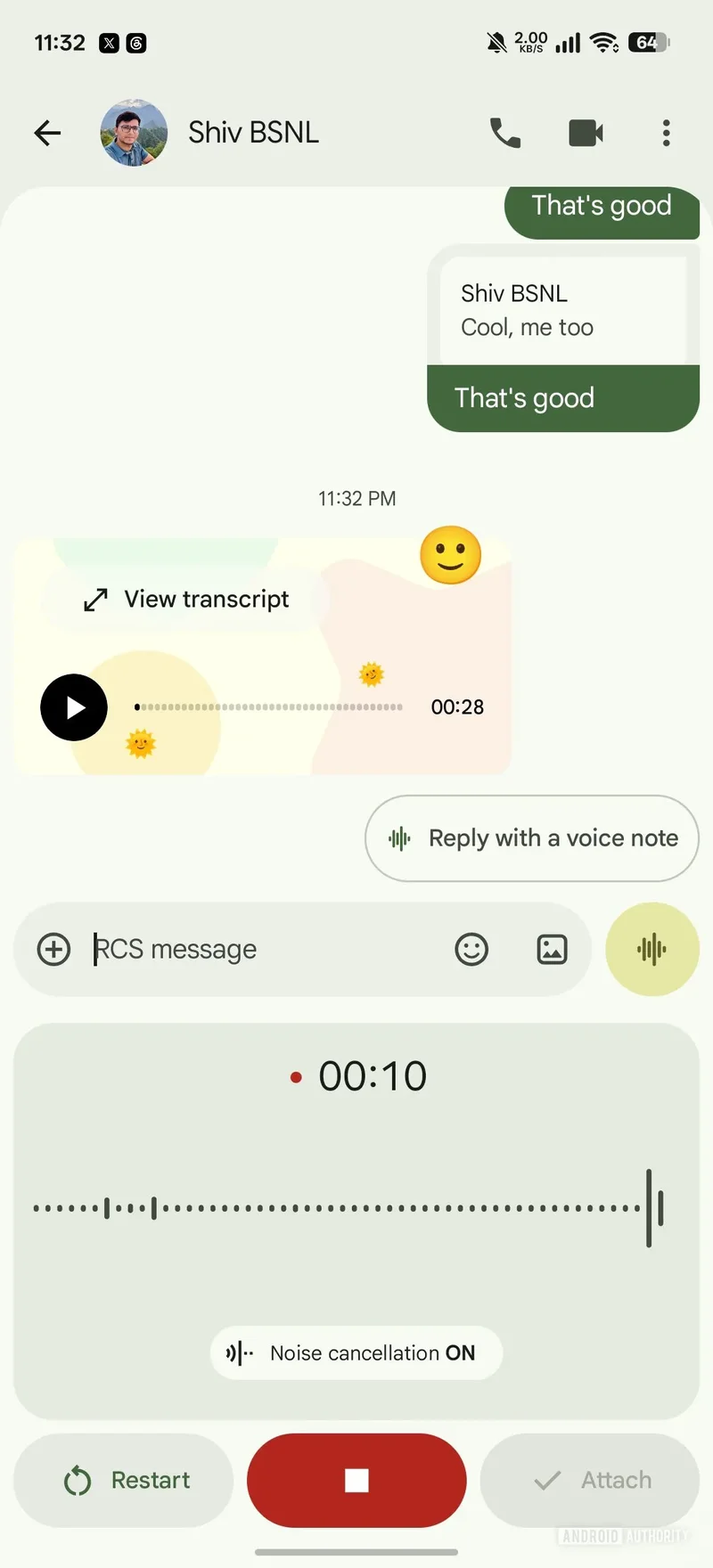
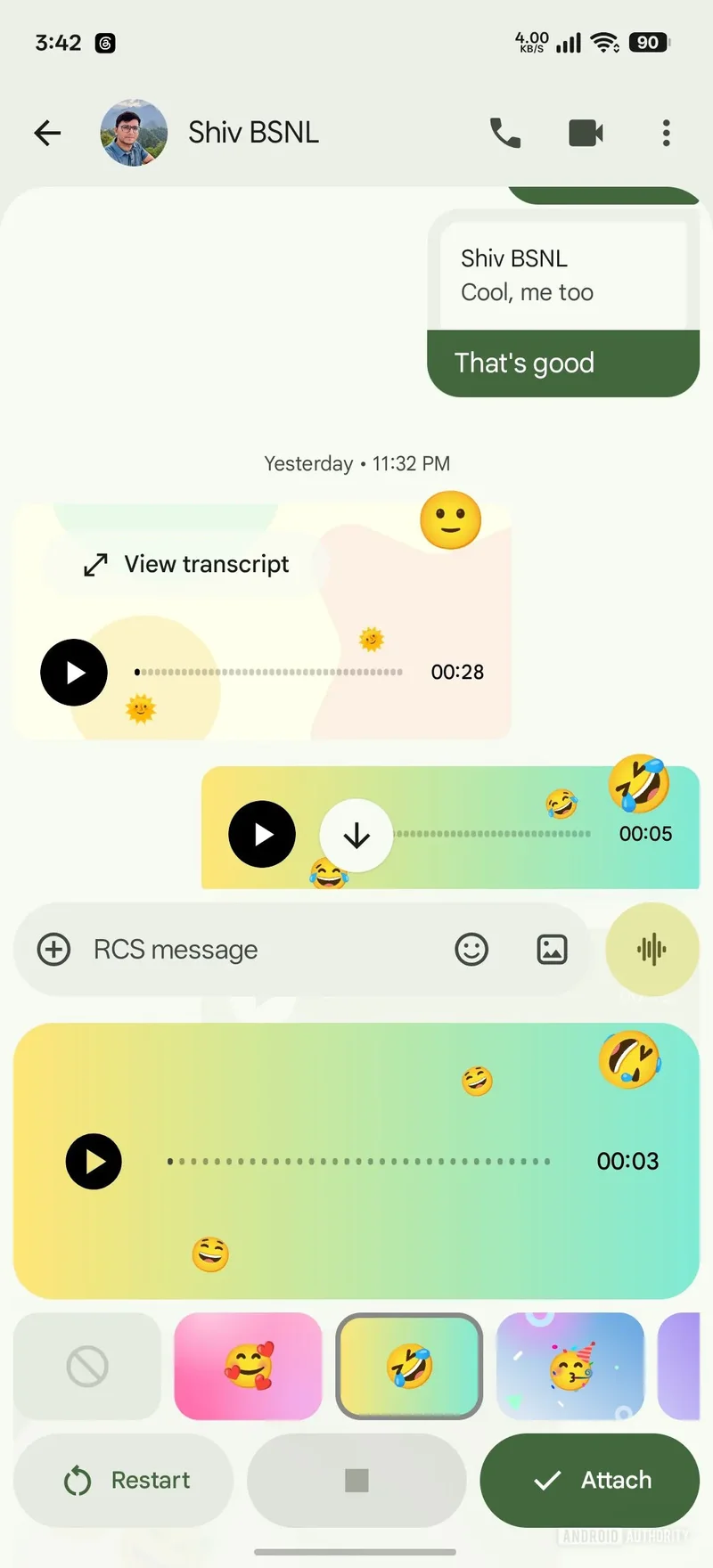
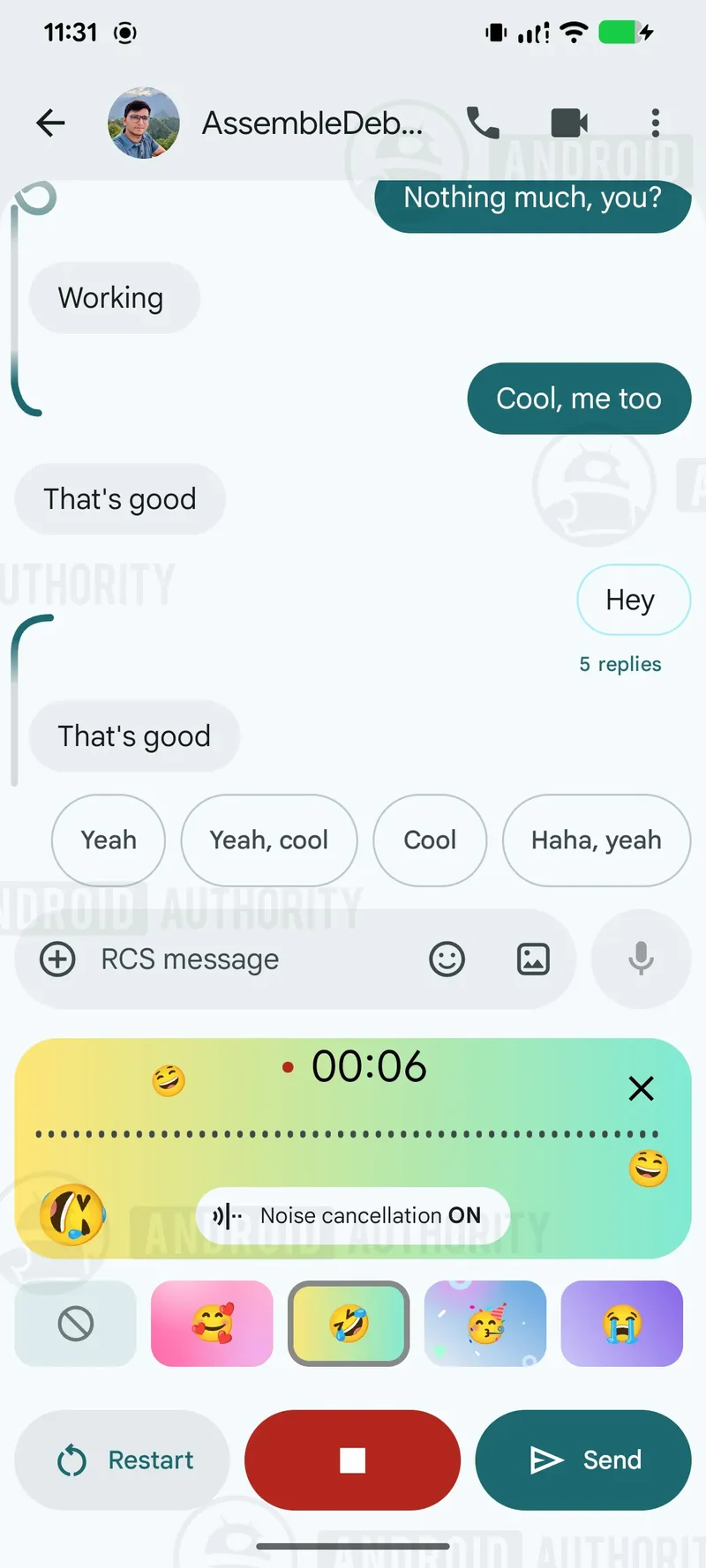
This new release also allowed visualizing the new option that allows you to set Voice Moods in Google Messages while recording audio messages. It’s a rather small change, but it makes sense from a user experience perspective. There’s also a new close button at the top of the new audio recording interface, and the “Attach” button is replaced by a “Send” button, making sharing voice messages faster.
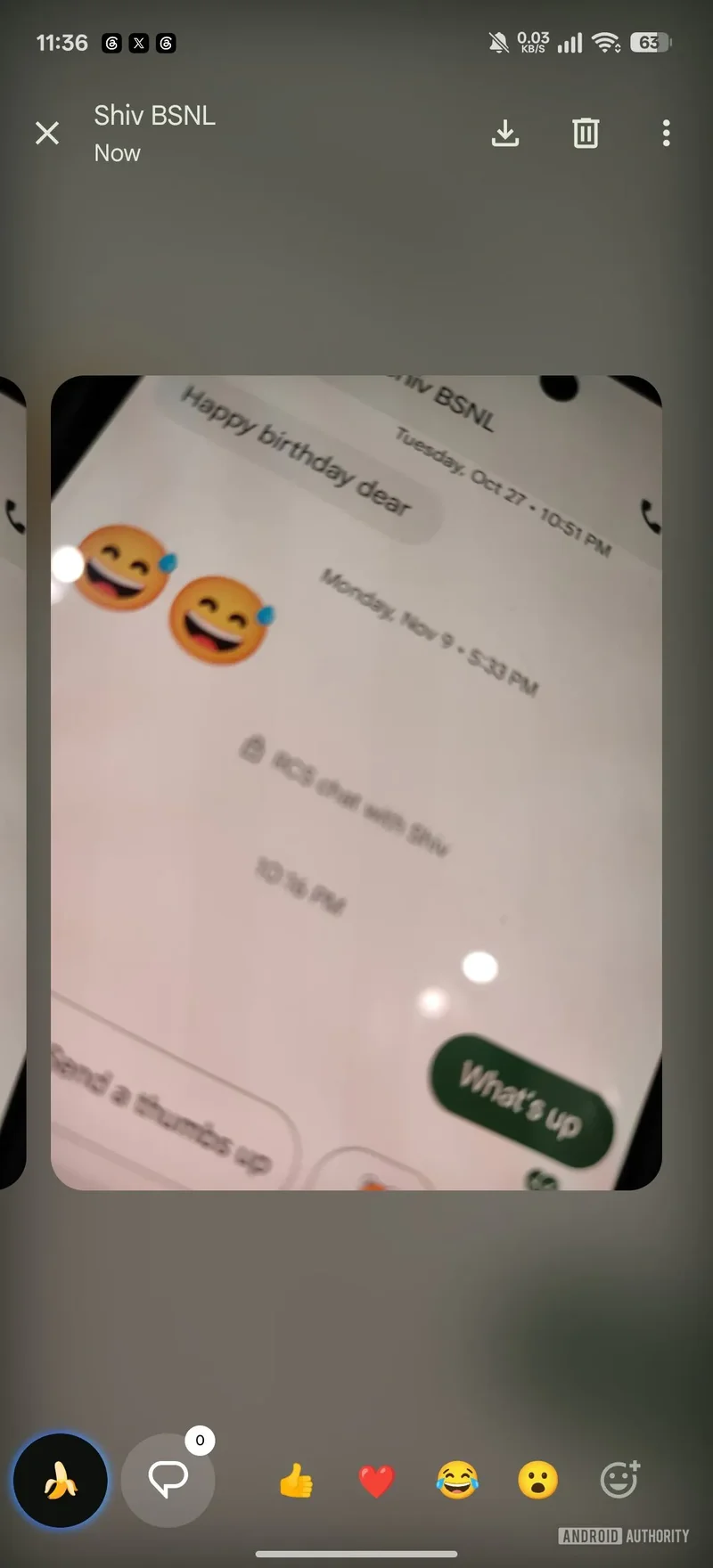
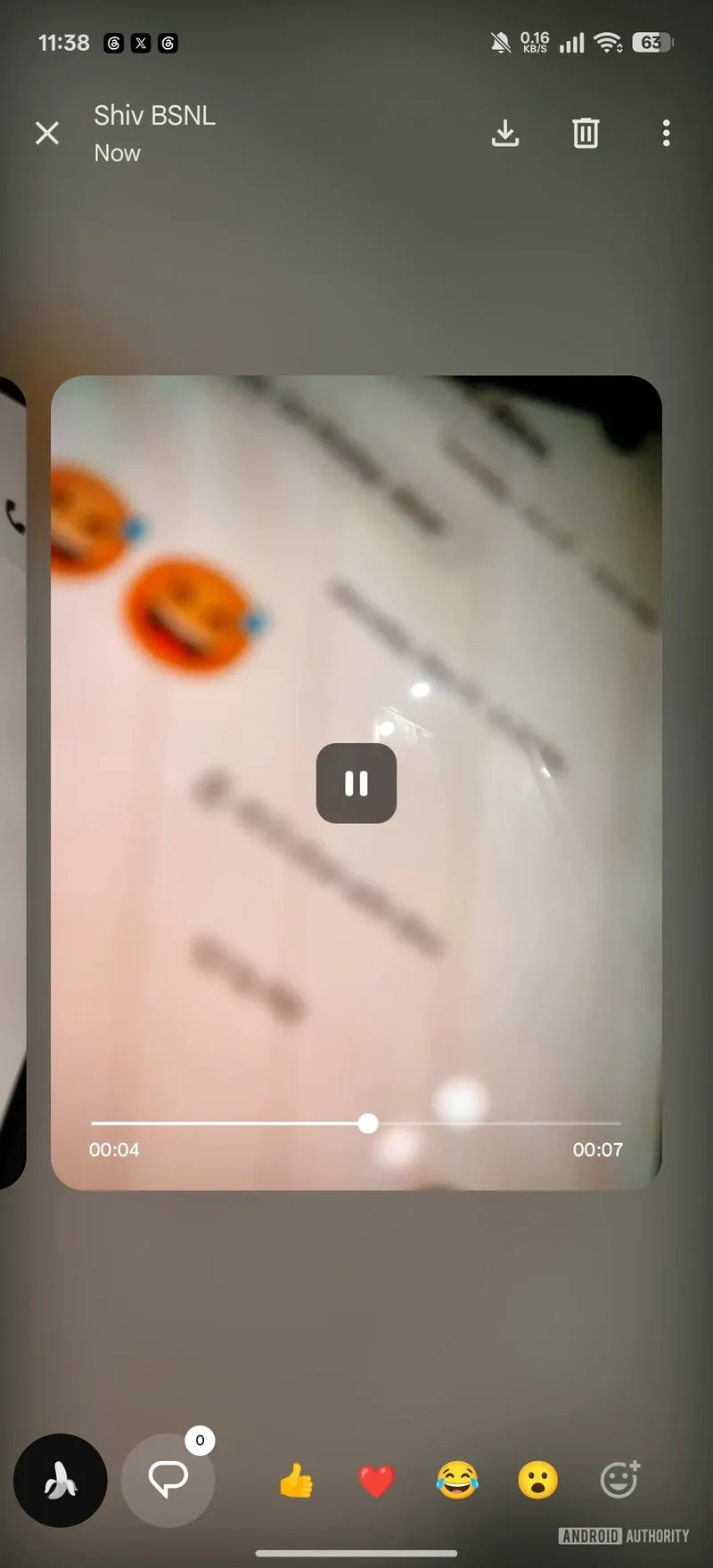
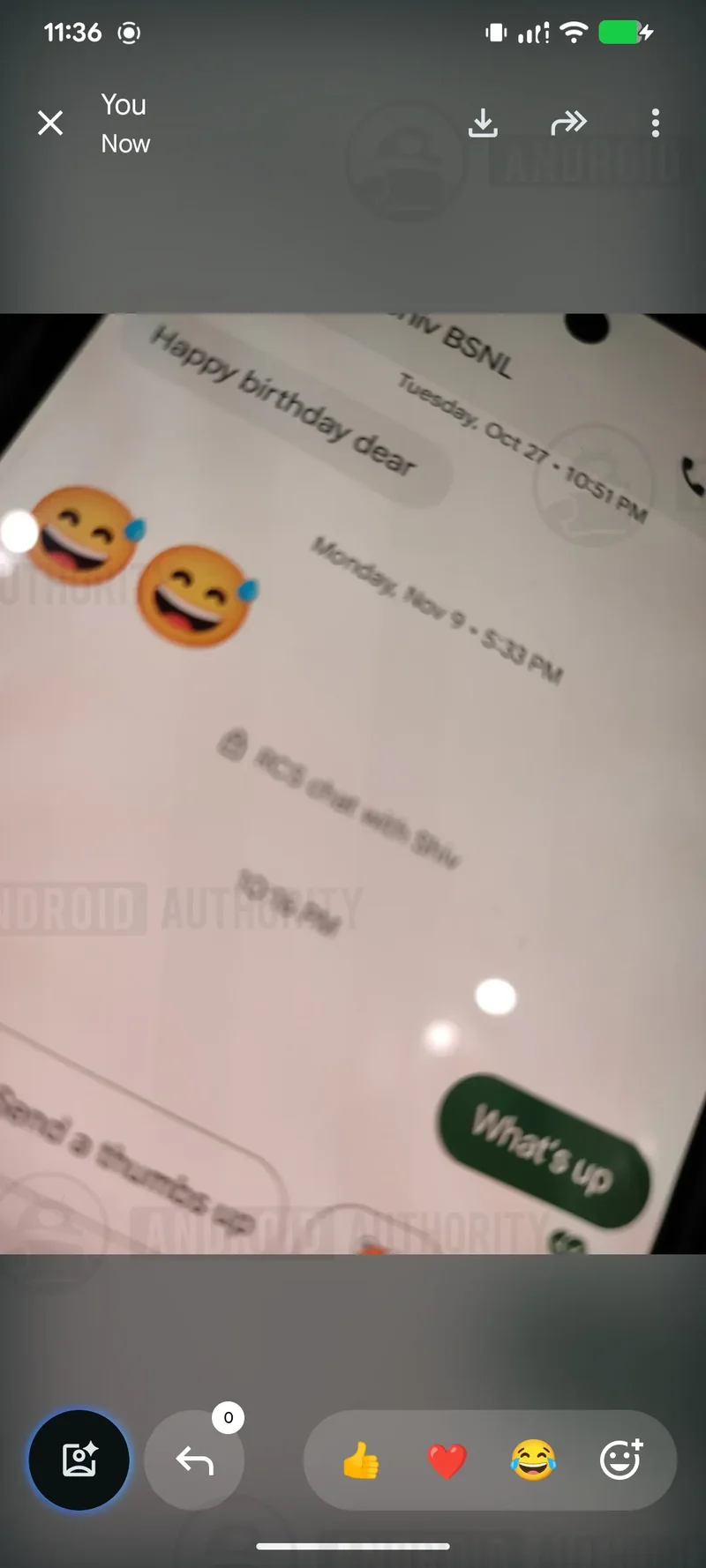
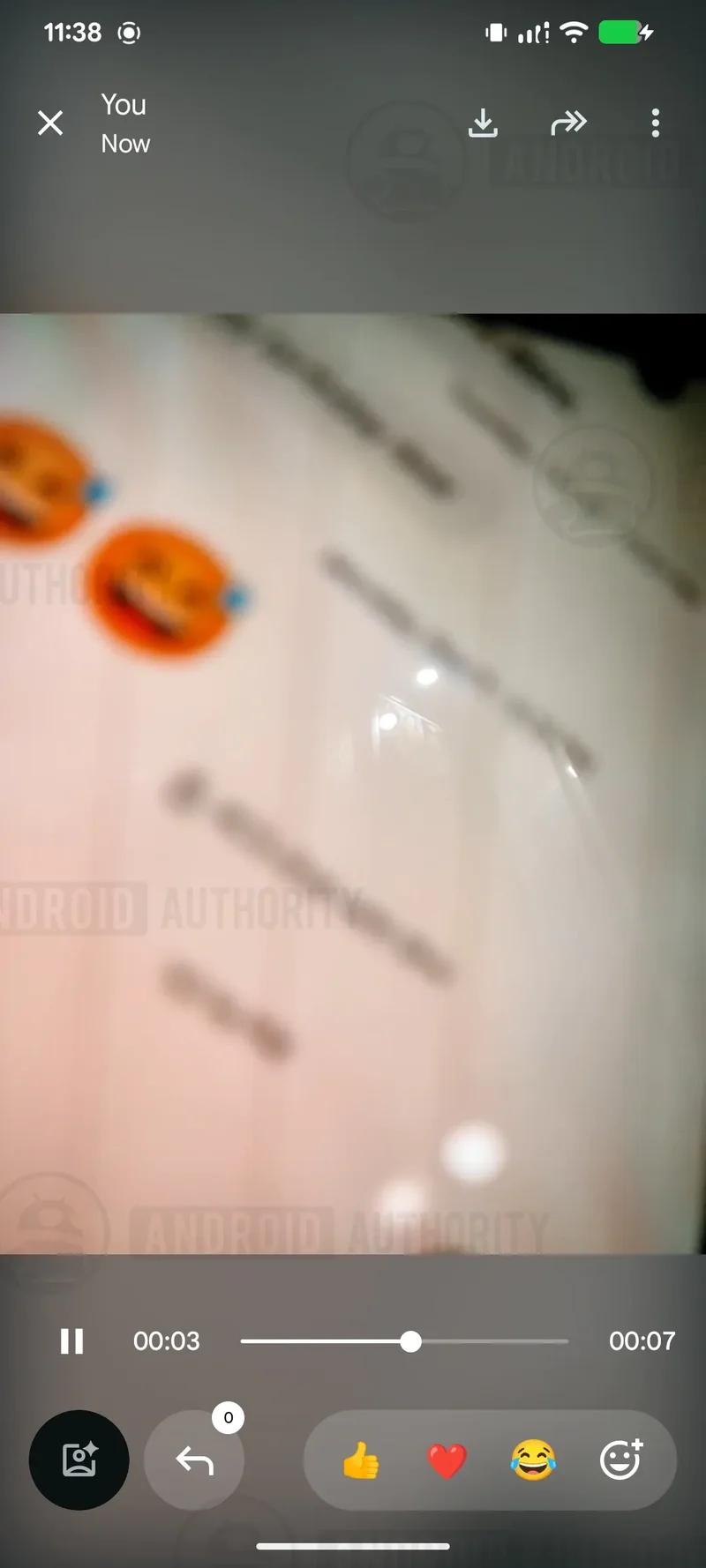
The new interface for visualizing photos and videos inside Google Messages also introduces small changes that make sense. The most obvious one is that the media viewer now takes the full width of the display, replacing the card-style design we have now. The reactions row is also moved to a container with only three visible options, instead of four.
When seeing video, the playback controls are now below the video, instead of covering part of it. The Nano Banana and message bubble icons are also replaced by a contact icon with an AI sparkle and a reply icon.
It’s unclear when these changes will make it to the stable versions of Google Messages, if they even get released. However, those are rather small tweaks that shouldn’t take too long to reach more users.
While all this may look like a bunch of small changes, I think those are the best updates to apps we use every day. Little quality-of-life improvements are what make things feel fresh, but not frustratingly different.
Google Messages is testing a new audio messaging interface
When you receive an audio message on Google Messages, you can see how long the audio is, but once you play it, there’s no indication how far into it you’ve listened. Apparently, Google is working on a redesigned interface that’ll resolve this issue.
The latest beta of the app, version 20261120_01 includes a new audio message card, which includes a progress indicator, according to an Android Authority report. The feature is straightforward, and makes listening to longer messages a bit less stressful, as you can see how far along you are.
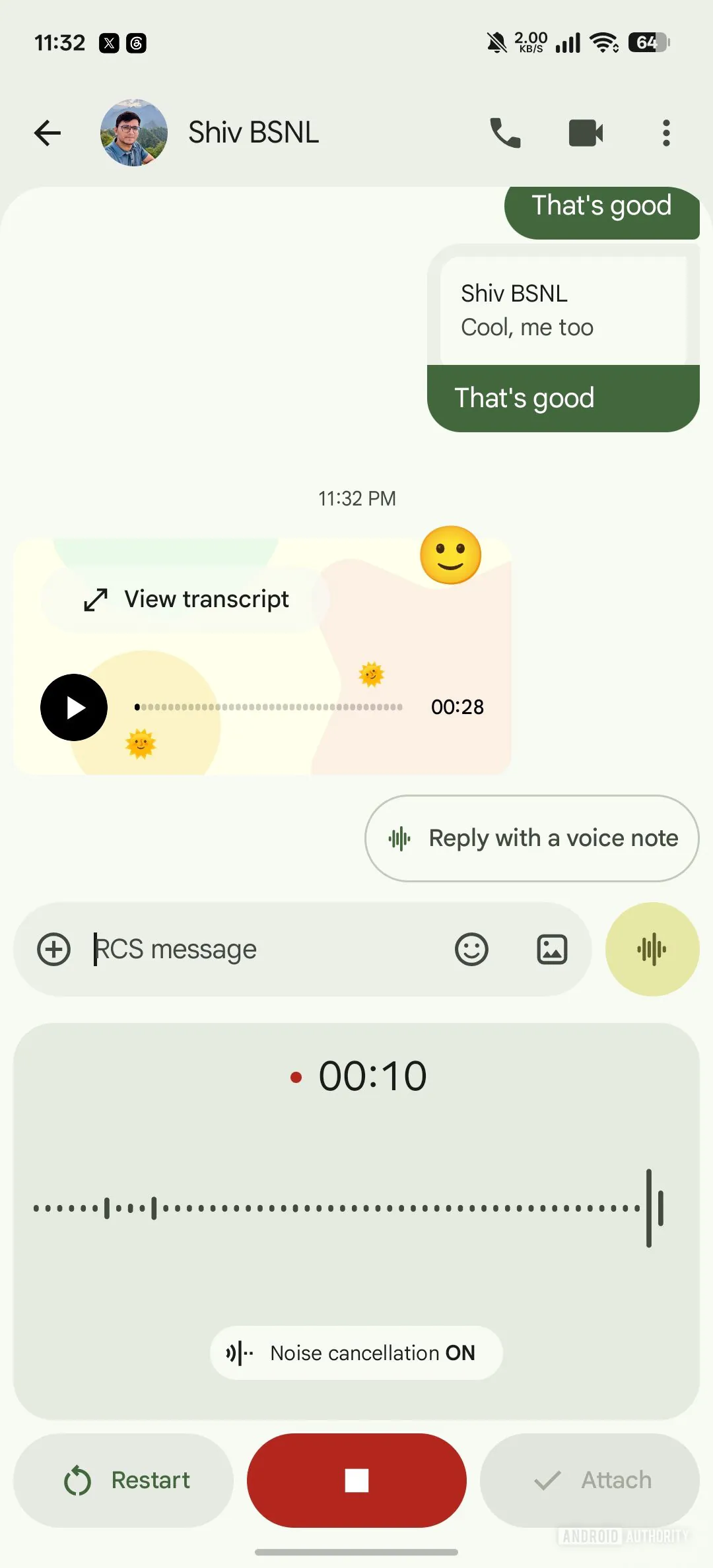
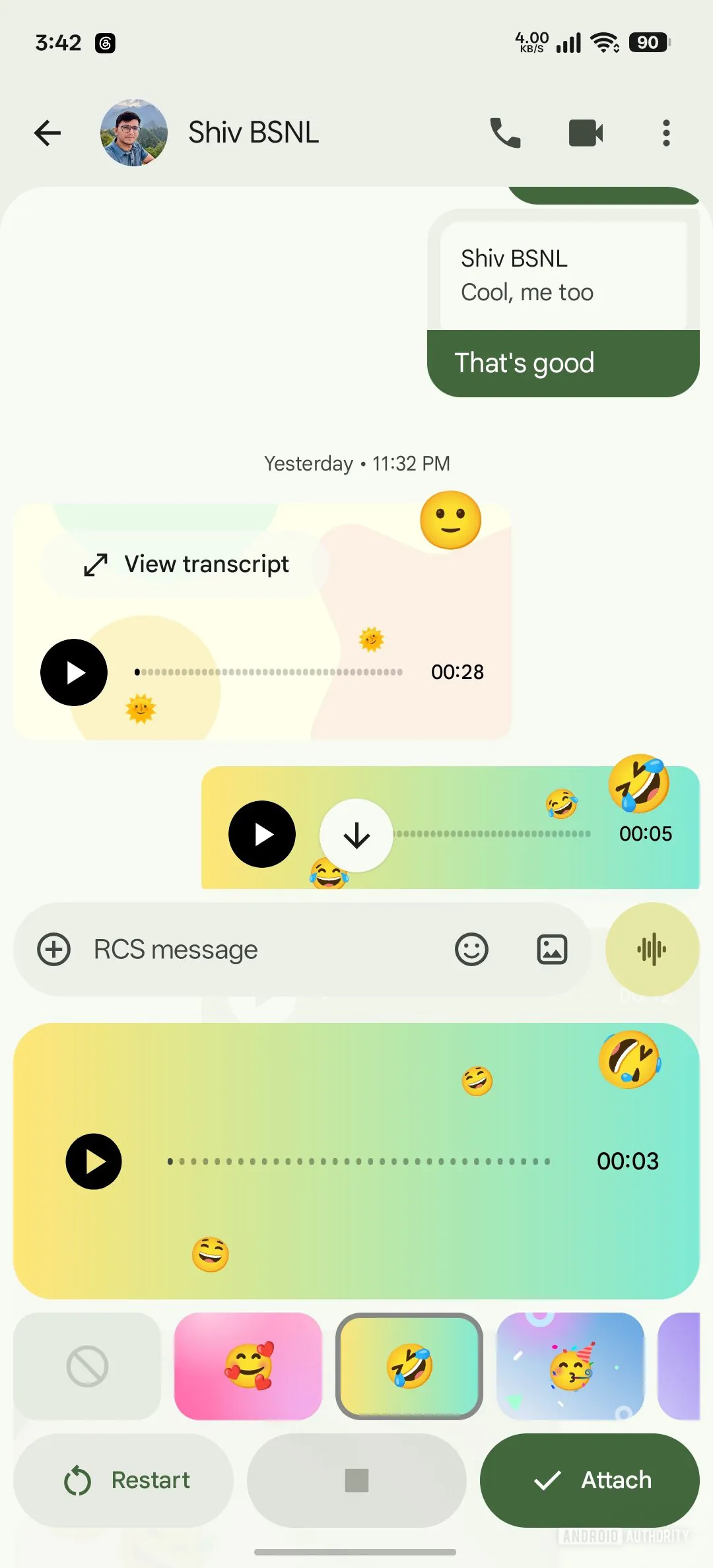
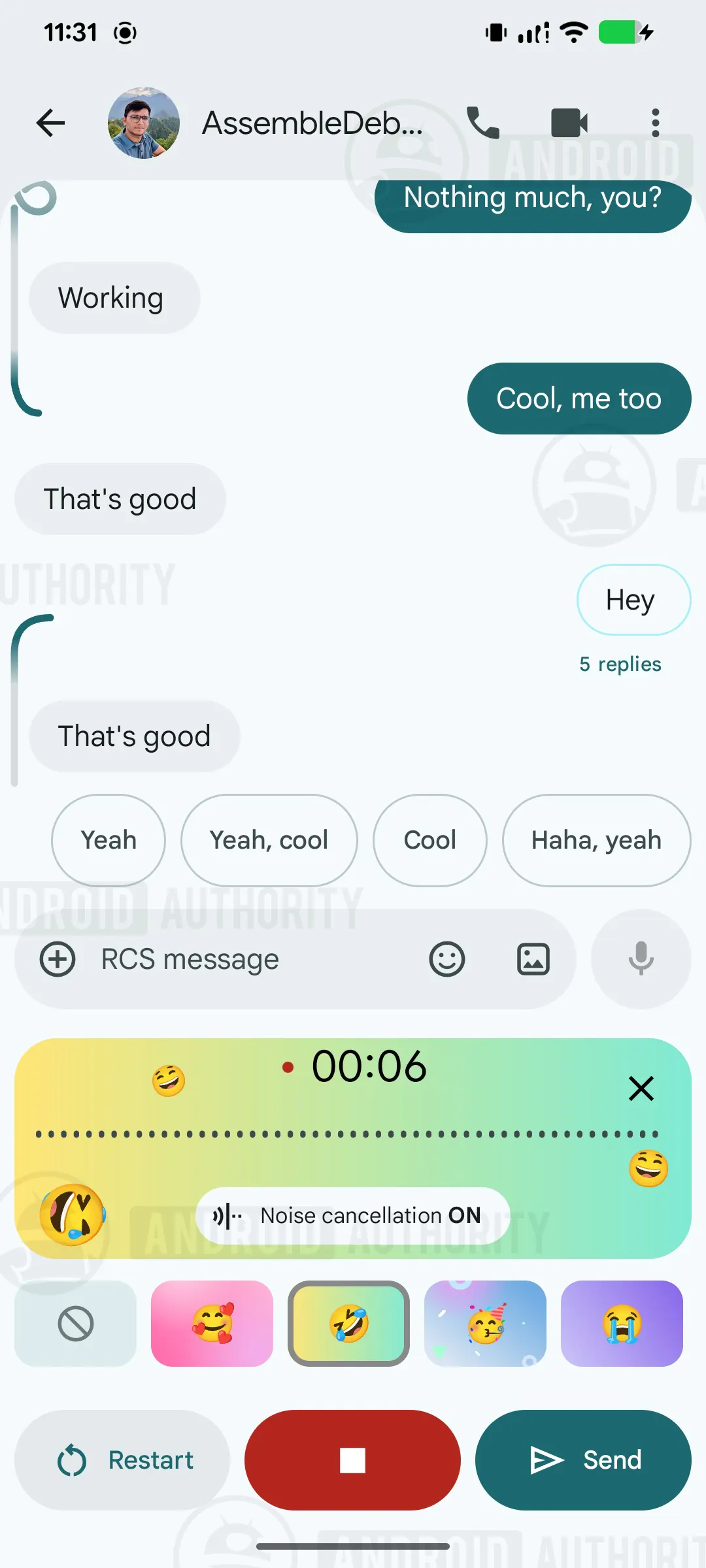
The current and the upcoming design of Voice Moods in Google Messages. | Images by Android Authority
This new release also allowed visualizing the new option that allows you to set Voice Moods in Google Messages while recording audio messages. It’s a rather small change, but it makes sense from a user experience perspective. There’s also a new close button at the top of the new audio recording interface, and the “Attach” button is replaced by a “Send” button, making sharing voice messages faster.
Poll
1 Votes
What type of messages do you send the most?
Google Messages is also getting a new media viewer interface
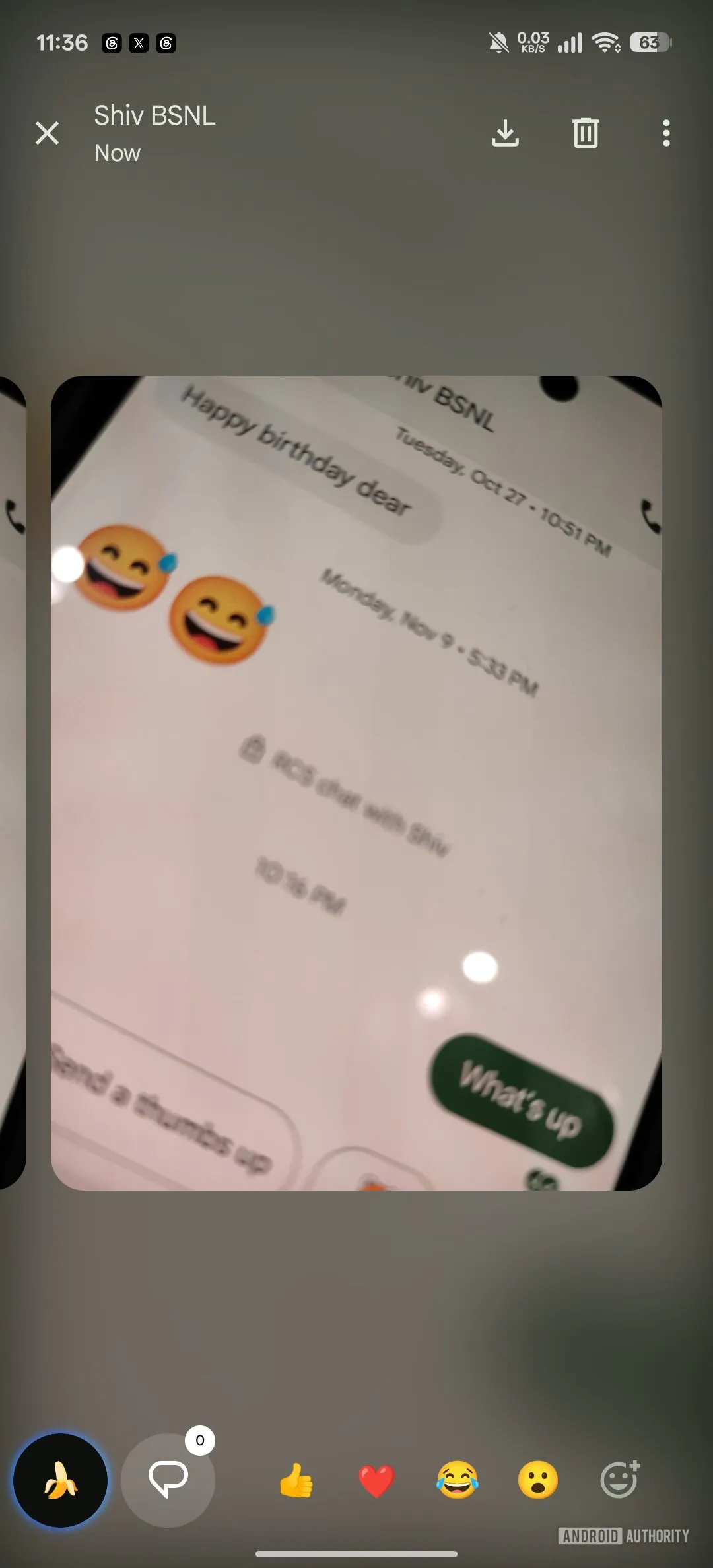
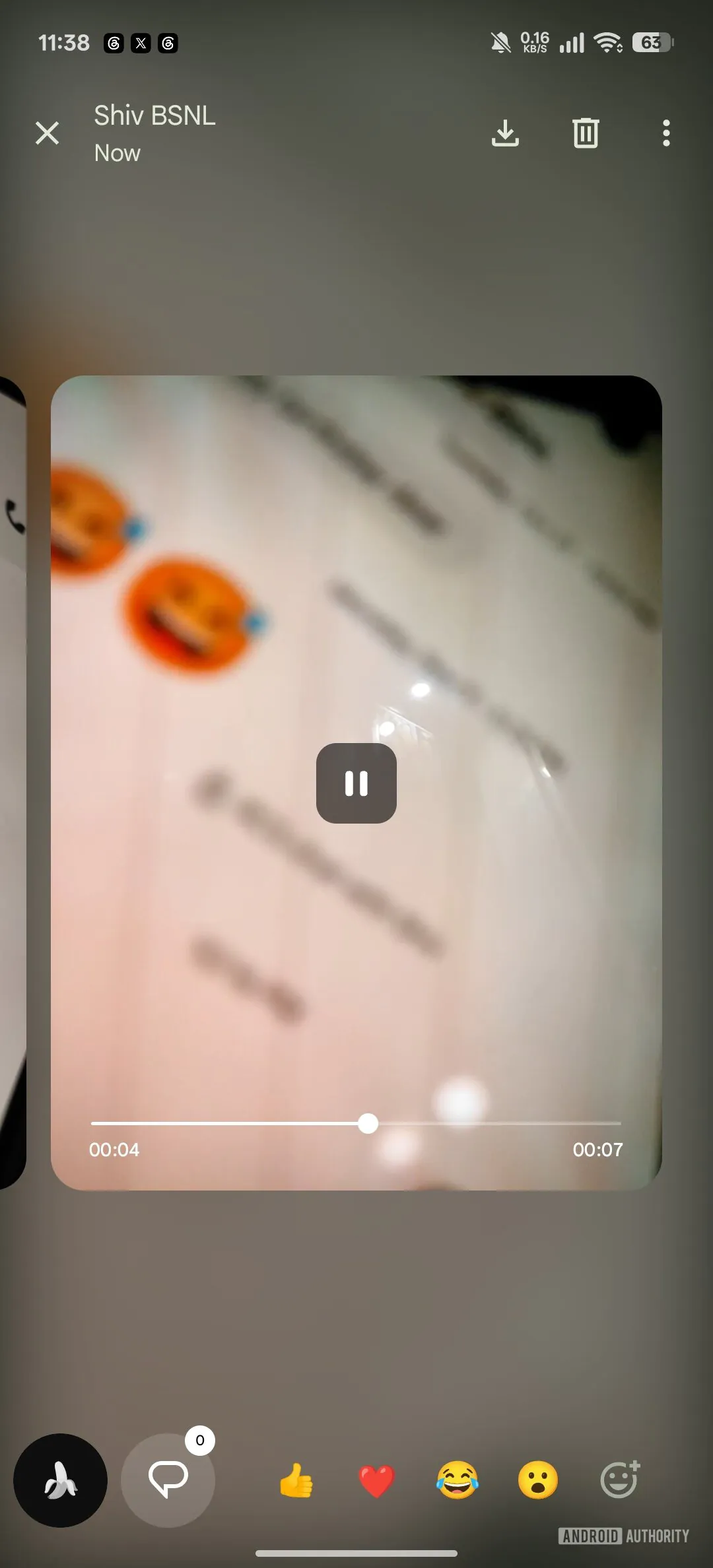
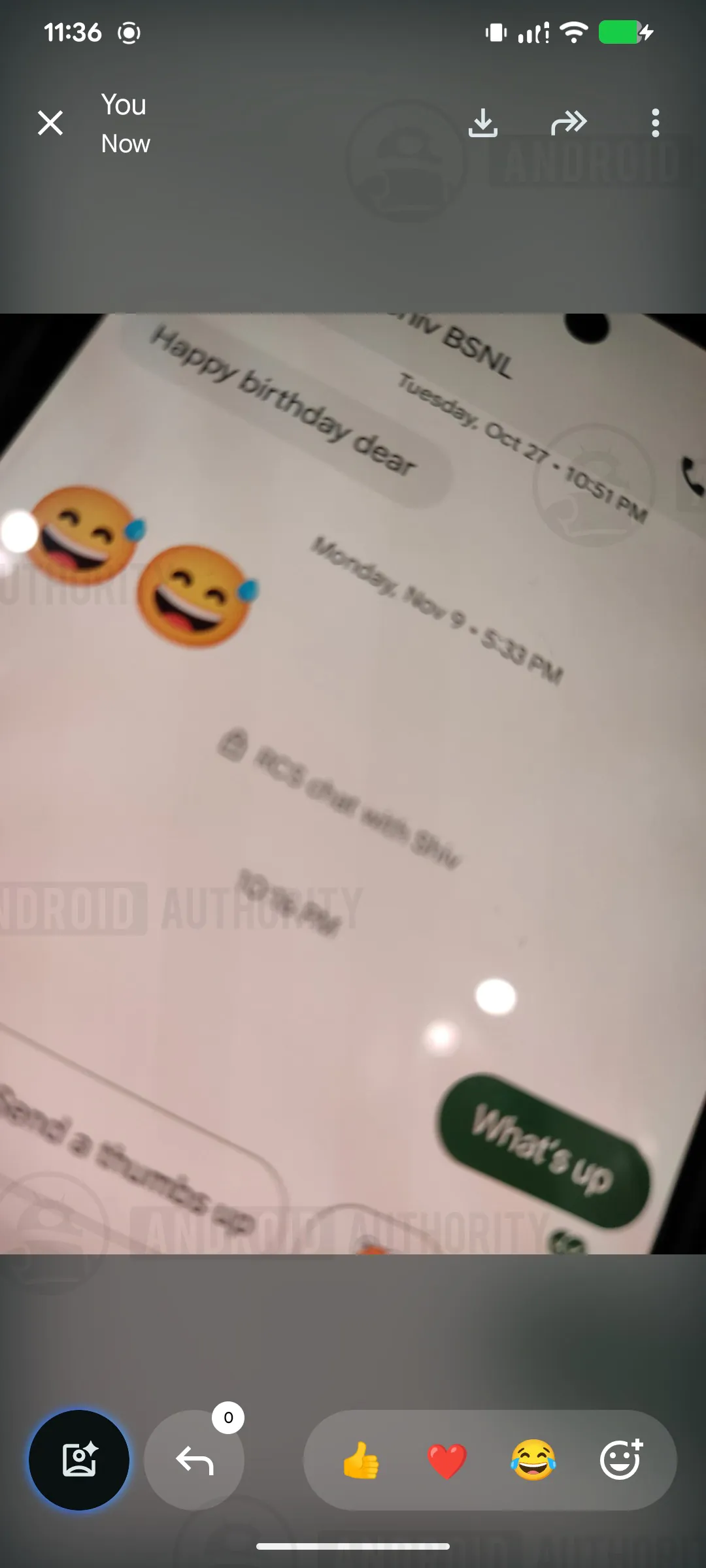
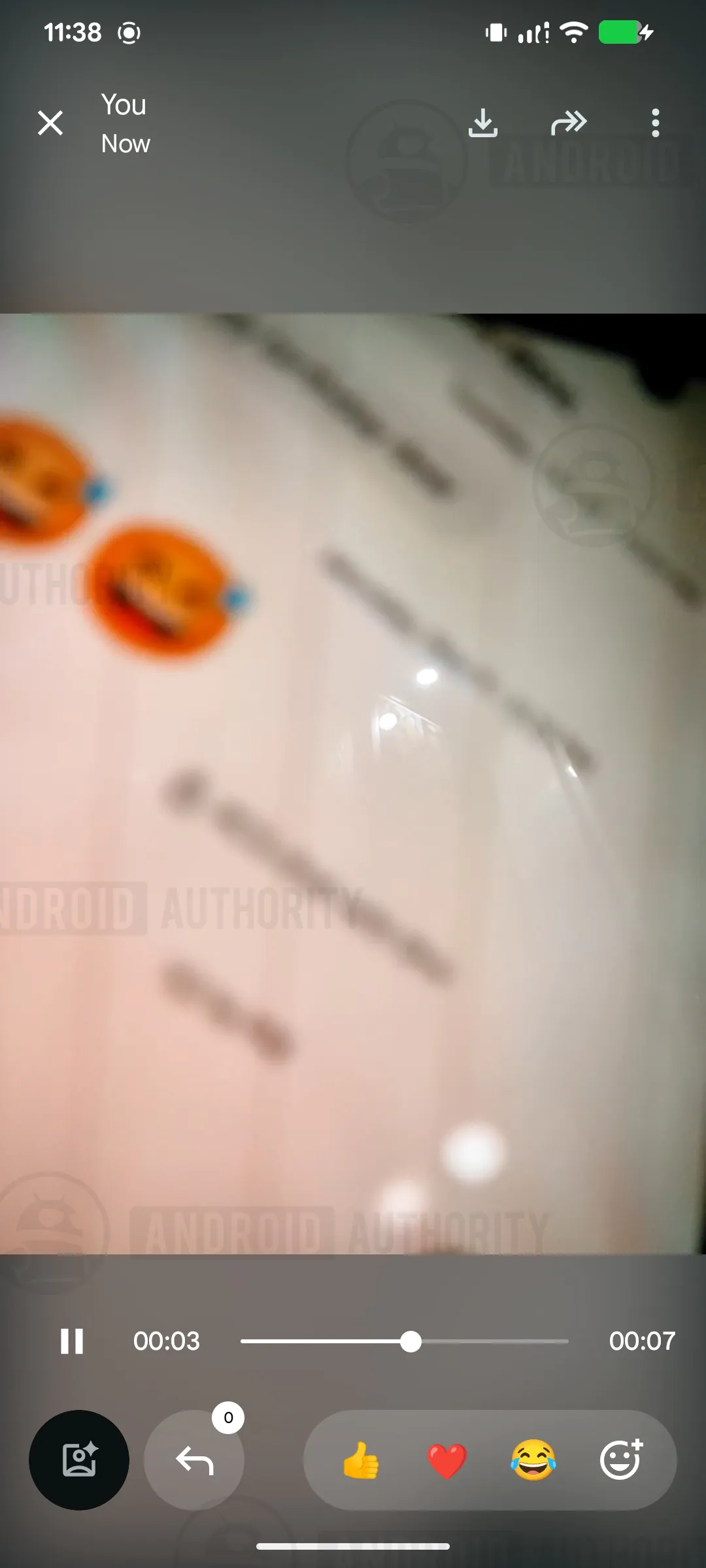
The old and the new media viewer interfaces. | Images by Android Authority
The new interface for visualizing photos and videos inside Google Messages also introduces small changes that make sense. The most obvious one is that the media viewer now takes the full width of the display, replacing the card-style design we have now. The reactions row is also moved to a container with only three visible options, instead of four.
It’s unclear when these changes will make it to the stable versions of Google Messages, if they even get released. However, those are rather small tweaks that shouldn’t take too long to reach more users.
The best type of update
While all this may look like a bunch of small changes, I think those are the best updates to apps we use every day. Little quality-of-life improvements are what make things feel fresh, but not frustratingly different.

Popular stories

Latest News
Things that are NOT allowed:
To help keep our community safe and free from spam, we apply temporary limits to newly created accounts: