Some Pixel models can't maintain a 5G connection after Android 17 was installed
However, there is one easy fix that has worked, and you can try it on your affected phone.
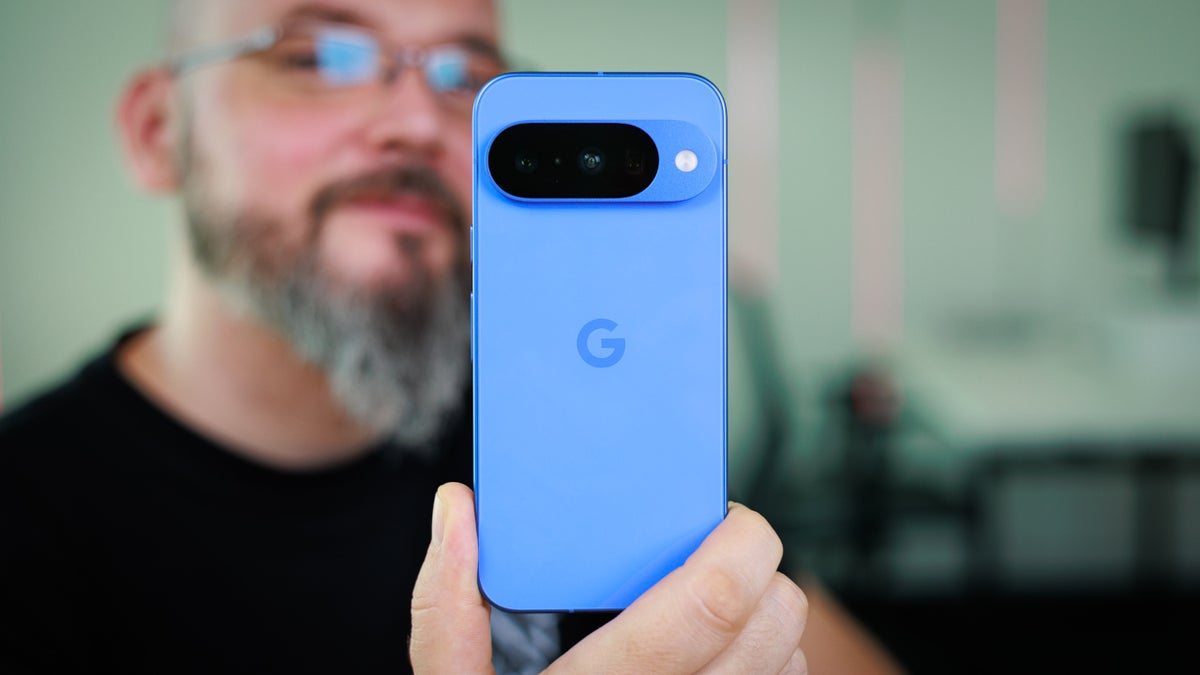
More Pixel bugs appear after Android 17 is installed | Image by PhoneArena
A few days ago, Google released Android 17 for eligible Pixel models from the Pixel 6 line to the Pixel 10 series, the Pixel Fold, and the Pixel Tablet. A couple of days later, we told you that some Pixel devices updated to Android 17 were experiencing a strange issue that left users unable to use some Google apps, such as YouTube and Gmail, but only when Wi-Fi was enabled.
Now, we have discovered that there is another bug bothering Pixel users since Android 17 was disseminated. This bug leaves users of affected Pixel models unable to hold on to their 5G connections and drops them back to 4G.
One issue prevents Pixel users from maintaining a 5G connection on their phones
For example, a Redditor with the username "BackpackBuddha" wrote on the platform that prior to installing Android 17 on his Pixel 9 Pro, he had no problem maintaining a 5G signal. However, since he downloaded the new Android build on his phone, the only signal he is connected to is an LTE signal.
Which Android 17 bug does your Pixel have?
447 Votes
Unable to maintain 5G signal
41.39%
Google apps won't open when connected to Wi-Fi
6.04%
Widgets are disappearing from home screen
5.82%
My Pixel has experienced no bugs since Android 17 installed
46.76%
Other Pixel users have experienced the same problem. However, there seems to be a way you can exterminate this bug all by yourself without requiring any assistance from Google. Reddit user "livingitdaybyday" found that after installing Android 17, his Pixel 10 Pro would not connect to a 5G network and the phone was only working with 4G signals.
This fix might help you exterminate the 5G bug on your Pixel
So the device owner went to Settings > System > Repair mode > Enter repair mode > Restart. He said, "All I did was put it in Repair mode and then took it out, and it started working. Nothing else." Following the reset, the phone was able to connect to a 5G signal and maintain the connection.
Repair mode is a secure environment that will protect your apps and personal data from being accessed by others while the device is undergoing repairs. To be more particular, this mode protects others from accessing your contacts, messages, and photos. To return your phone to normal, exit Repair mode. You need to have at least 2GB of storage for Repair mode to function.
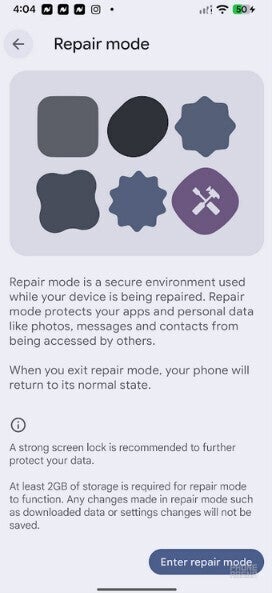
Resetting Repair mode will supposedly fix Pixel models that can't maintain a 5G connection.| Image by PhoneArena
Several Pixel users who could not keep a 5G signal on their phones after installing Android 17 tried the Repair mode fix and found that it solved the problem.
But there are other problems that have popped up. Some Pixel users have found that the widgets on their home screen have disappeared. This is not a widespread issue and seems limited to units with a work profile configured. Of course, this is the bug that Google is already aware of and has said that it will fix in a future update.
Android 17 will help you multitask with a great new feature
Android 17 includes new features such as App Bubbles, which turns any app into a floating app bubble. This allows you to quickly multitask between apps by tapping between bubbles. Long-pressing on any app icon will give you the opportunity to turn that app into an app bubble, and you can have up to five app bubbles on your screen anytime.
Another feature, Screen Reactions, allows you to use your front-facing camera and record your screen at the same time. With AI removing your background, this feature is like having a virtual green screen in your pocket.
How to activate Screen Reactions
To activate it, scroll down from the top center of your screen to Quick Settings and tap on the Screen record button. On the pop up menu, tap on "Entire screen" and toggle on Show selfie camera and Record microphone. There are other options to choose from.
To install Android 17 on your Pixel, go to Settings > System > Software updates > System update and follow the directions.


Popular stories






Latest News






Things that are NOT allowed:
To help keep our community safe and free from spam, we apply temporary limits to newly created accounts: