iPad mini (A20 Pro) Review: Almost perfect


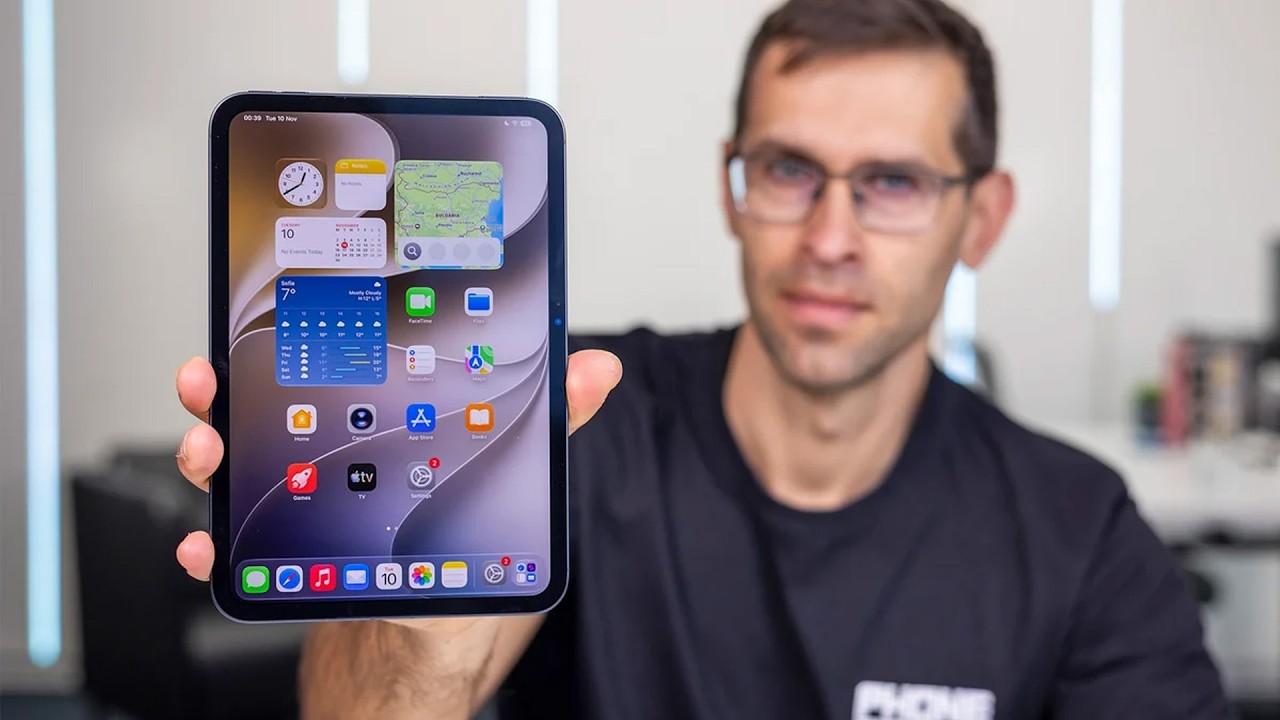

The iPad mini has always been one of my favorite tablet form factors: roughly the size of a book, it's small enough to always stay in your bag, but still large enough to make reading, gaming, watching videos and even getting some actual work done better than a phone.
The irony is that Apple is now basically the only major company still making a flagship mini tablet like this. Samsung, for example, is making gigantic 14-inch tablets that won't even fit in some bags.
And the new iPad mini doubles down on portability. It is thinner than the iPhone Air, it gets a beautiful OLED display, the A20 Pro chip, Apple Pencil support and windowed multitasking. The OLED screen, of course, is the ugprade everyone was waiting for, and it looks beautiful.
But Apple has also made some frustrating compromises. There is still no ProMotion, you still have Touch ID instead of Face ID, and the fully-powered version of the A20 Pro is actually only available on the pricey 512GB model.
Do I recommend the iPad mini with all of that? Absolutely, but only if you know why you want a mini tablet. The iPad mini is actually not a better device than a larger iPad for productivity, but it is much easier to carry around, and that is its essence.
Do I recommend the iPad mini with all of that? Absolutely, but only if you know why you want a mini tablet. The iPad mini is actually not a better device than a larger iPad for productivity, but it is much easier to carry around, and that is its essence.
For this review, I've used the iPad mini for a full week, and it has undergone the full PhoneArena testing protocol including our extensive battery testing protocol.
Table of Contents:
iPad mini (2026) Design and Display
A tablet that actually fits in your bag (and your pocket)
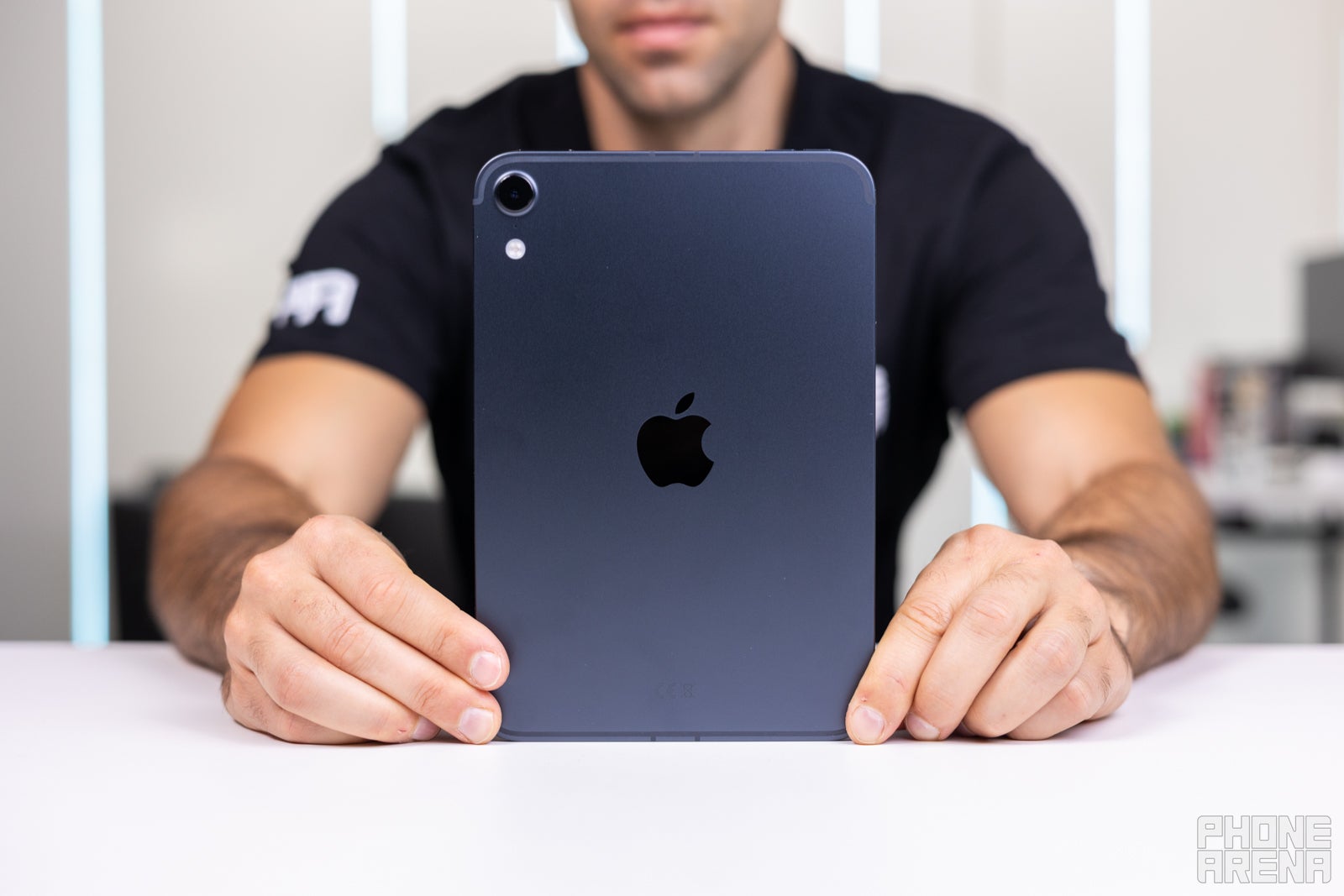
Image by PhoneArena
The whole idea behind the iPad mini is portability, and this new generation takes that idea even further. The tablet is just 5.4mm thin and weighs only 255 grams.
That makes it even thinner than the iPhone Air, which is pretty funny considering that Apple's "Air" branding has traditionally been associated with its thinnest devices. At this point, the iPad mini is actually thinner.
And the size is what makes this tablet so appealing. A mini tablet is about as big as a book, and it feels just as comfortable to carry around. You can leave it in your backpack without really thinking about it, and then pull it out whenever you want to read, watch something, play a game or get some work done.
That makes it even thinner than the iPhone Air, which is pretty funny considering that Apple's "Air" branding has traditionally been associated with its thinnest devices. At this point, the iPad mini is actually thinner.
And the size is what makes this tablet so appealing. A mini tablet is about as big as a book, and it feels just as comfortable to carry around. You can leave it in your backpack without really thinking about it, and then pull it out whenever you want to read, watch something, play a game or get some work done.
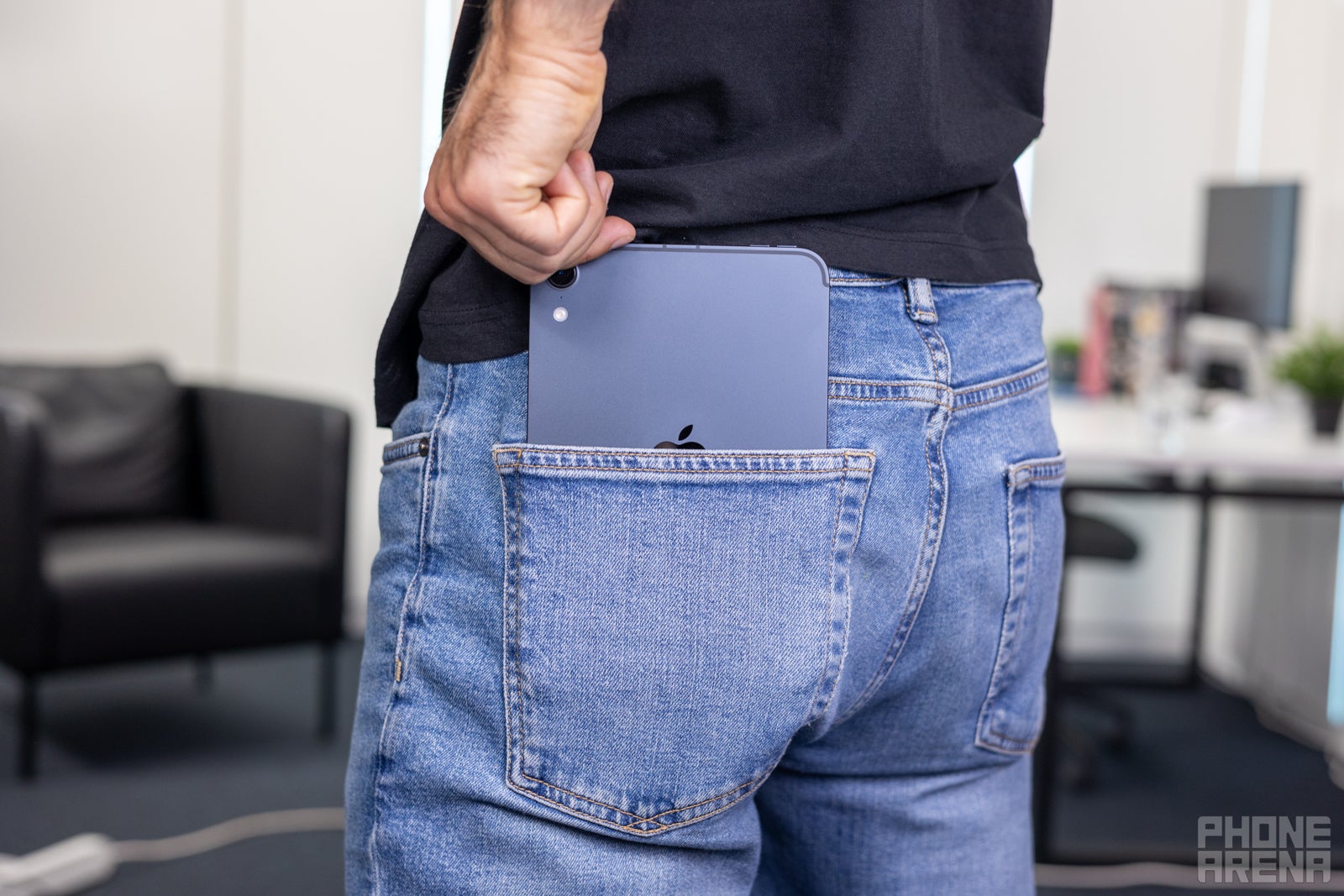
Image by PhoneArena
It's actually so thin and light that it fits in your jeans back pocket (just remember not to sit on it, as it doesn't fold).
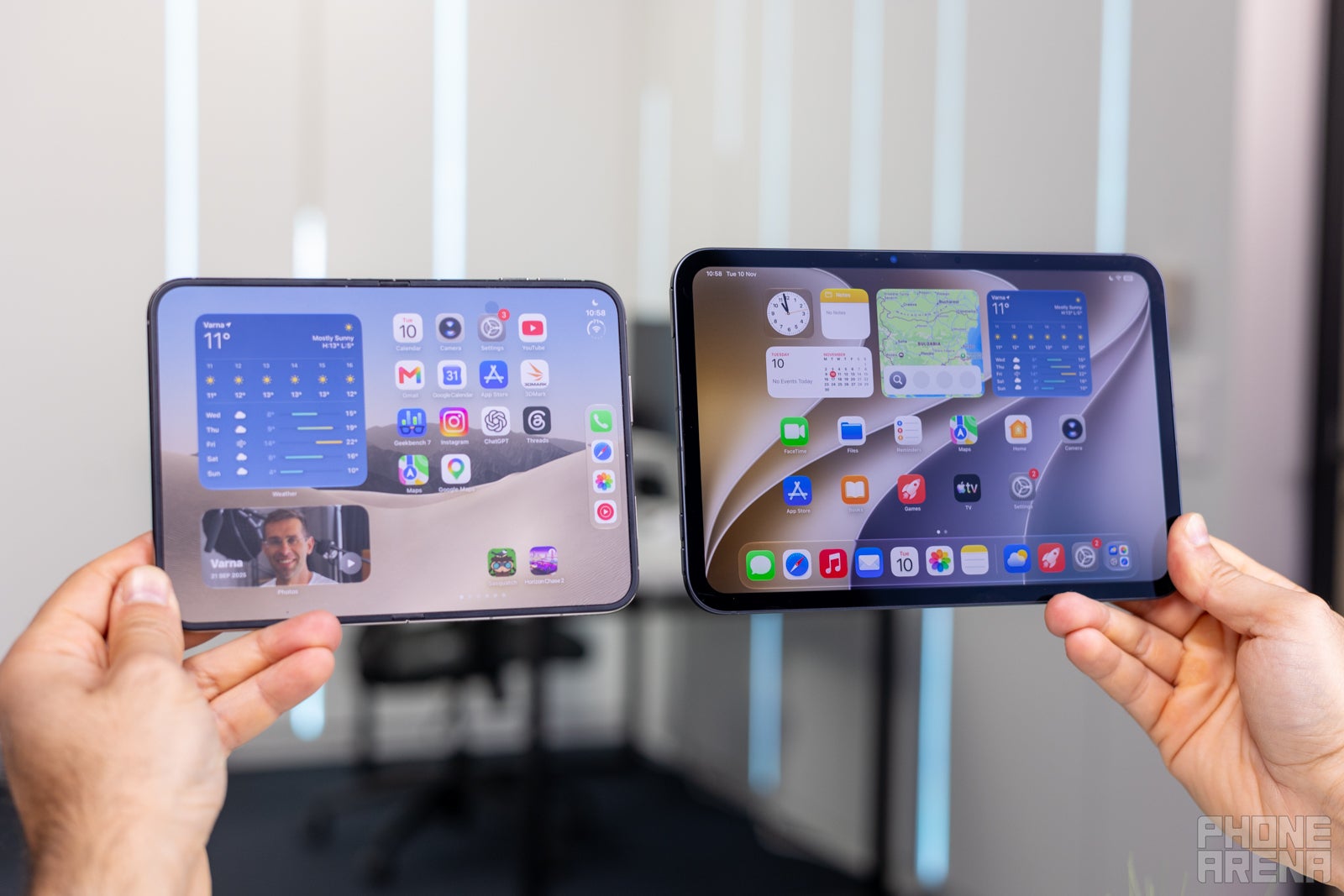
Image by PhoneArena
The biggest display upgrade here is obvious: OLED.
The new OLED panel looks beautiful, with vibrant colors and deep blacks. And when you compare it directly with the iPhone Duo, I actually prefer the iPad mini's display. That matte screen on the foldable iPhone looks hazy in comparison, especially outdoors.
The iPad mini also gives you nearly 20% more screen area than the iPhone Duo, which is a meaningful advantage when you're reading, gaming or trying to get actual work done.
The new OLED panel looks beautiful, with vibrant colors and deep blacks. And when you compare it directly with the iPhone Duo, I actually prefer the iPad mini's display. That matte screen on the foldable iPhone looks hazy in comparison, especially outdoors.
The iPad mini also gives you nearly 20% more screen area than the iPhone Duo, which is a meaningful advantage when you're reading, gaming or trying to get actual work done.
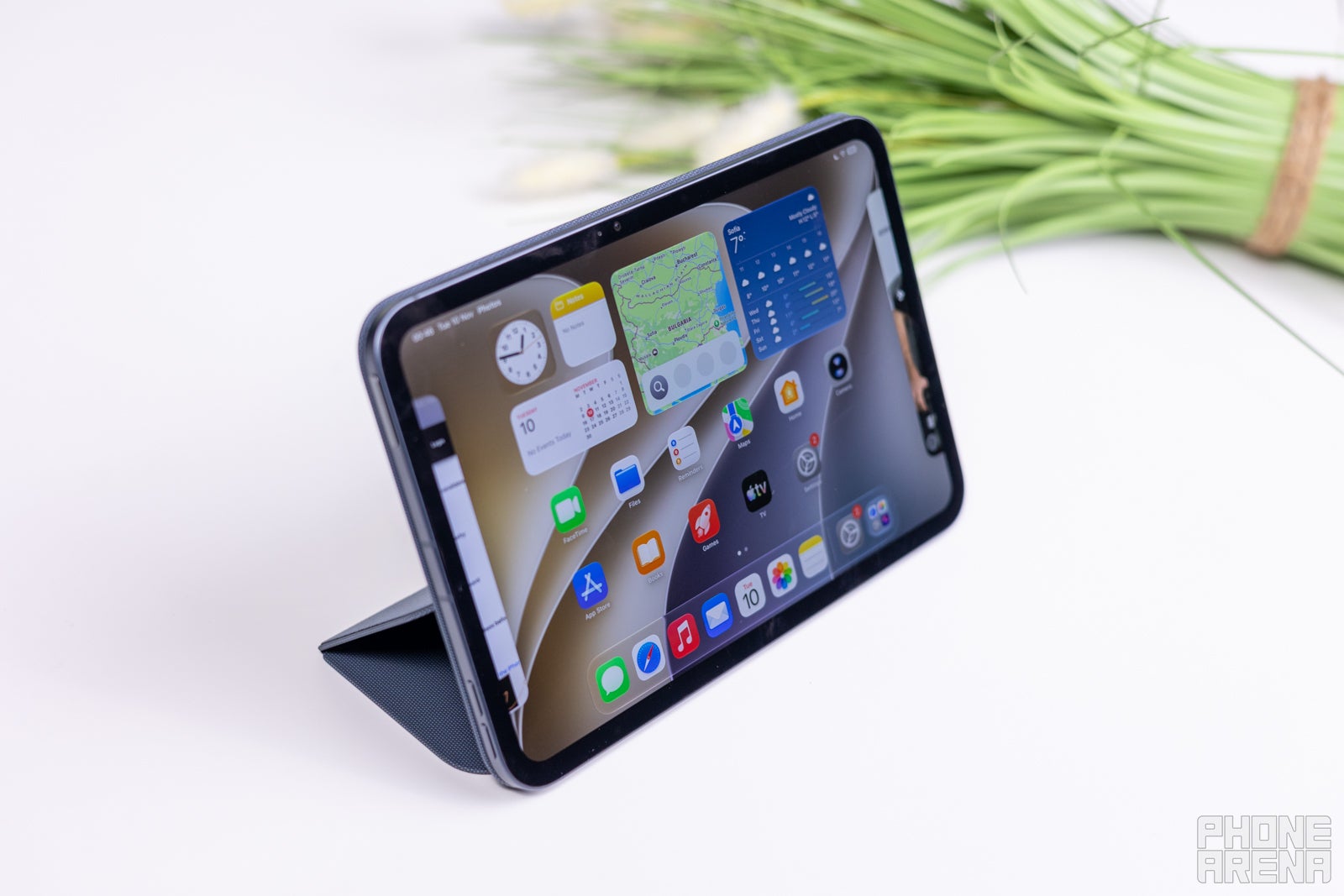
Image by PhoneArena
The elephant in the room is the lack of ProMotion. This is a $700 tablet, so I don't think it's unreasonable to expect a high-refresh-rate display at this price. Scrolling around simply looks a little choppier than it should.
Is it a dealbreaker? Honestly, there is no one answer. Regular users might not even notice it that much, but I bet gamers and pro users are just shaking their heads in disbelief.
The iPad mini still uses Touch ID rather than Face ID.
And honestly, after using the iPad mini for longer, this became one of my biggest complaints.
An iPad is a device you rotate constantly, and I always struggle to remember where that darn fingerprint sensor is. On top of that, it feels surprisingly slow for some reason.
Face ID would be an absolute lifesaver on the iPad mini, but alas.
And honestly, after using the iPad mini for longer, this became one of my biggest complaints.
An iPad is a device you rotate constantly, and I always struggle to remember where that darn fingerprint sensor is. On top of that, it feels surprisingly slow for some reason.
Face ID would be an absolute lifesaver on the iPad mini, but alas.
iPad mini (2026) Keyboard and Stylus
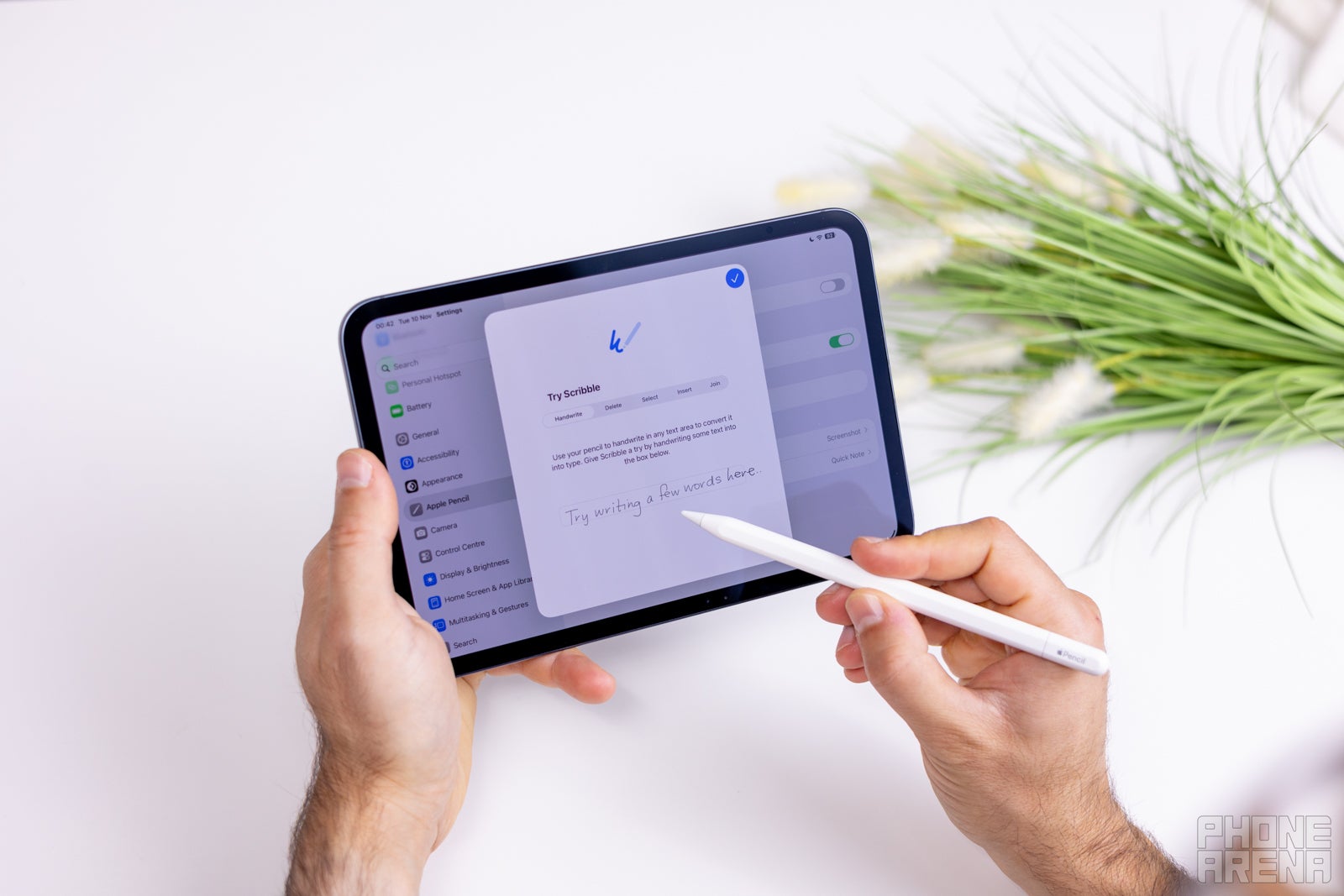
Image by PhoneArena
Apple does not make an official keyboard for the iPad mini, like it does for larger iPads, and the reason for that is its smaller size would command a tiny keyboard, which is a compromise.
But thankfully, you have plenty of third-party options, so you can still take this on the go as a modern-day typewriter.
Apple officially lists both the Apple Pencil Pro and Apple Pencil (USB-C) as compatible with the iPad mini.
The USB-C Pencil is basically the "simple" option: it's still great for writing, marking up PDFs, signing documents and the occasional sketch. However, it only has tilt sensitivity but no pressure sensitivity, which will limit artists.
The Pencil Pro adds pressure sensitivity, plus it has a few other advanced controls: squeeze, barrel roll, double-tap, haptic feedback and Find My. It also charges magnetically from the side of the iPad.
The Pencil Pro adds pressure sensitivity, plus it has a few other advanced controls: squeeze, barrel roll, double-tap, haptic feedback and Find My. It also charges magnetically from the side of the iPad.
iPad mini (2026) Performance & Benchmarks
2nm power
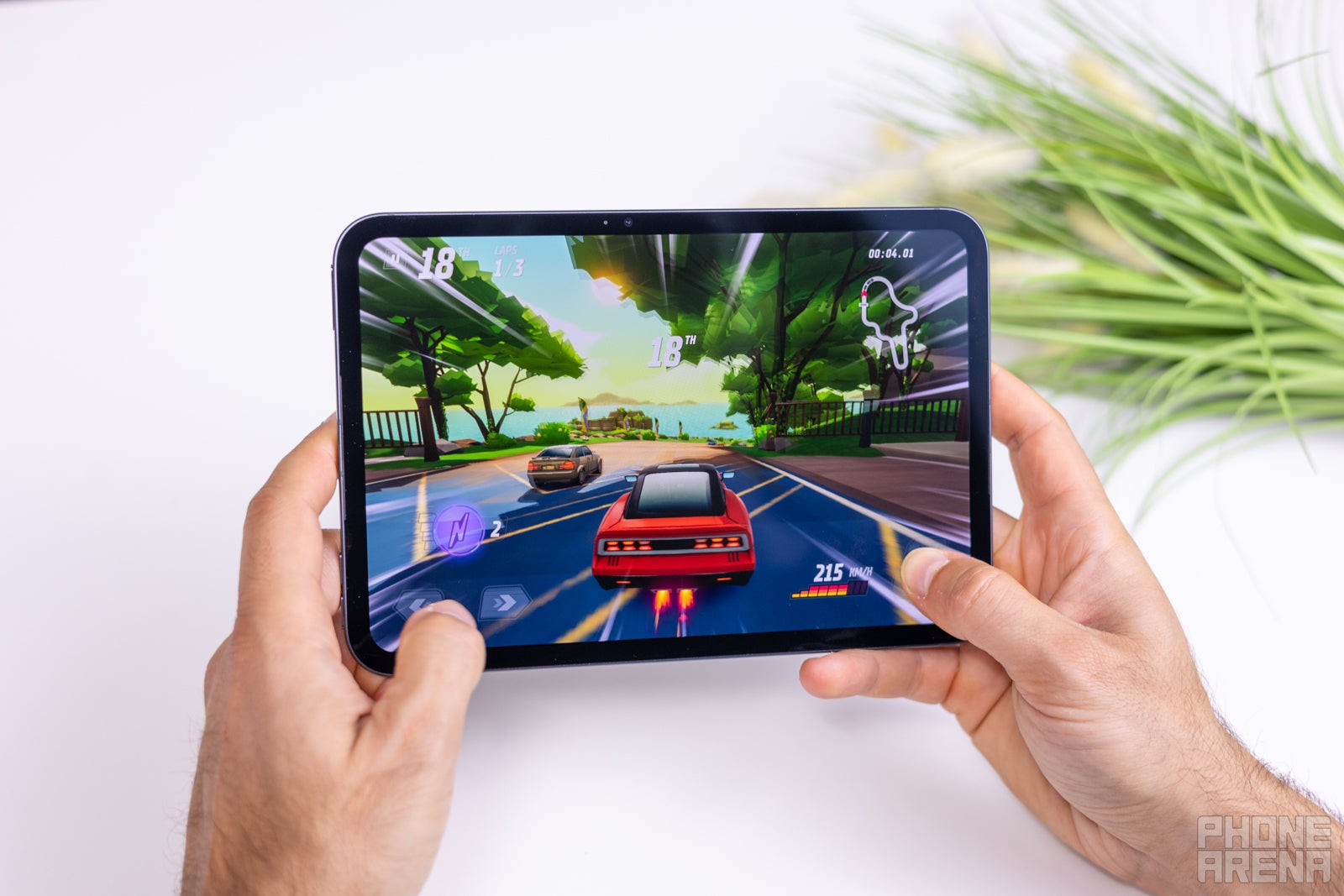
Image by PhoneArena
The OLED iPad mini runs on Apple's A20 Pro chipset, the same processor found in the iPhone 18 Pro models.
There is one very Apple-like catch, though: if you want the most powerful version of the chip, you have to buy the 512GB model, which costs... $1,000! The base 128GB version and the 256GB model get a binned version of the processor with one less CPU core.
We have the 512GB model, so we are testing the full-fat version.
There is one very Apple-like catch, though: if you want the most powerful version of the chip, you have to buy the 512GB model, which costs... $1,000! The base 128GB version and the 256GB model get a binned version of the processor with one less CPU core.
The CPU performance is practically identical between the iPad mini, iPhone Duo and iPhone 18 Pro Max in our comparison.
That means you're not really sacrificing CPU performance by choosing the mini. It has the kind of processing power you'd expect from a flagship Apple device.
That means you're not really sacrificing CPU performance by choosing the mini. It has the kind of processing power you'd expect from a flagship Apple device.
GPU Performance
The interesting part is gaming performance. The iPhone Duo actually scores considerably lower than the iPad mini in our GPU testing, making the iPad the faster gaming device, especially for prolonged sessions with demanding titles.
Gaming performance
The iPad mini is particularly well suited for gaming simply because you have more screen real estate to work with, while it remains incredibly compact and handheld-able.
And it absolutely shines with a game controller. I am no longer playing games as I used to do, but I just had to try playing Call of Duty Mobile on the iPad mini, and the experience is just fantastic (now, if only we had 120Hz support, right?).
Of course, the biggest limitation here is Apple's very limited gaming platform. This is no Steam Deck, meaning you get very few AAA titles, and even if you pay for Apple Arcade, you don't have a huge catalog of games to choose from.
iPad mini (2026) Software
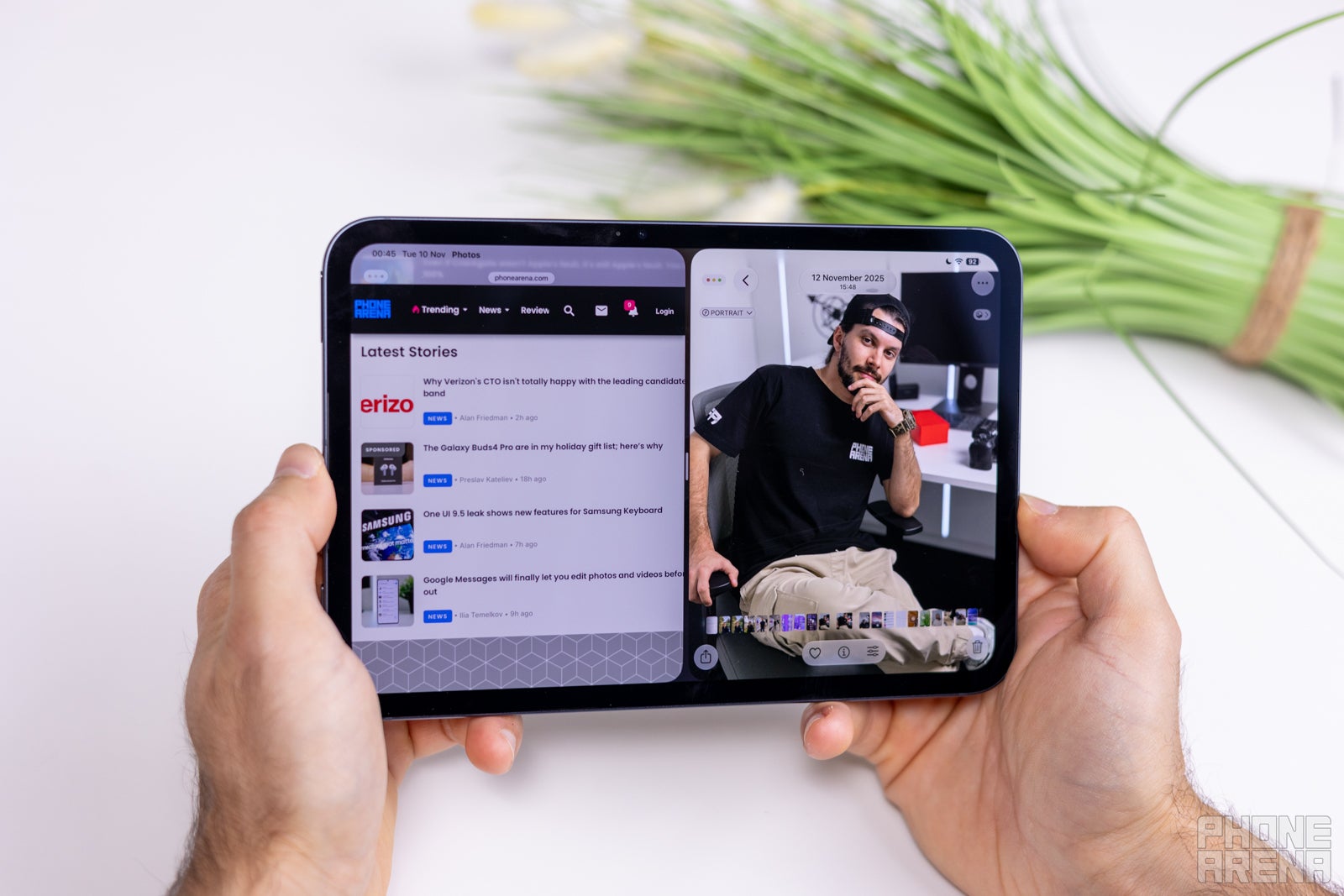
Image by PhoneArena
Apple's iPadOS software is a big reason why I think this tablet can do more than its size might suggest.
You get windowed multitasking, which feels similar to a desktop experience. You can resize, move and overlap app windows instead of being restricted to two fixed panes (cough, iPhone Duo).
And then there are the pro apps.
Procreate is probably the big one here, offering professional drawing, painting, illustration and animation tools. The Apple Pencil support here makes the iPad mini particularly appealing for artists.
You also have more capable iPad versions of Adobe Photoshop and Illustrator, and some people even edit their Shorts on the iPad mini using apps like Final Cut Pro for iPad.
iPad mini (2026) Audio Quality
The iPad mini is the first Apple tablet with a new audio system called "Acoustic Display".
Basically, Apple removed the traditional speaker grills from the mini. Instead, it replaced them with two woofers behind the display, so it feels like sound is coming directly at you when you hold the mini. Interestingly, the display itself also participates in producing the sound.
Then, you have two tweeters (tiny slits) that are located right between the glass and aluminum body.
Compared to the previous generation iPad mini, this is a big upgrade in sound quality, with boomier sound that has more depth and bass.
But that's not the only benefit — by eliminating the conventional speaker grilles, Apple makes the mini's body much better sealed, and it actually has an IP67 water and dust resistance, a first for an iPad.
iPad mini (2026) Battery and Charging
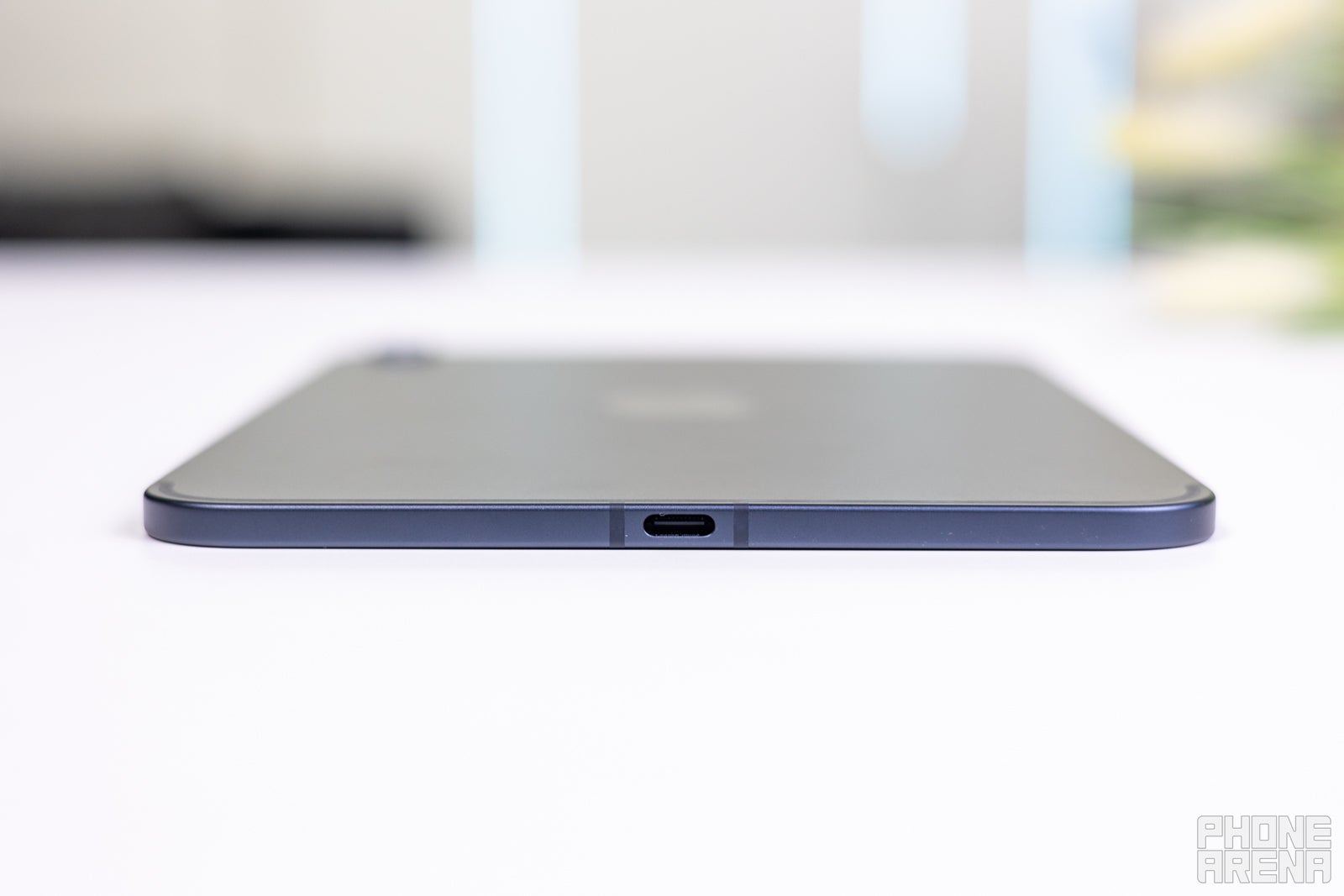
Image by PhoneArena
Apple gives the iPad mini the same 10-hour battery life estimate as the previous generation.
PhoneArena Battery Test Results:
In real-world use, the mini is particularly interesting because it's the kind of device you can simply leave in your bag and forget about. That makes charging speed surprisingly important.
And Apple has made a welcome improvement here: the new iPad mini supports much faster charging, reaching around 50% in just 30 minutes.
For a device that might spend several days sitting in your backpack, this is genuinely useful. Eventually you'll inevitably pull it out and discover that the battery is nearly dead, and being able to quickly top it up makes a big difference.
And Apple has made a welcome improvement here: the new iPad mini supports much faster charging, reaching around 50% in just 30 minutes.
For a device that might spend several days sitting in your backpack, this is genuinely useful. Eventually you'll inevitably pull it out and discover that the battery is nearly dead, and being able to quickly top it up makes a big difference.
There is no wireless charging support on this new iPad mini (meaning, no MagSafe magnets either, sadly).
iPad mini (2026) Specs
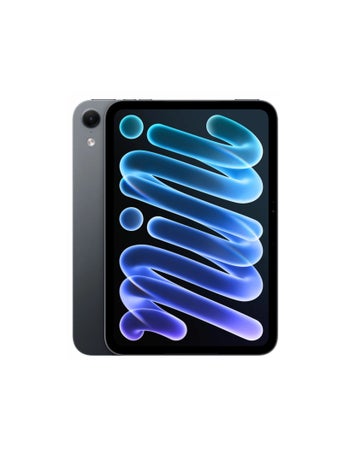
And here is one final overview of the iPad mini (2026) specs:
|

|
| Apple iPad mini (2026) | Apple iPad mini (A17 Pro) |
| Dimensions | |
|---|---|
| 195.3 x 132.6 x 5.4 mm (~7.20 mm with camera bump) | 195.4 x 134.8 x 6.3 mm |
| Weight | |
| 255.0 g | 297.0 g |
| Size | |
|---|---|
| 8.5-inch | 8.3-inch |
| Type | |
| OLED, 60Hz | IPS LCD, 60Hz |
| System chip | |
|---|---|
| Apple A20 Pro (2 nm) | Apple A17 pro (3 nm) |
| Memory | |
| 12GB (LPDDR5X)/128GB (NVMe) 12GB/256GB 12GB/512GB |
8GB/128GB 8GB/256GB 8GB/512GB |
| OS | |
| iPadOS (27.x) | iPadOS (18.x) |
| Type | |
|---|---|
| 4871 mAh | 5078 mAh |
| Main camera | |
|---|---|
| 12 MP (Autofocus, ToF 3D depth sensing) Aperture size: F1.8 |
12 MP |
| Front | |
| 12 MP | 12 MP |
| Bluetooth | |
|---|---|
| Yes | 5.3 |
| WLAN | |
| Wi-Fi 6,Wi-Fi 7,dual-band Wi-Fi Direct, Hotspot 802.11 a, b, g, n, ac, ax | Wi-Fi 6,Wi-Fi 6E MIMO, Wi-Fi Direct 802.11 a, b, g, n, ac, ax |
| USB | |
| Type-C, USB 3.1 | Type-C, USB 3.1 |
| Sensors | |
| Accelerometer, Gyroscope, Compass, Barometer | Accelerometer, Gyroscope, Compass, Barometer, Ambient light sensor |
| Location | |
| GPS, A-GPS, Glonass | GPS, A-GPS |
| Other | |
| Tethering, Computer sync, OTA sync | |
See the full
Apple iPad mini (2026) vs Apple iPad mini (A17 Pro) specs comparison
or compare them to other phones using our
Phone Comparison tool

Popular stories


Latest News

Things that are NOT allowed:
To help keep our community safe and free from spam, we apply temporary limits to newly created accounts: