
The Pixel Screenshots app may soon be getting more helpful features
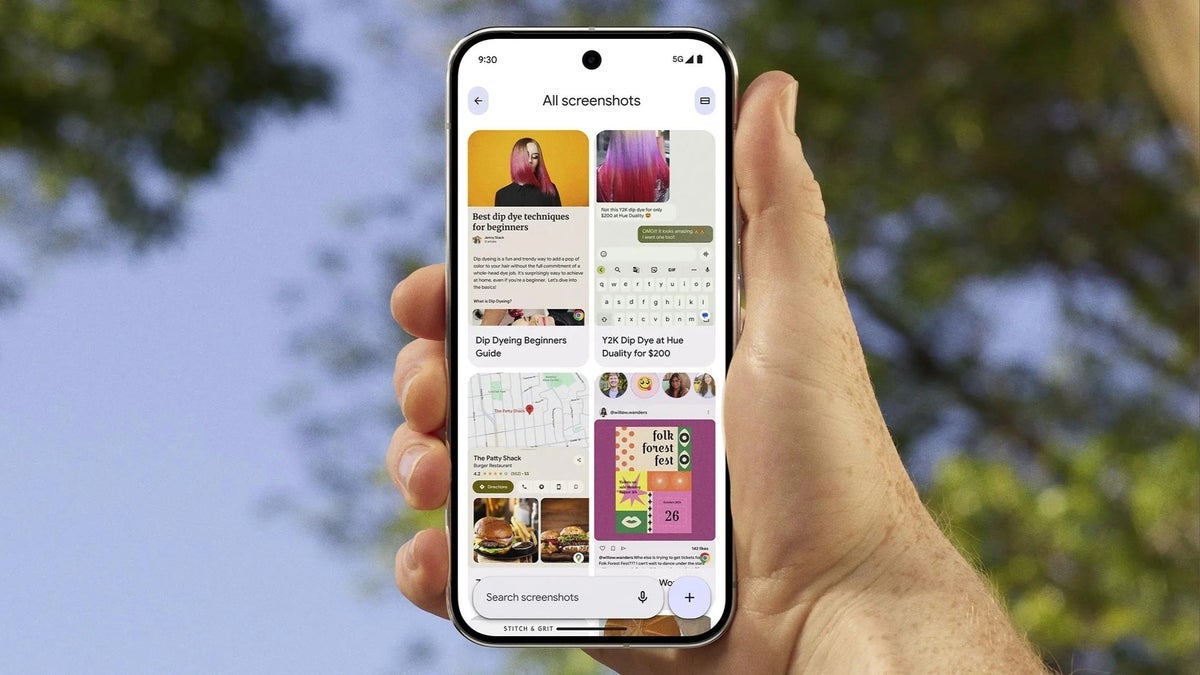
The Pixel Screenshots app looks to be getting a major update with a bunch of new features and UI changes. Discovered via a breakdown of the underlying code, this update focuses on making it easier for users to manage and edit their screenshots.
From the findings, we can see that Google is testing a new home page layout that gives users access to all their screenshots right on the home page. They're also adding a new gesture for selecting multiple screenshots at once.
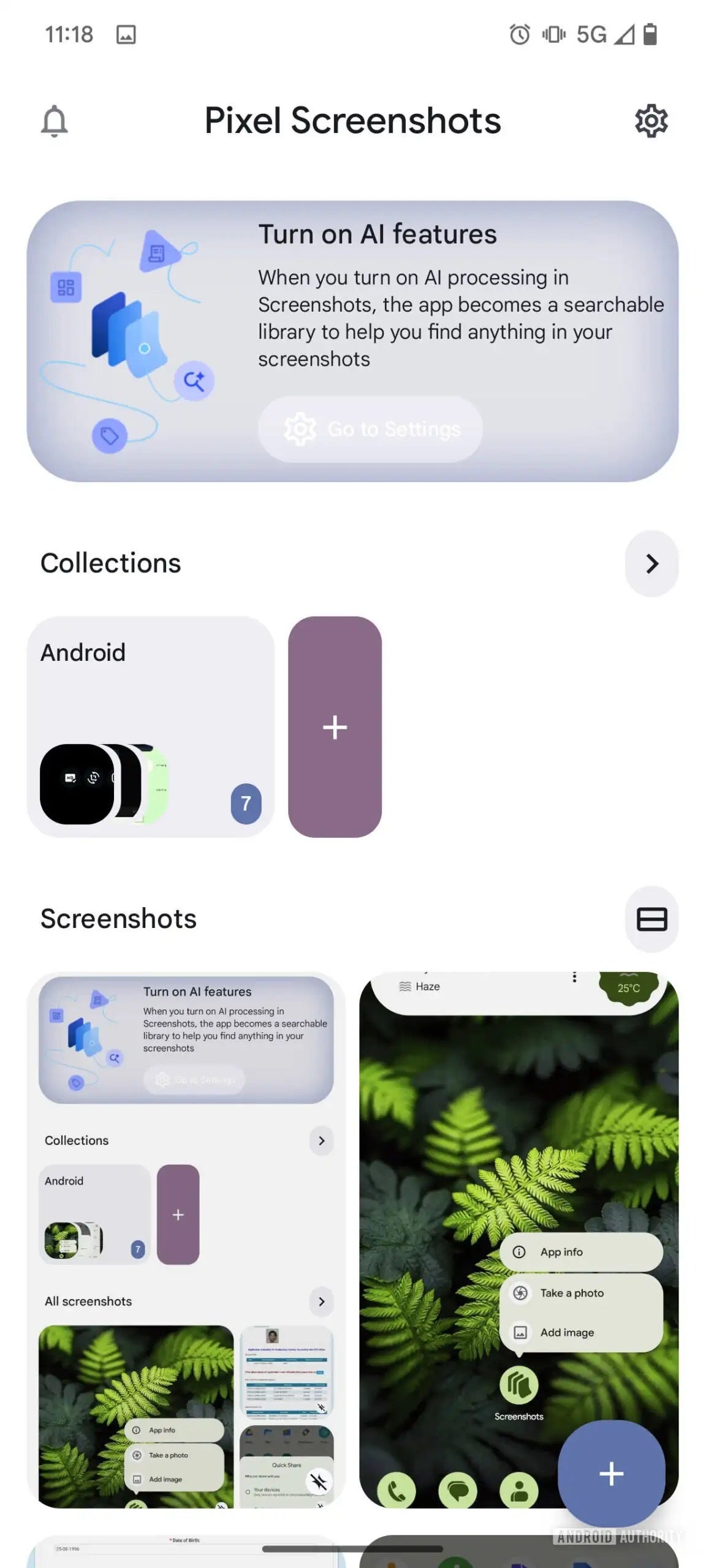
One of the bestt new features is the ability to add images from other apps directly into the Pixel Screenshots app. This means you can easily grab a picture from your gallery or camera and add it to your screenshots for editing or organization. Google is also making it easier to add multiple images at once from other apps using the Android system share sheet.
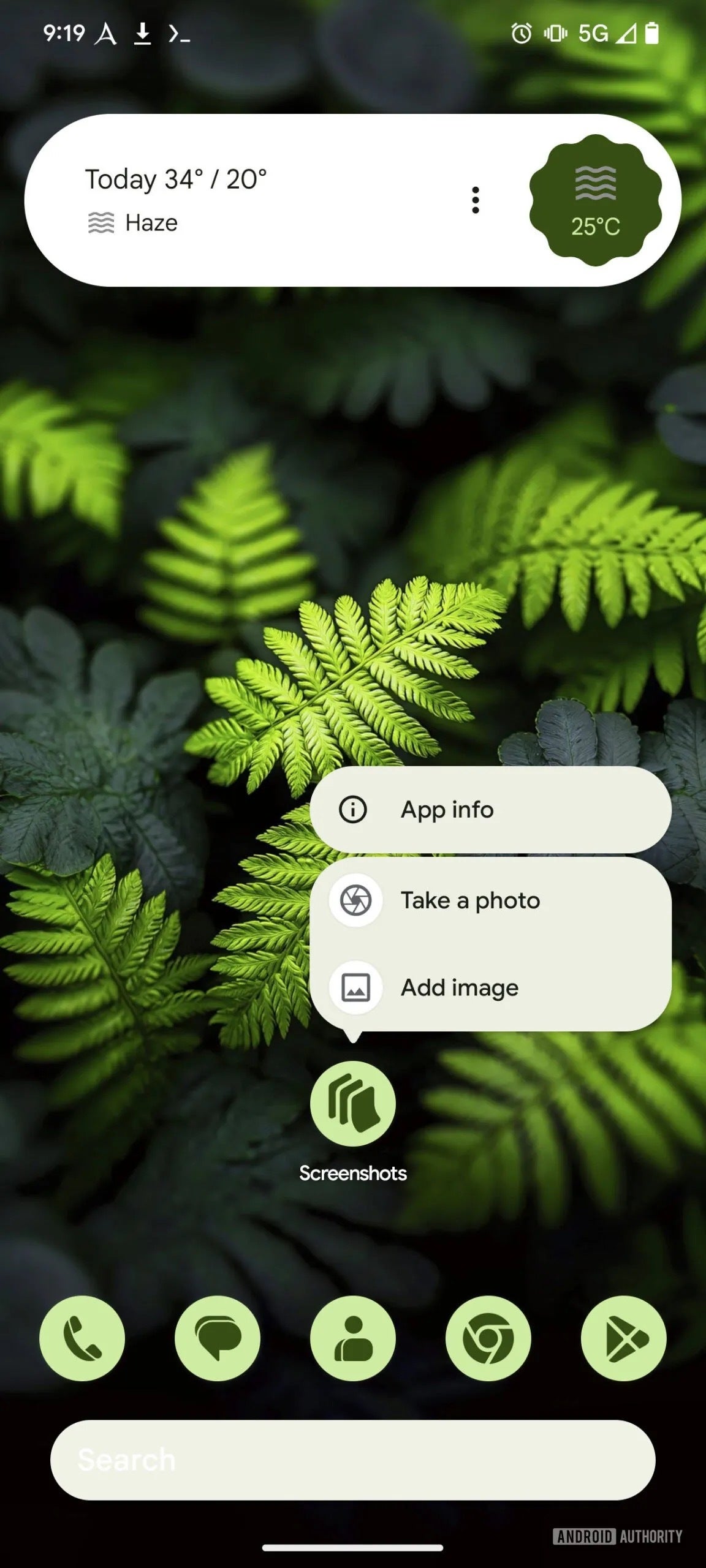
The update also includes some handy shortcuts for renaming collections and adding images from your gallery or camera. Plus, there are hints that the app might soon let you do things like copy text from a screenshot or add a phone number to your contacts. Here's a rundown of the key expected changes:
- New home page layout for easier access to screenshots
- Long-press and drag gesture to select multiple screenshots
- Option to rename collectionsGallery and Camera shortcuts for adding images
- Easier sharing of multiple images from other apps
- Potential new options for interacting with text and phone numbers in screenshots
These changes aren't live yet, but they could be rolling out soon to Pixel users in a new update. It’s important to note that these are changes that were found in an APK breakdown, and therefore are not guaranteed to roll out. It’s all up to Google’s discretion.
I think these updates to the Pixel Screenshots app would make a great addition to the app. I take a lot of screenshots for articles , and these changes will make it much easier for me to organize and use them. I especially like the new home page layout and the ability to add images from other apps. I'm also curious to see how the new options for interacting with text and phone numbers will work. Overall, I think this update will make the Pixel Screenshots app even more useful. Hopefully, Google adds the ability to save them as JPGs instead of PNGs in the future.







Things that are NOT allowed:
To help keep our community safe and free from spam, we apply temporary limits to newly created accounts: