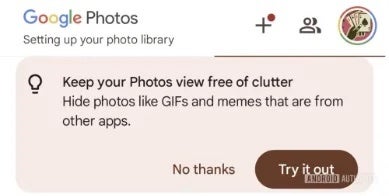
Google Photos, the company's popular photo storage and management app, is reportedly developing a new feature to reduce the clutter that can arise from backing up photos from various apps. According to a recent report by Android Authority, the upcoming feature aims to improve the user experience by providing more control over what appears in the main photo feed.
This was initially spotted last month, but at the time the only proof available that the feature was in the works was the appearance of some strings within the code. However, now the feature has been further fleshed out and screenshots of how it works have been made available after enabling it.
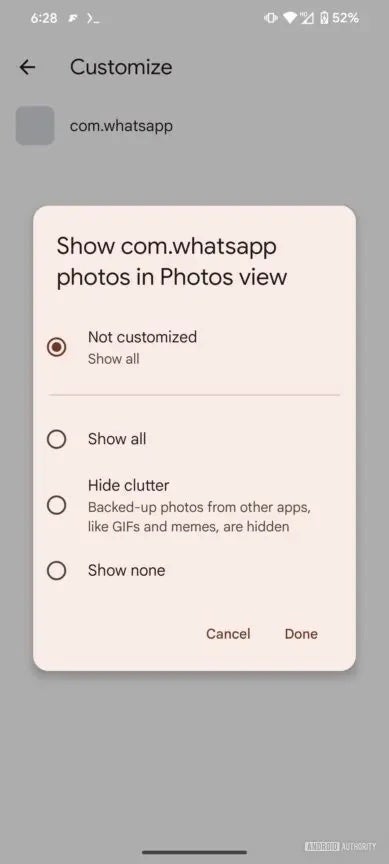
Credit: Android Authority
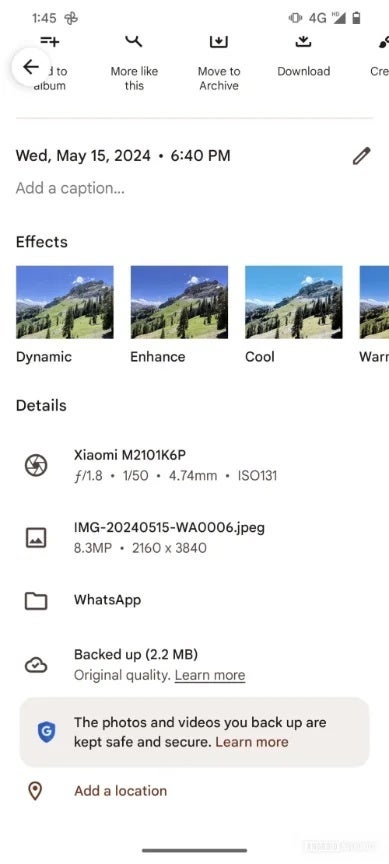
Currently, Google Photos displays all photos stored in the DCIM folder, which typically includes images taken with the device's camera. While users can back up photos from other apps like WhatsApp or Office Lens, these photos are then mixed in with the camera photos, potentially cluttering the main view.
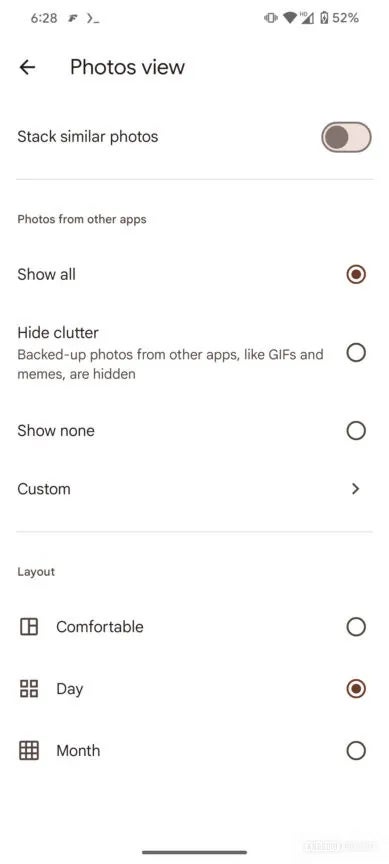
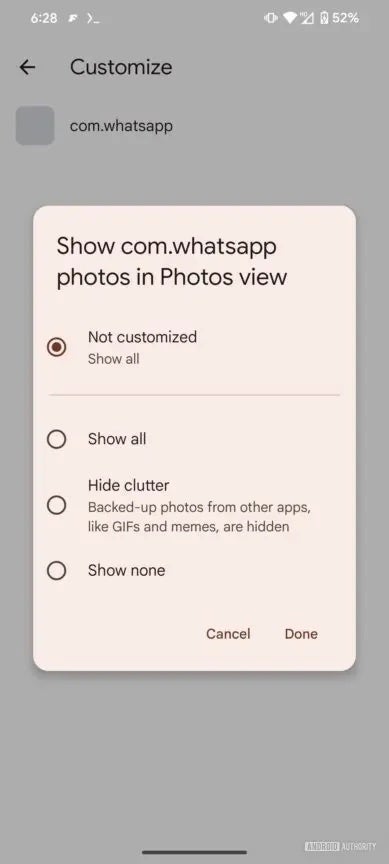
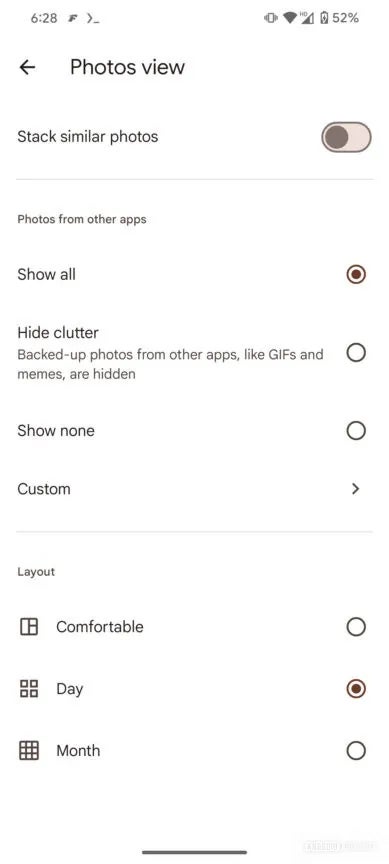
The new feature, spotted in Google Photos v6.813, will introduce a dedicated "Photos view" section in the app's settings. This section will include options to customize how backed-up images from other apps are displayed. Users will be able to choose from four options: "Show all," "Hide clutter," "Show none," and "Custom."
Recommended For You
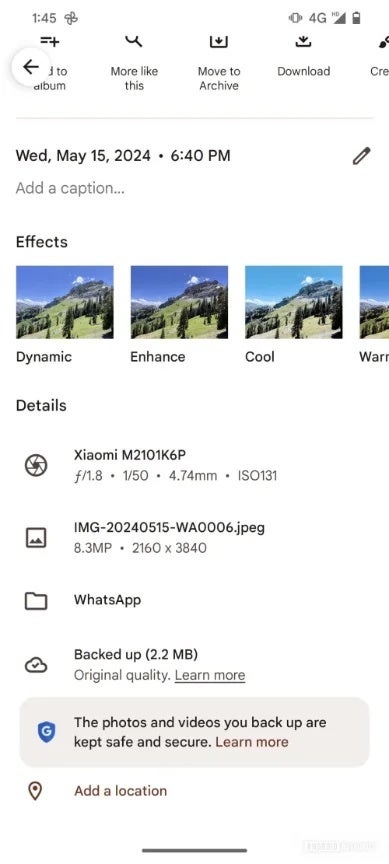
Credit: Android Authority
Show all: All backed-up images, including those from other apps, will be visible in the main Photos view.
Hide clutter: Lower-priority content like GIFs and memes from other apps will be hidden, while other photos will remain visible.
Show none: No backed-up images from other apps will appear in the main Photos view, but they will still be backed up and accessible elsewhere.
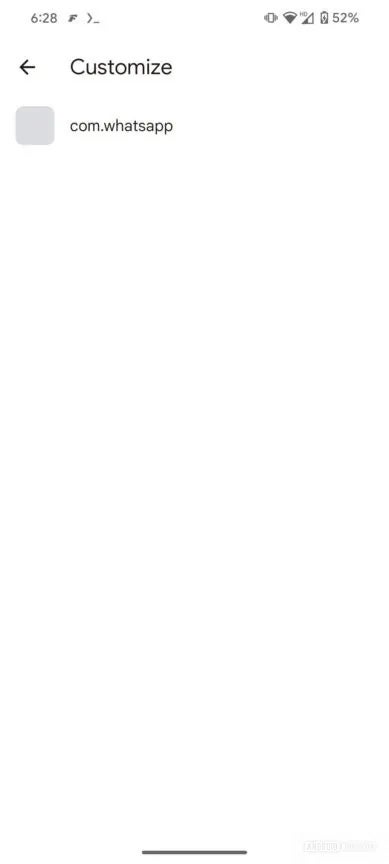
Custom: Users can individually choose which apps they want to see photos from in the main Photos view.
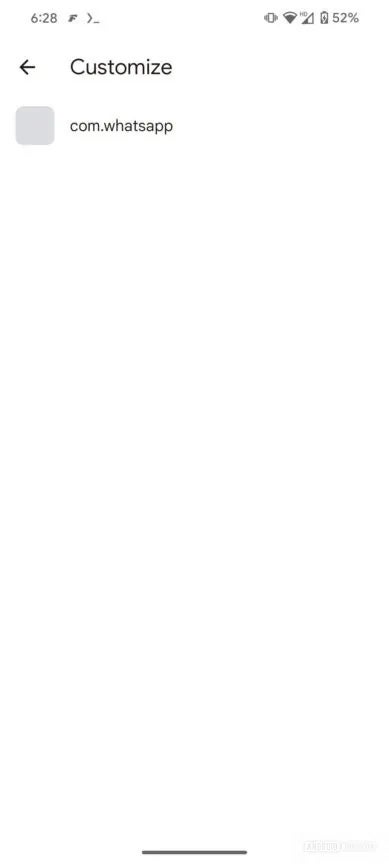
Currently, it appears that the "Custom" option is available only for WhatsApp, but it is expected that support for other apps will be added in the future. Backed-up images from other apps will be tagged accordingly, allowing users to easily identify and manage them on both primary and secondary devices.
This new feature will be a welcome addition for users who rely on Google Photos for both storage and photo management. By providing more control over what appears in the main photo feed, users can better organize their photos and avoid clutter. While the feature is not yet live, it has a huge potential to enhance the Google Photos experience once it rolls out.
Tello Halloween Promo: $10GB for $10/mo
Don’t miss this scary-good deal: 10 GB for $10/mo. Save $5/mo for your first 3 months. Offer valid now through November 9, 2026.
Johanna Romero is a Senior News Writer at PhoneArena, covering mobile technology news across Android, iOS, wearables, and the Google ecosystem she knows best. Drawing on 15 years in IT and tech support from 2007 to 2022, she brings a user-friendly eye for the practical features and lesser-known tricks readers care about. Google named her an official #TeamPixel member in 2022, and she also reviews the latest devices on her YouTube channel, JoJo the Techie.
A discussion is a place, where people can voice their opinion, no matter if it
is positive, neutral or negative. However, when posting, one must stay true to the topic, and not just share some
random thoughts, which are not directly related to the matter.
Things that are NOT allowed:
Off-topic talk - you must stick to the subject of discussion
Offensive, hate speech - if you want to say something, say it politely
Spam/Advertisements - these posts are deleted
Multiple accounts - one person can have only one account
Impersonations and offensive nicknames - these accounts get banned
To help keep our community safe and free from spam, we apply temporary limits to newly created accounts:
New accounts created within the last 24 hours may experience restrictions on how frequently they can
post or comment.
These limits are in place as a precaution and will automatically lift.
Moderation is done by humans. We try to be as objective as possible and moderate with zero bias. If you think a
post should be moderated - please, report it.
Have a question about the rules or why you have been moderated/limited/banned? Please,
contact us.









Things that are NOT allowed:
To help keep our community safe and free from spam, we apply temporary limits to newly created accounts: