Bloatware took over this Galaxy S25 overnight. Here's the culprit and the fix.
The same software was doing this on Galaxy phones ten years ago, and Verizon says nothing.
We may earn a commission if you make a purchase from the links on this page.
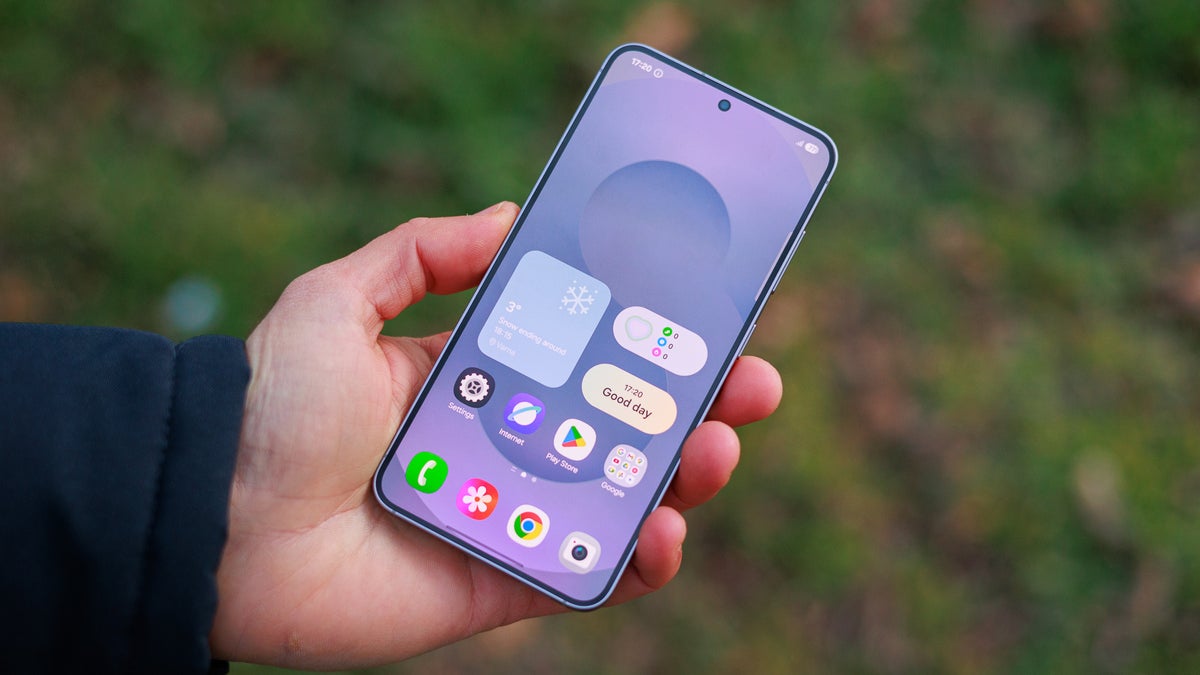
The Galaxy S25, the phone at the center of this Reddit thread. | Image by PhoneArena
A Verizon customer set up a new Galaxy S25 and found 17 apps they never asked for, from Candy Crush to Monopoly Go, all pushed down by a routine update. Thankfully, Reddit collectively found the culprit. However, as iPhone owners never deal with this, we thought this was information worth knowing before you buy a Galaxy S26 Ultra or any of the best Samsung phones through a carrier.
We came across the post on r/mildlyinfuriating, where it had climbed to 29,000 upvotes and more than 1,300 comments. The photo shows a home screen packed with Candy Crush, Vita Mahjong, Block Blast!, Wordscapes, Monopoly Go, Woodoku and Merge Dragons!, among others.
The poster clarified in an edit that the phone is a Galaxy S25 on Verizon bought that same day, so this isn't a cheap handset cutting corners. Commenters worked out the likely cause within a few replies.
That reply drew 351 upvotes. PUP stands for potentially unwanted program, and shovelware is the term for low-value apps bundled onto a device by whoever is paying to put them there.
DT Ignite isn't new, and neither is the complaint. We covered it arriving on Verizon's Galaxy S7 through an update back in 2016, and the reaction then reads almost identically to the thread today.
On Verizon phones it tends to run alongside Verizon App Manager, and the recurring complaint is that both quietly switch themselves back on after a software update. Verizon publishes no support page explaining how to turn either one off, so most of what owners know comes from each other on the carrier's own community forum.
If you're on an iPhone, none of this reaches you, because Apple doesn't let third parties install apps in the background. Pixel owners and anyone who bought their phone unlocked are mostly clear too, since this software ships inside the carrier's build rather than the manufacturer's.
The apps themselves uninstall normally, and Samsung documents how to disable preloaded apps on its own support pages. Stopping the next batch means finding what put them there first.
There are two catches worth knowing about. The install source often still reads as Google Play even when it wasn't, and both apps tend to switch back on after the next update, so you may have to run through this again.
There's a fair defense of this, and it gets made in the thread. Carriers subsidize phones heavily, and preinstalled apps are part of how that gets paid back.
Still, this isn't a setup screen you can decline once. It's software that keeps working months later, on a phone the owner already paid for, with no off switch that survives an update.
The honest workaround is buying unlocked, which costs real money rather than being a free tip. I'd rather see carriers turn this into a genuine opt-in, and I don't think that's much to ask in 2026.
A new phone, an update, and 17 apps nobody asked for
We came across the post on r/mildlyinfuriating, where it had climbed to 29,000 upvotes and more than 1,300 comments. The photo shows a home screen packed with Candy Crush, Vita Mahjong, Block Blast!, Wordscapes, Monopoly Go, Woodoku and Merge Dragons!, among others.
The 17 apps that arrived on a Galaxy S25 after a single Verizon update. | Images by Panda_Fabulous via Reddit
That would be DT Ignite, an ad/PUP/shovelware auto-installer tool from a company called Digital Turbine that most of the carriers bundle with their Android and iOS customization packages in order to sell automatic software installs.
WebMaka, Reddit user, July 2026
That reply drew 351 upvotes. PUP stands for potentially unwanted program, and shovelware is the term for low-value apps bundled onto a device by whoever is paying to put them there.
How do you handle bloatware on a new phone?
94 Votes
I buy unlocked, so this never happens to me
74.47%
I put up with it for the carrier discount
3.19%
I disable the installer and redo it every update
13.83%
This is why I stay on iPhone
8.51%
The same app was doing this ten years ago
DT Ignite isn't new, and neither is the complaint. We covered it arriving on Verizon's Galaxy S7 through an update back in 2016, and the reaction then reads almost identically to the thread today.
On Verizon phones it tends to run alongside Verizon App Manager, and the recurring complaint is that both quietly switch themselves back on after a software update. Verizon publishes no support page explaining how to turn either one off, so most of what owners know comes from each other on the carrier's own community forum.
If you're on an iPhone, none of this reaches you, because Apple doesn't let third parties install apps in the background. Pixel owners and anyone who bought their phone unlocked are mostly clear too, since this software ships inside the carrier's build rather than the manufacturer's.
What you can do about it on your own phone
The apps themselves uninstall normally, and Samsung documents how to disable preloaded apps on its own support pages. Stopping the next batch means finding what put them there first.
Here's how to find and disable the app installing things
- Open Settings, tap Apps, then tap one of the apps you didn't install.
- Scroll to the bottom of that page to see which store or service installed it.
- Go back to Apps and turn on Show system apps, either from the three-dot menu or the filter icon depending on your phone.
- Find Verizon App Manager and DT Ignite in the list, open each one and tap Disable.
- Uninstall the unwanted apps the usual way, by holding the icon and tapping Uninstall.
The carrier discount comes with a bill you don't see
There's a fair defense of this, and it gets made in the thread. Carriers subsidize phones heavily, and preinstalled apps are part of how that gets paid back.
Still, this isn't a setup screen you can decline once. It's software that keeps working months later, on a phone the owner already paid for, with no off switch that survives an update.
The honest workaround is buying unlocked, which costs real money rather than being a free tip. I'd rather see carriers turn this into a genuine opt-in, and I don't think that's much to ask in 2026.
If your next phone is a Galaxy, start here:
- Our Galaxy S25 review covers how the phone holds up on its own merits.
- The Galaxy S26 Ultra review is worth a read if you're eyeing this year's flagship instead.
- Follow me @jojothetechie on X and Threads for hot takes and behind-the-scenes coverage.


Popular stories




Latest News

Things that are NOT allowed:
To help keep our community safe and free from spam, we apply temporary limits to newly created accounts: