T-Mobile subscribers can use self-service codes to enable or disable Binge On
T-Mobile's Binge On allows the carrier's subscribers to stream video from certain providers, without using the customers' own data. Video that is streamed from non Binge On partners is optimized, and is received by T-Mobile subscribers at DVD quality resolution (480p) which allows them to view three times as much video using the same amount of data. The carrier says that it is not violating net neutrality because the customer has the ability to disable the feature.
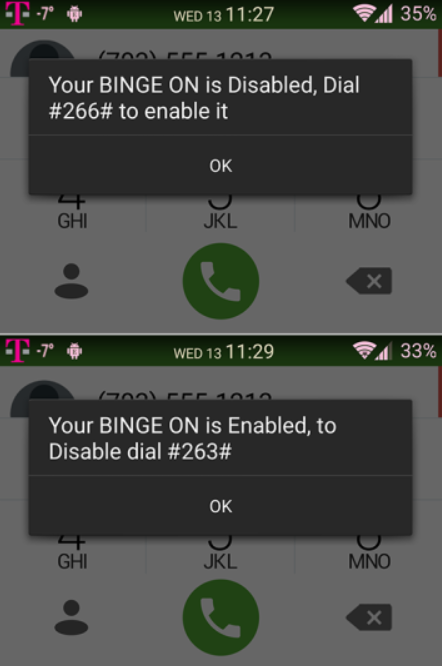
And that takes us to an interesting bit of news. While Binge On is enabled by default (so that T-Mobile subscribers don't have to go looking for it, says CEO John Legere), you can check whether it is enabled or disabled on your T-Mobile phone by dialing #264#. You will get a message on your screen that reveals the status of Binge On for your account.
If Binge On is enabled and you want to turn it off, you can dial #263#. If it is disabled and you want it on, dial #266#. We should point out that some subscribers of the nation's third largest carrier have gathered on Reddit and revealed that these codes didn't work for those sporting an iPhone until Wi-Fi calling and VoLTE were disabled.
And speaking of disabling things, it is very important for T-Mobile subscribers to understand that if they disable Binge On, they will lose the three months of unlimited data that the carrier gifted to subscribers. The gift expires on March 1st.
source:
Reddit
Read the latest from Alan Friedman














Things that are NOT allowed:
To help keep our community safe and free from spam, we apply temporary limits to newly created accounts: