Google Maps makes it quick and easy to find charging stations for Electric Vehicles
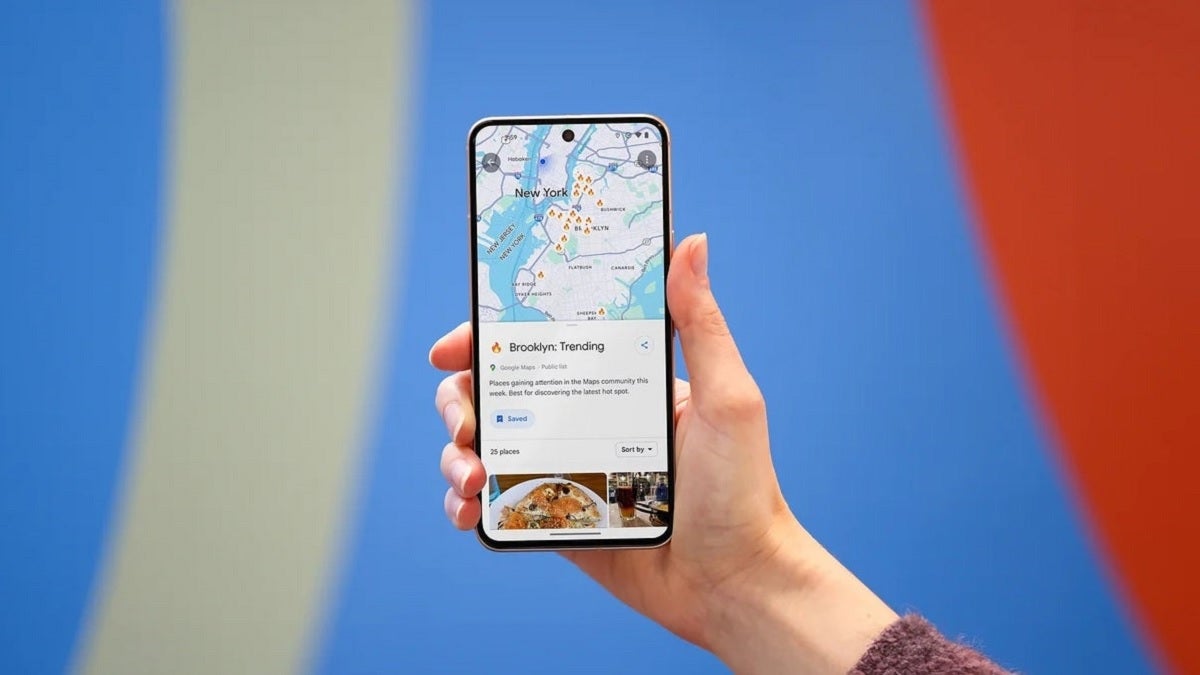
Drivers with an Electric Vehicle (EV) can already receive some important information from Google Maps when it comes to charging the car's battery. The app will navigate users to the nearest EV charger station, reveal if a charger is compatible with a specific vehicle, and whether a charger is a fast, medium, or slow one. Users can also determine when the charger was last used to help determine whether the driver is wasting battery life by heading to a broken charger or one that is not in service.
Per Android Police, to make finding these chargers easier, an update has arrived to Google Maps that will allow users to replace the "Gas stations" preset filter with "Charging stations." To make this change, you first need to go into the app's settings and change your vehicle to an EV or Hybrid from Gas. To do that, open the Google Maps app and tap the profile icon on the very right of the search field at the top of the screen. Tap Settings > Navigation > Engine type. Choose Electric if you're driving an EV or Hybrid if that is what you're driving.
Once you make the above change, you'll notice that the filters at the top of the screen will include one that says "Charging stations" instead of "Gas." Once you make this change, which is available for both the Android and iOS versions of Google Maps, this important information will be quickly and easily available to those looking to charge their vehicle rather than filing it up with gas.
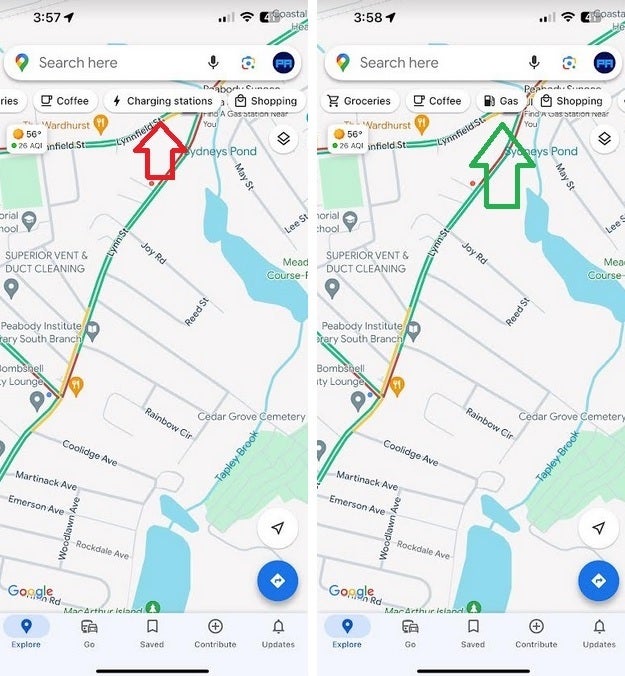
Depending on the type of engine you set Google Maps for, you can have a filter giving you quick Charging or Gas station locations
Also, if you are driving an EV, you can preset the kind of plug you use to charge. Go to Settings > Electric Vehicle settings and you can choose from one of eight different plug types.
In addition, with the update, entire streets now are highlighted in blue instead of just displaying a dropped pin on it. This will allow users to get a better idea of how long a street runs.
If you don't have Google Maps on your iPhone (and there are some who prefer Apple Maps), you can install the app from the App Store by tapping on this link. While Google Maps is pre-installed on Android, if for some reason you need to install the app from the Play Store, let your fingers do the walking by tapping on this link.


Popular stories






Latest News






Things that are NOT allowed:
To help keep our community safe and free from spam, we apply temporary limits to newly created accounts: