
Here's how to root your Barnes & Noble Nook Tablet (hint: it's super simple)

The Barnes & Noble Nook Tablet is probably the most affordable 7-inch tablet offering you a decent amount of space, extendible via a microSD card, but that card slot there also opens up another possibility. Turns out, rooting the Nook Tablet is done easiest via a microSD card.
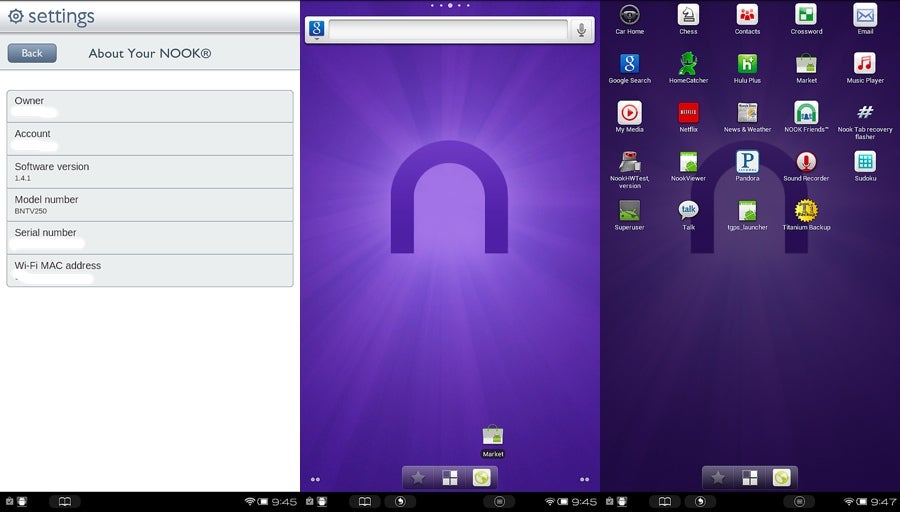
So how do you do it? All you need is a microSD card of 2GB or more, a computer running on Windows, and the Nook Tablet with its software version being 1.4.1 or earlier. There are also separate instructions for Mac and Linux.
The whole process comprises of 15 steps detailed by XDA Developers, and we’d advise you to pay a visit there to get the needed files and follow the instructions. Even though, there’s always a risk with rooting your device, this here how-to seems very straightforward, so you should be okay trying. You’d need to record files on the card, then insert it into the tablet, reboot et voila! For absolute newbies, though, please proceed with caution.
source: XDA Developers via Techthingdaily



Popular stories


Latest News



Things that are NOT allowed:
To help keep our community safe and free from spam, we apply temporary limits to newly created accounts: