If apps are crashing randomly on your Pixel, here are some things you can try
We may earn a commission if you make a purchase from the links on this page.
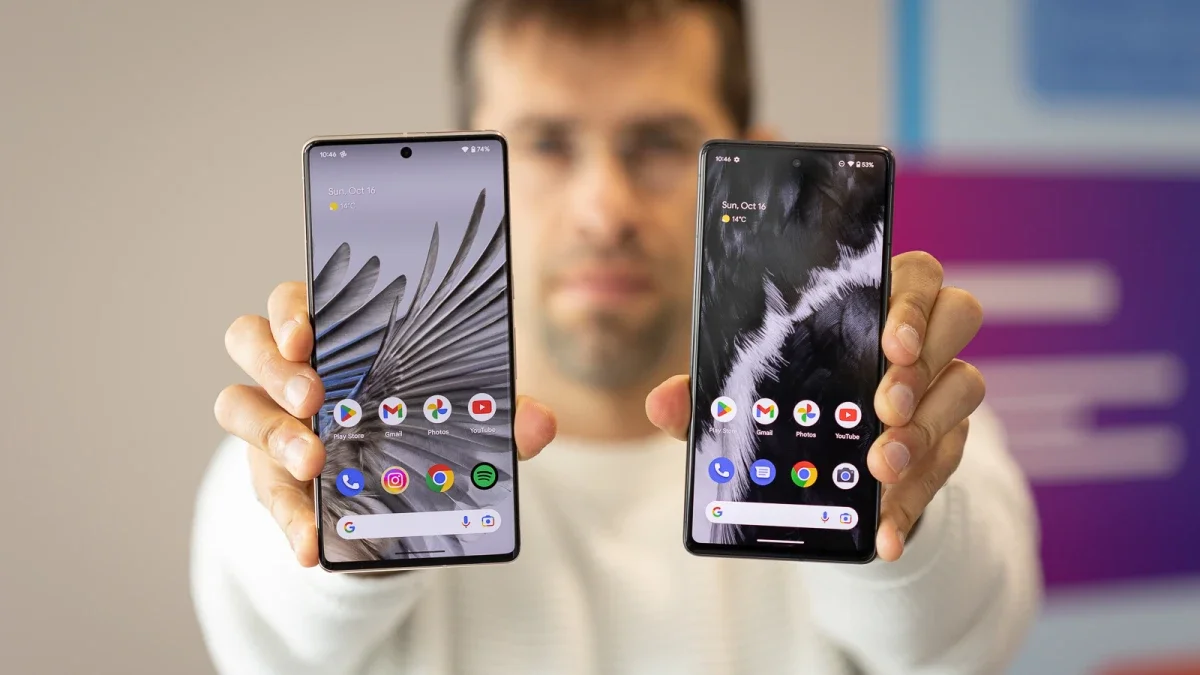
A new issue appears to be affecting owners of some Pixel handsets. Those with the Pixel 5, Pixel 6, Pixel 6 Pro, Pixel 6a, Pixel 7, Pixel 7 Pro, and Pixel 7a models are complaining about random app crashes on their devices. These crashes are occurring within five seconds after an app has been opened.
As one Redditor wrote (via AndroidPolice), "I have no idea what happened, but over 80% of my apps close within 5 seconds of opening and using them on my P6P. Chrome won't load, I can't access phone system updates, Gmail won't load, and a bunch of non-Google applications crash upon reboot." This particular Pixel user revealed that he subsequently discovered that the issue was affecting apps using Android WebView and Chrome.
Uninstalling Android WebView and Chrome might help resolve the random app crashing
WebView allows apps to display browser windows inside an app instead of sending the user to another browser. In other words, WebView is used by Android developers when they want to display webpages in a Google or non-Google app. The Reddit subscriber, who goes by the name of "No-Airline8948," suggests that users uninstall WebView updates and reboot their devices.
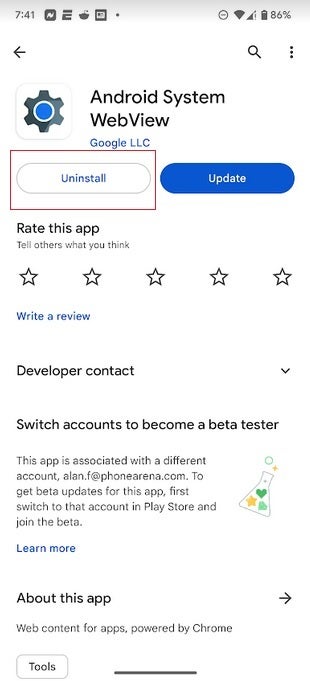
Uninstalling WebView updates could stop the random app crashing
To uninstall WebView updates open the Play Store and tap the profile picture in the upper right corner of the screen. From there, tap on Manage apps & device. On the top of the screen, make sure you press on "Manage." You'll see a list of all of the apps installed on your Pixel. Scroll down until you find Android System WebView. Tap on the listing and you'll see a page with two options listed under the app's name, Uninstall, and Update. Tap on Uninstall. Again, reboot your phone and see if that takes care of the issue.
If your apps are still crashing quickly, you might want to uninstall Chrome from your phone. There are other very good browsers you can use and we will discuss some of them. First things first though, go to the Play Store and tap on the profile picture in the upper right of the screen. Tap on Manage apps & devices and make sure that the tab on top of the screen is set on "Manage." Find Chrome in the list of apps and tap on the listing. Once again you'll see the options to Uninstall and Update; do the former.
If this does solve the issue, there are other great Android browsers you can use to replace Chrome such as the Samsung Internet Browser which is not just for Galaxy phones. You can install it by clicking on this link. Opera is another option and you can find the browser in the Play Store by tapping right here.
Updating Carrier Services is supposed to help
Others found that the crashing of their apps stopped once they installed the latest version of Carrier Services. Not every device has the update available. To update Carrier Services, once again open the Play Store and tap the picture profile in the upper right corner. Tap on Manage app & device, make sure the tab on top is on "Manage" and look for Carrier Services. Tap on the listing and then on the Update "pill" if it is available.
Buy the Google Pixel Fold now!
If none of the above suggestions ends the random app crashing, the only thing you can try is a factory reset or wait for Google to send out an update. Considering the uselessness of a phone that has 80% of its apps crashing randomly, you'd expect Google to be working around the clock to get an update pushed out.
The next update scheduled for the Pixel line would normally be the monthly security and functional update due on August 7th. Also due sometime next month will be the final stable version of Android 14. That's not to say that Android 14 Beta 4.1 can't be disseminated first in order to fix this problem.


Popular stories





Latest News






Things that are NOT allowed:
To help keep our community safe and free from spam, we apply temporary limits to newly created accounts: