Google Maps will add this feature from Waze to make driving more colorful and fun
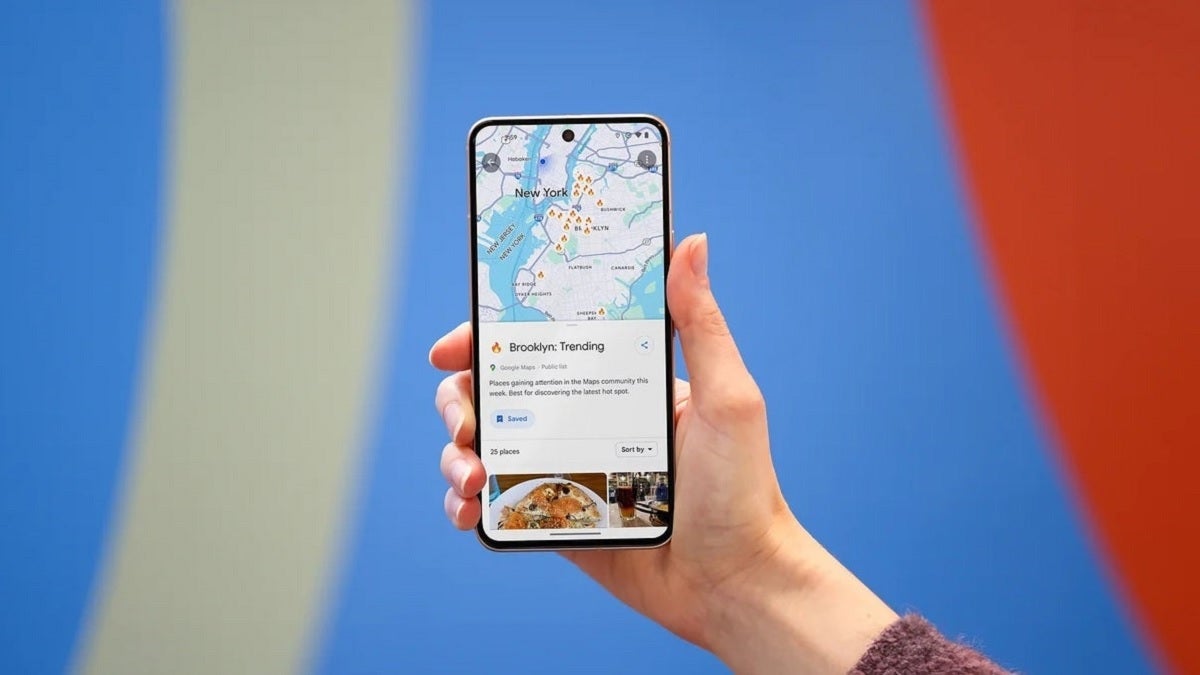
When Google bought Waze for $1.3 billion in 2013, it was obvious that it would move some of Waze's crowdsourcing features to Google Maps. Over the years, Google has added many Waze-like features such as the ability to quickly report a crash, a slowdown, police activity, construction, a lane closure, a stalled vehicle, an object on the road, a flooded road, low visibility, and an unplowed road. All of these hazards can be reported in seconds.
Now, Google Maps is adding another feature associated with Waze. The former will be adding new car icons to replace the blue arrow and other icons that can be used to represent your car on the navigation map. You can make this change on your iOS or Android-powered handset by pulling up the the menu from the handle near the bottom of the screen that shows how much time is left on your drive, the mileage remaining on your journey, and the estimated time of arrival. Grab the handle, swipe up and you'll see a menu with several options.
The next to last option reads Vehicle icon. Tap on it and you can select from the traditional arrow icon, a sports car, a pickup truck, an SUV, a sedan, and more for a total of eight icons. Just swipe through them to sell all of your choices. There are eight color options including:
- Glacier white
- Night black
- Ash gray
- Poppy red
- Sky blue
- Sunny yellow
- Aqua green
- Sunset magenta
Another way to change your icon is to tap on the default vehicle icon that appears once you set your destination and start navigation. You must have the most up-to-date version of Google Maps on your iOS or Android-powered device to get this feature. One way to do this would be to tap on this link and install the latest version of Google Maps for iOS on your iPhone. If you own an Android device, press this link to install the latest Google Maps build on your Android phone.
Everything about the new car icons, from the way they look to the UI used to select your car and the color that you want the vehicle to be, looks like it just stepped right out of the Waze app.
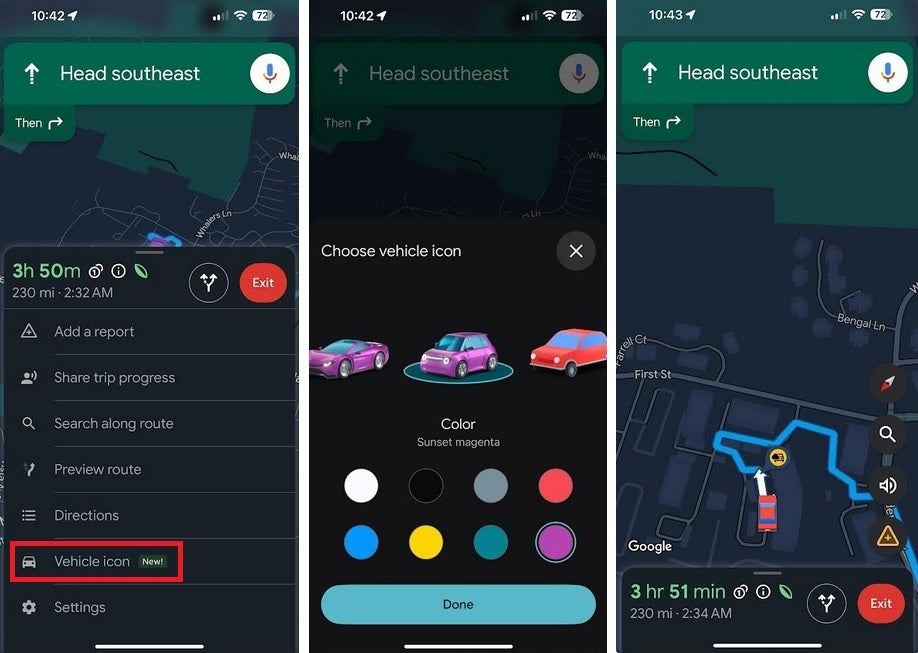
Google Maps adds Waze-like icons to represent the user's vehicle. | Image credit-PhoneArena
Google Maps and Waze have two separate functions. The former is for those who not only want to navigate quickly and safely from "A" to "B," but also want recommendations on where to dine, where to spend the night, where to find local entertainment, and more. Waze is more about the actual journey and using crowdsourced information that makes the drive easier to make.


Popular stories






Latest News





Things that are NOT allowed:
To help keep our community safe and free from spam, we apply temporary limits to newly created accounts: