Android Auto's Google Maps navigation screen gets a neat design update
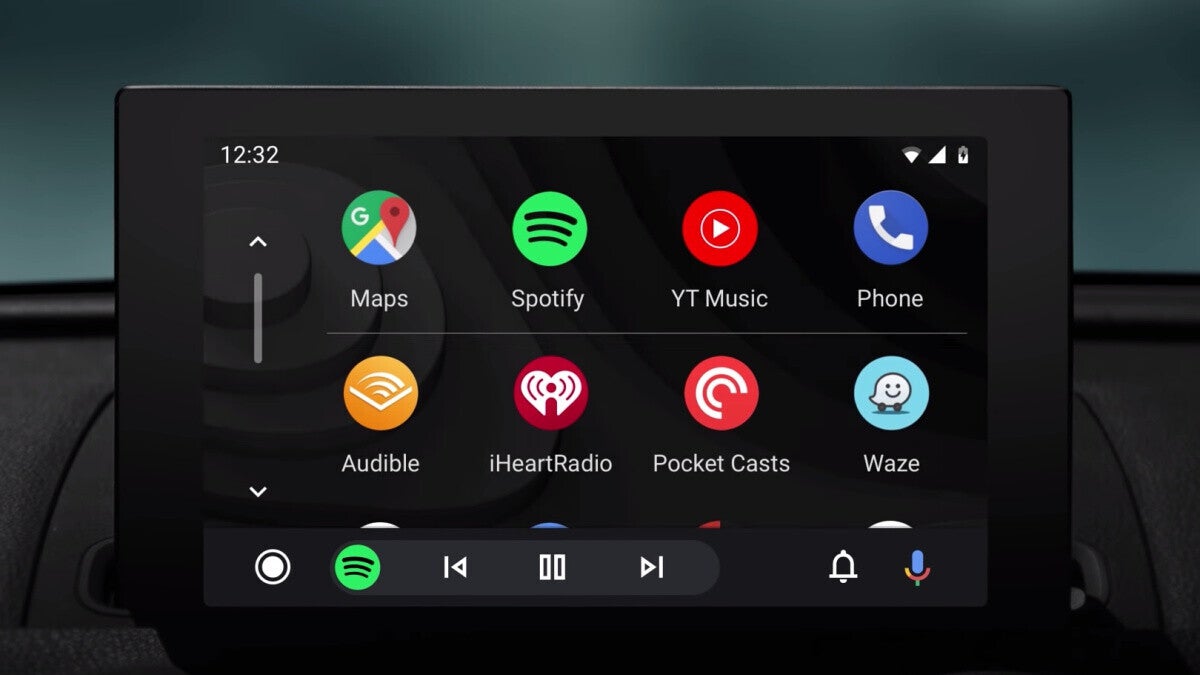
Having a useful and less crowded Android Auto screen is great, especially because when driving, you're supposed to take your focus on the road and not be fiddling with your car's display. Now, 9to5Google reports that a new update to Android Auto brings an improved Google Maps navigation screen, to help you keep your attention where it matters most: on the road ahead.
The new update brings new button designs and an overall less crowded screen. This seems to be a server-side update and may not be showing for everyone just yet, but it will shortly come to you as well in case you're not seeing it yet.
The buttons have also been slightly redesigned, and a line divider between the two sections has been removed. Thanks to this update, things are now not only more neatly organized but also look more modern. They work great with the new sidebar as well.
The change is visible on Google Maps v11.104.0100 and Android Auto v10.8.
Android Auto Google Maps gets a facelift to its navigation screen
The new update brings new button designs and an overall less crowded screen. This seems to be a server-side update and may not be showing for everyone just yet, but it will shortly come to you as well in case you're not seeing it yet.
You now have the estimated travel time listed at the top in bold text, and the distance and estimated time of arrival (ETA) below that. Below this, you now get the button to stop the navigation, the option to look at alternative routes, search for additional locations, see stops, and an overflow button.
The buttons have also been slightly redesigned, and a line divider between the two sections has been removed. Thanks to this update, things are now not only more neatly organized but also look more modern. They work great with the new sidebar as well.
The change is visible on Google Maps v11.104.0100 and Android Auto v10.8.


Popular stories





Latest News



Things that are NOT allowed:
To help keep our community safe and free from spam, we apply temporary limits to newly created accounts: