The AT&T Nokia Lumia 1520 phablet can now be updated to Windows 10 Mobile
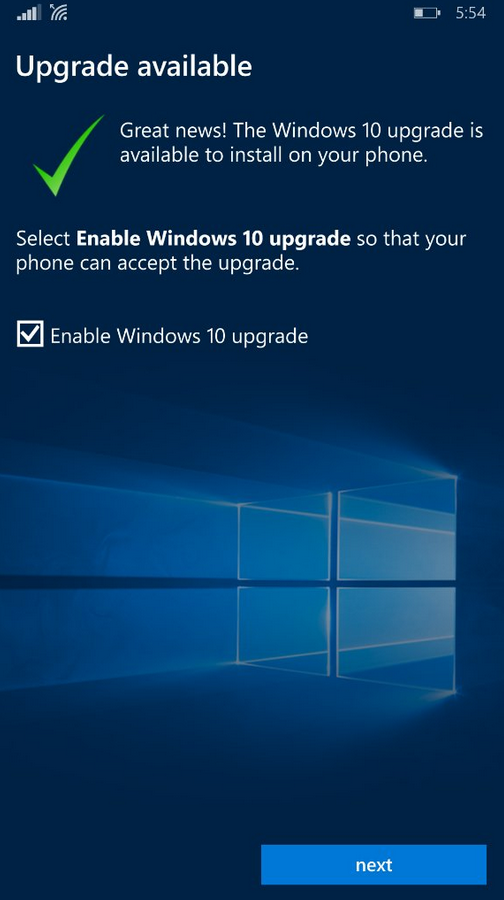
Install the Upgrade Advisor app to load Windows 10 Mobile on your Lumia 1520
The very first Nokia phablet, the Lumia 1520 features a 6-inch LCD display with a 1080 x 1920 FHD resolution. The Snapdragon 800 SoC is under the hood with a quad-core 2.2GHz CPU and the Adreno 330 GPU. 2GB of RAM is inside along with 32GB of native storage. A 128GB capacity microSD slot is available to those seeking additional storage. A 20MP camera with OIS adorns the rear of the phone, and a 1.2MP front-facing camera snaps selfies and handles video chats. Power is provided by a 3400mAh battery.
"Effective June 23, 2016, Microsoft and AT&T released a new Windows 10 update for the Nokia Lumia 1520. To download the update, you must download and install the Windows 10 Upgrade Advisor app from the Windows app store. The update will be available for download via Firmware Over The Air (FOTA). A Wi-Fi connection is required for the update."-AT&T
Download the Windows 10 Mobile Upgrade Advisor by clicking on this link.
source: AT&T via WindowsCentral


Popular stories




Latest News

Things that are NOT allowed:
To help keep our community safe and free from spam, we apply temporary limits to newly created accounts: