HTC One X for AT&T, Rogers and HTC EVO 4G LTE overclocked to 1.8 GHz

For those who are unhappy with a dual-core 1.5GHz Qualcomm S4 processor, you can speed things up by overclocking the device. For example, the dual-core processor on the AT&T HTC One X, the Rogers HTC One X and the HTC EVO 4G LTE can be overclocked to 1.8GHz. The new Kernel module will allow you to take that Qualcomm MSM8960 and speed it up past 1.8GHz using applications like SetCPU, which means you need to be careful. Overclocking can put unwanted stress on your device all for the sake of what, rendering a web site a few seconds faster?
The guy behind the project left the directions on the Xda Developers Forum along with some notes. For example, the instructions will work on any Qualcomm MSM8960-based rooted HTC One X (even ones with a locked bootloader) which means the AT&T variant and the one for Canadian carrier Rogers. The overclocking speeds up the processor by 20%. It also has been confirmed to work on the EVO 4G LTE for Sprint.
We don't have to remind you that you should know what you're doing before overclocking your phone. You could brick it, lose the warranty, and have a stupid friend try to fix it by putting it in the microwave oven. Also, it could mess with the earth's inner cellular clock and destroy the planet. But hey, Angry Birds plays faster so what the heck. Actually, we're just kidding about the destruction of the earth, but not with the destruction of your phone.
source: XdaDevelopersForum (1), (2) via PocketNow
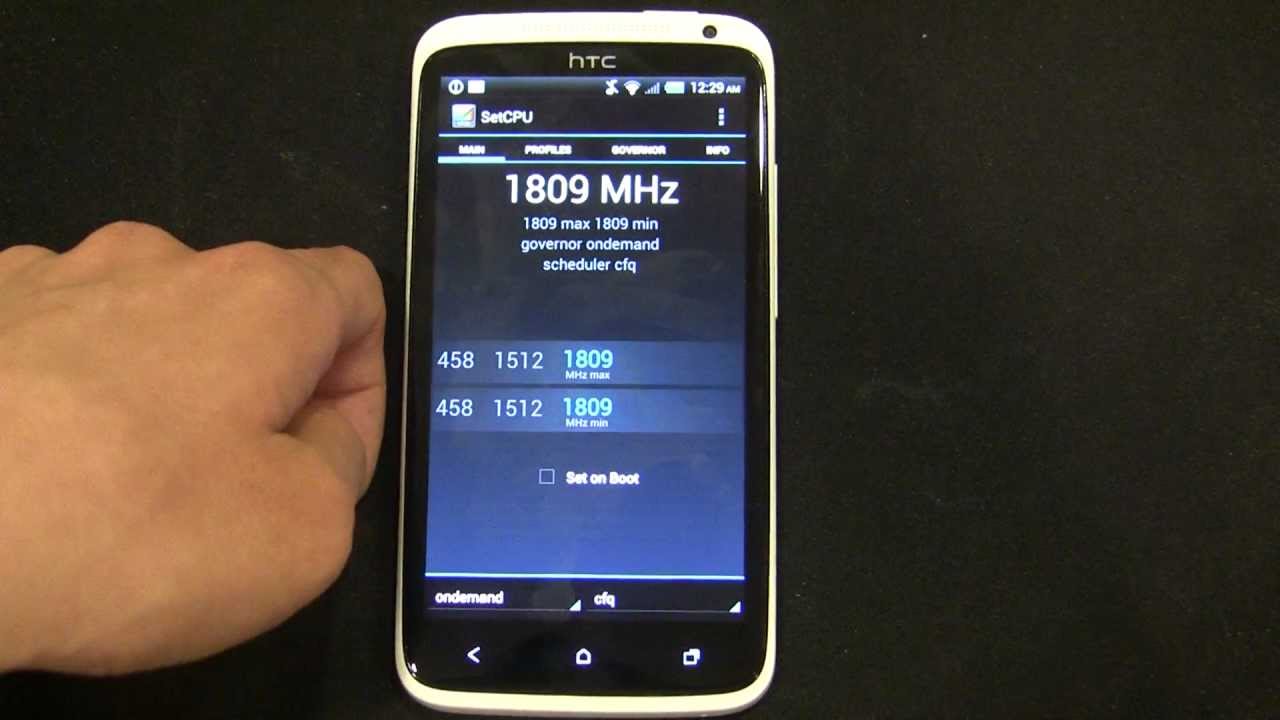
The guy behind the project left the directions on the Xda Developers Forum along with some notes. For example, the instructions will work on any Qualcomm MSM8960-based rooted HTC One X (even ones with a locked bootloader) which means the AT&T variant and the one for Canadian carrier Rogers. The overclocking speeds up the processor by 20%. It also has been confirmed to work on the EVO 4G LTE for Sprint.
For those with the HTC One X, check out the first sourcelink while those with the HTC EVO 4G LTE should click on the second link. As usual. if you go ahead and take the risk, let us know how it turns out for you. You might even give us some benchmark scores from your overclocked device.
source: XdaDevelopersForum (1), (2) via PocketNow






 FCC OKs Cingular\'s purchase of AT&T Wireless
Things that are NOT allowed:
To help keep our community safe and free from spam, we apply temporary limits to newly created accounts: