Google Photos is testing a floating toolbar for easier sharing
Google Photos is testing a user-friendly change with a new floating toolbar aimed at making album navigation and sharing a breeze, particularly when using your phone with one hand.
A significant aspect of this update involves relocating the "Share" and "Add photos" buttons. Currently situated under the cover photo of an album, these buttons will now conveniently reside near the bottom of your screen. This change addresses the frustration many users experience when these buttons migrate to the top as they scroll, making them difficult to reach with one thumb.
This new feature was discovered in an APK teardown of Google Photos version 7.1, providing an early peek into potential upcoming features. While these teardowns are helpful in spotting upcoming developments, it's worth noting that not every feature discovered in this way makes it to the final public release.
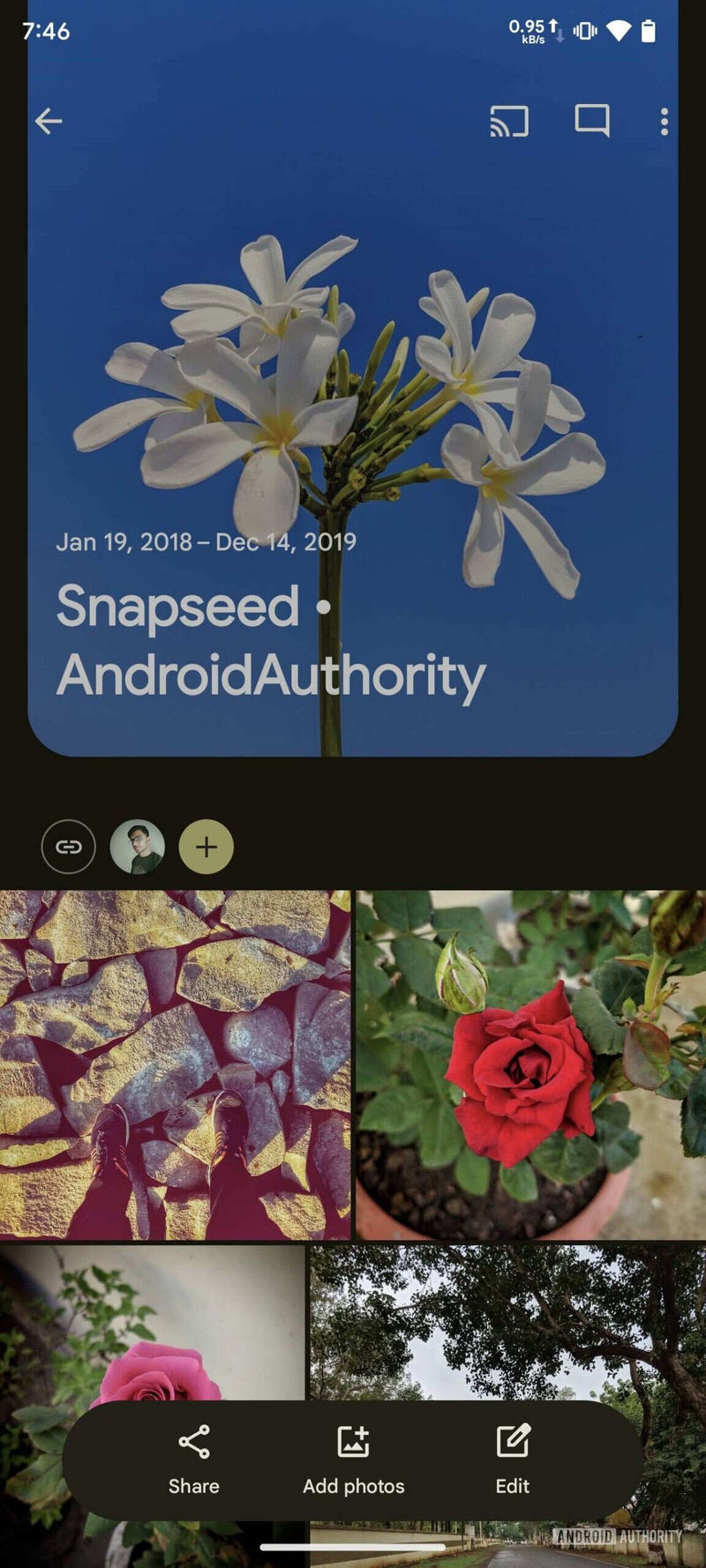
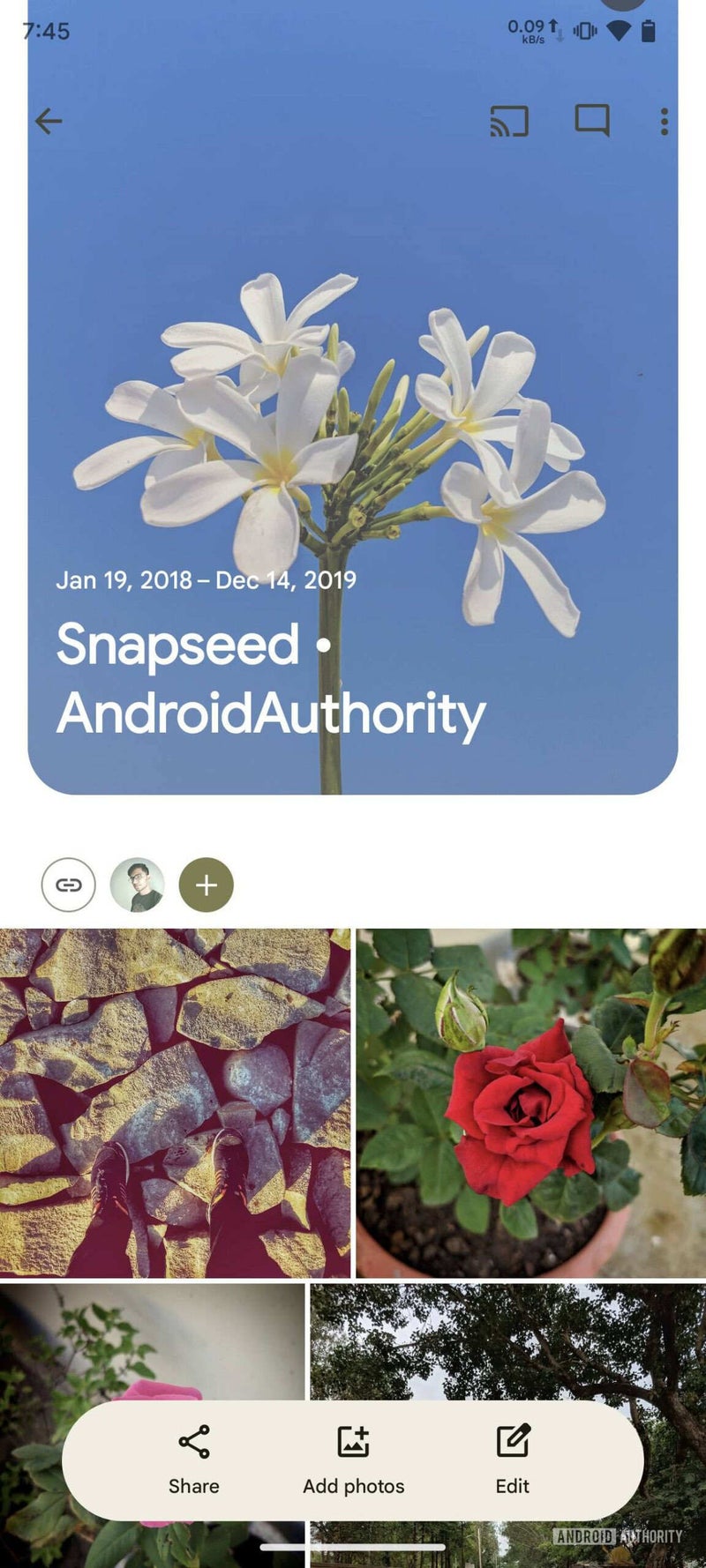
The revamped toolbar offers improved accessibility, ensuring the "Share" and "Add photos" buttons stay within easy reach even as you navigate through your album. The toolbar smartly fades away as you browse but reappears with a simple upward scroll, ensuring it doesn't clutter your viewing experience.
The floating toolbar also packs a new "Edit" button, giving you quick access to options to reorganize your photos, remove unwanted ones, change the album's name, or add a personalized description. Previously, some of these functions were tucked away within the "Edit" option in the context menu, making this new approach more user-friendly.
Currently, the new floating toolbar isn't available in the live version of Google Photos, but based on the findings in the APK teardown, it seems ready for implementation and could arrive with a future update.
As a Google Photos user, I'm really happy to see updates like this. Google seems to be making a real effort to improve the way we interact with their apps, particularly on mobile devices where one-handed use is often necessary. I frequently share photos directly from my phone, and the current button placement in Google Photos can sometimes be awkward. The idea of an easier one-handed sharing experience, along with the simplified album editing tools, is a definite plus in my book.
A significant aspect of this update involves relocating the "Share" and "Add photos" buttons. Currently situated under the cover photo of an album, these buttons will now conveniently reside near the bottom of your screen. This change addresses the frustration many users experience when these buttons migrate to the top as they scroll, making them difficult to reach with one thumb.
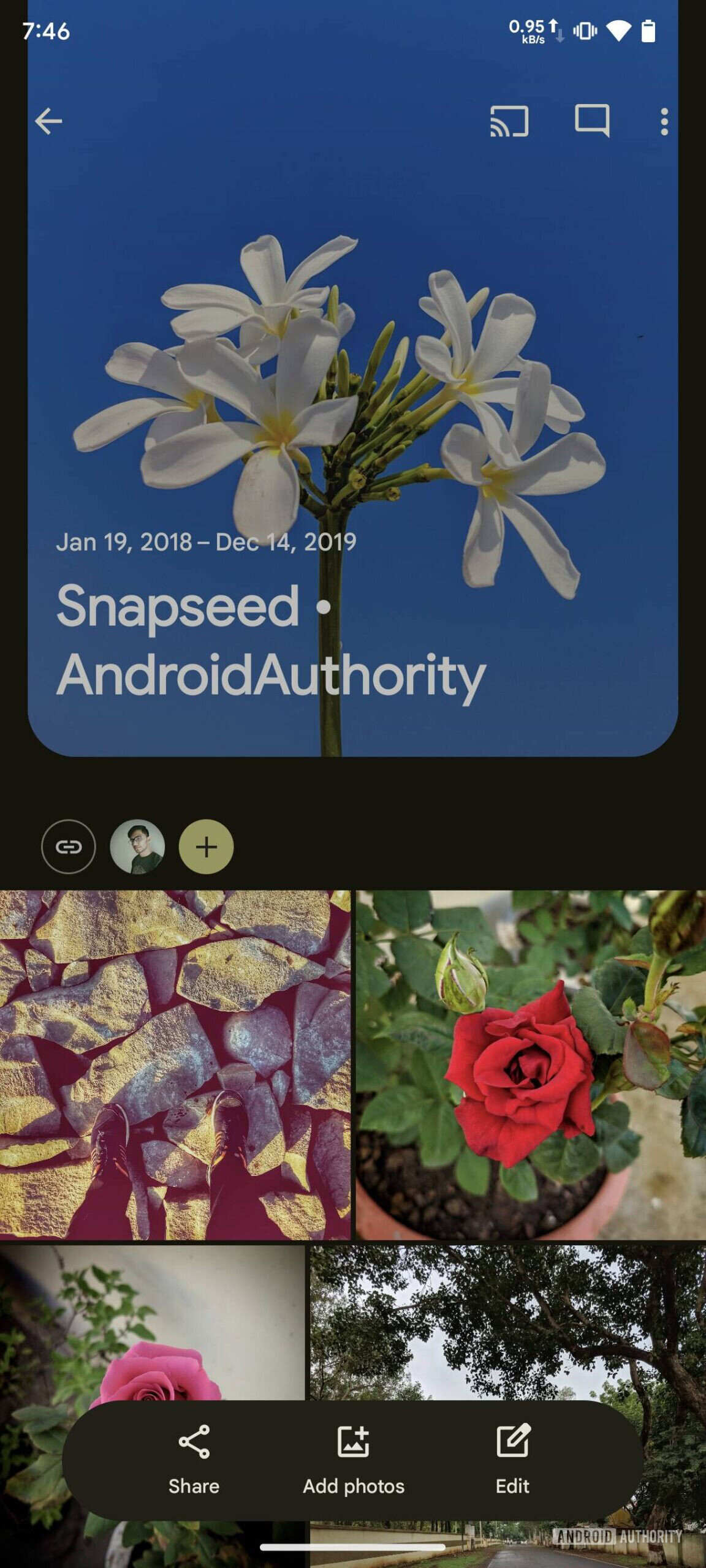
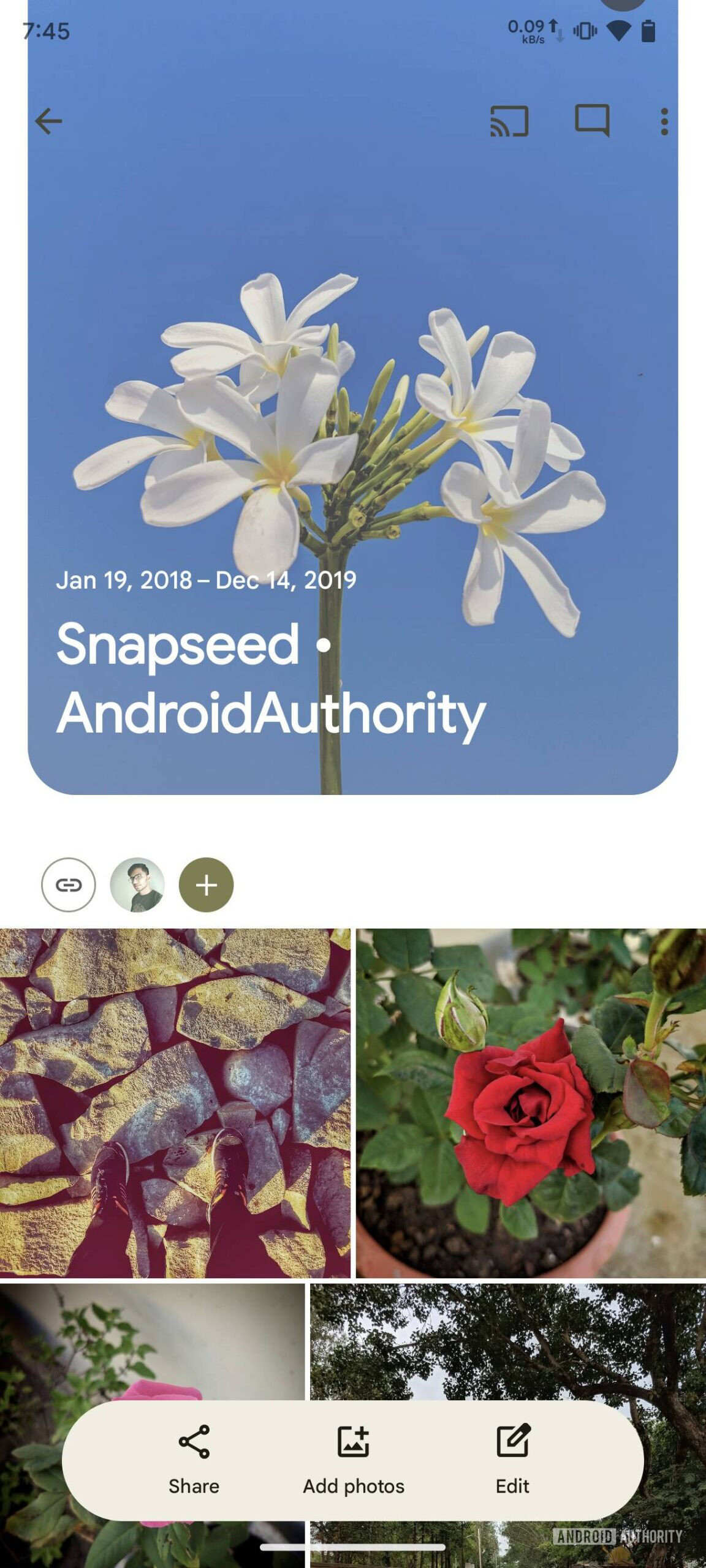
Old versus new Google Photos toolbar, which disappears when browsing the album. | Images credit — Android Authority
Currently, the new floating toolbar isn't available in the live version of Google Photos, but based on the findings in the APK teardown, it seems ready for implementation and could arrive with a future update.


Popular stories




Latest News





Things that are NOT allowed:
To help keep our community safe and free from spam, we apply temporary limits to newly created accounts: