
How to change the Galaxy S8, S8+, Note 8 ringtone and set a custom one

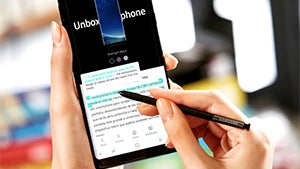
Okay, we already explored 5 different ways to change the ringtone on your iPhone 8, 8 Plus, or pretty much any iOS 11-running device, and boy, that was a somewhat-challenging ordeal.
During the creation of that guide, a sneaky thought emerged - how much easier is to set a custom ringtone on the iPhones' most serious competitors, the Galaxy S8, S8+, and the Note 8?
During the creation of that guide, a sneaky thought emerged - how much easier is to set a custom ringtone on the iPhones' most serious competitors, the Galaxy S8, S8+, and the Note 8?
As you might imagine, Android is not a walled-garden and changing the ringtone of your Galaxy flagship is literally a child's play.
Here's how to do it:

Popular stories


Latest News
Things that are NOT allowed:
To help keep our community safe and free from spam, we apply temporary limits to newly created accounts: