Google Pixel vs Samsung Galaxy S7
Introduction
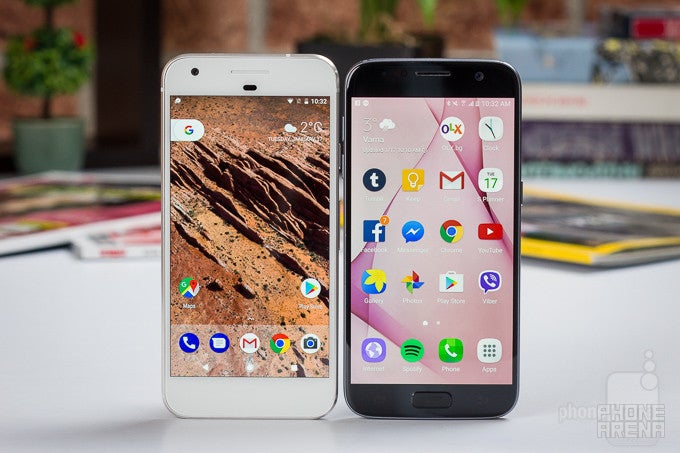
It’s hard to say what was the most important event of the year 2016 in smartphones, but Google’s direct entry in the phone market with its Pixel lineup of phones that replaced the enthusiast-minded Nexus series was certainly one of them.
With the Google Pixel, the search giant is entering the Android phone market that it itself helped establish. And there, it will compete with the big guns, and when it comes to those big boys in town, the Samsung Galaxy S7 is the biggest of them all.
Design
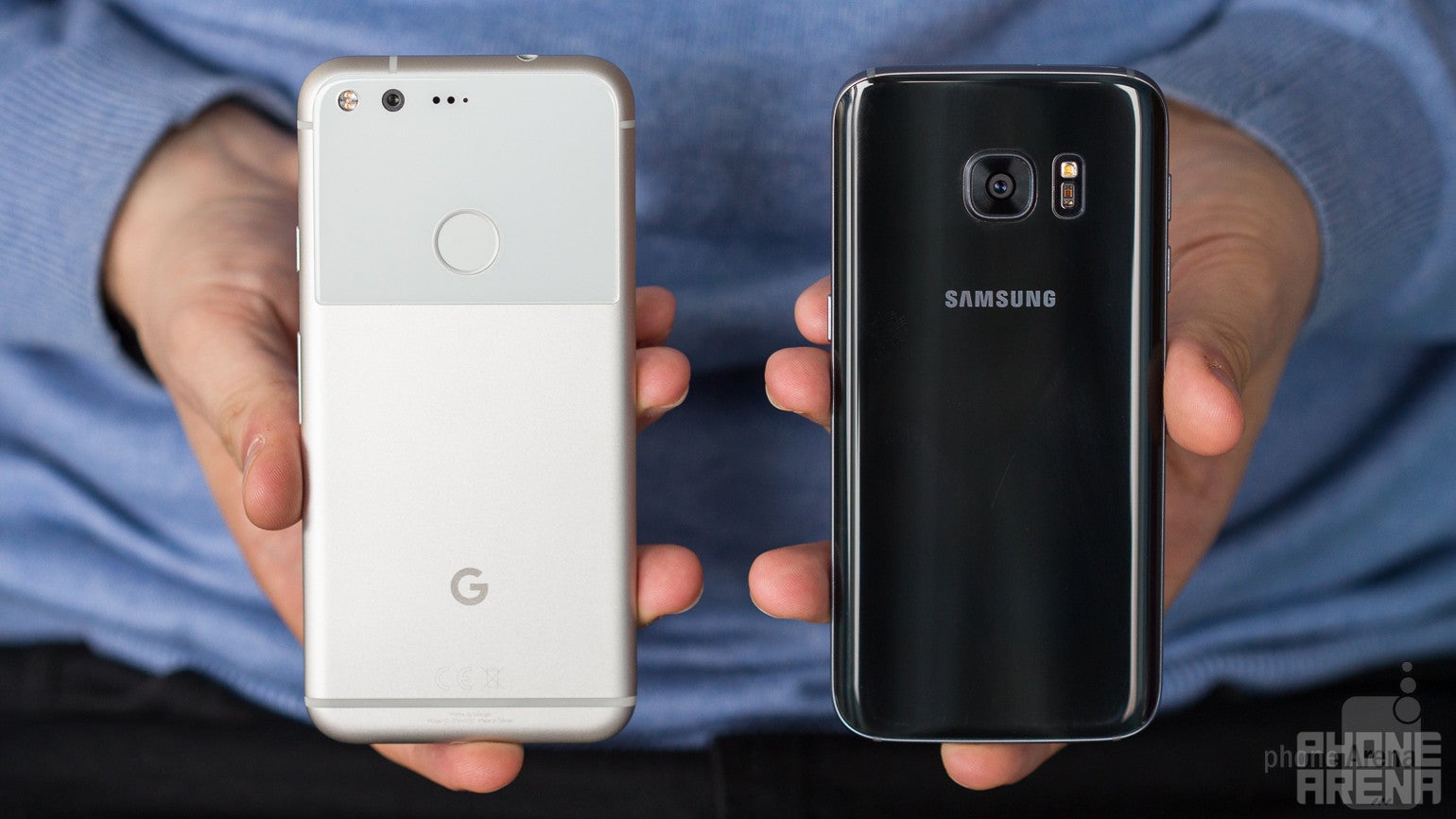
The glass and metal Galaxy S7 is a statement of style, while the Google Pixel features solid build quality in a more subtle way.
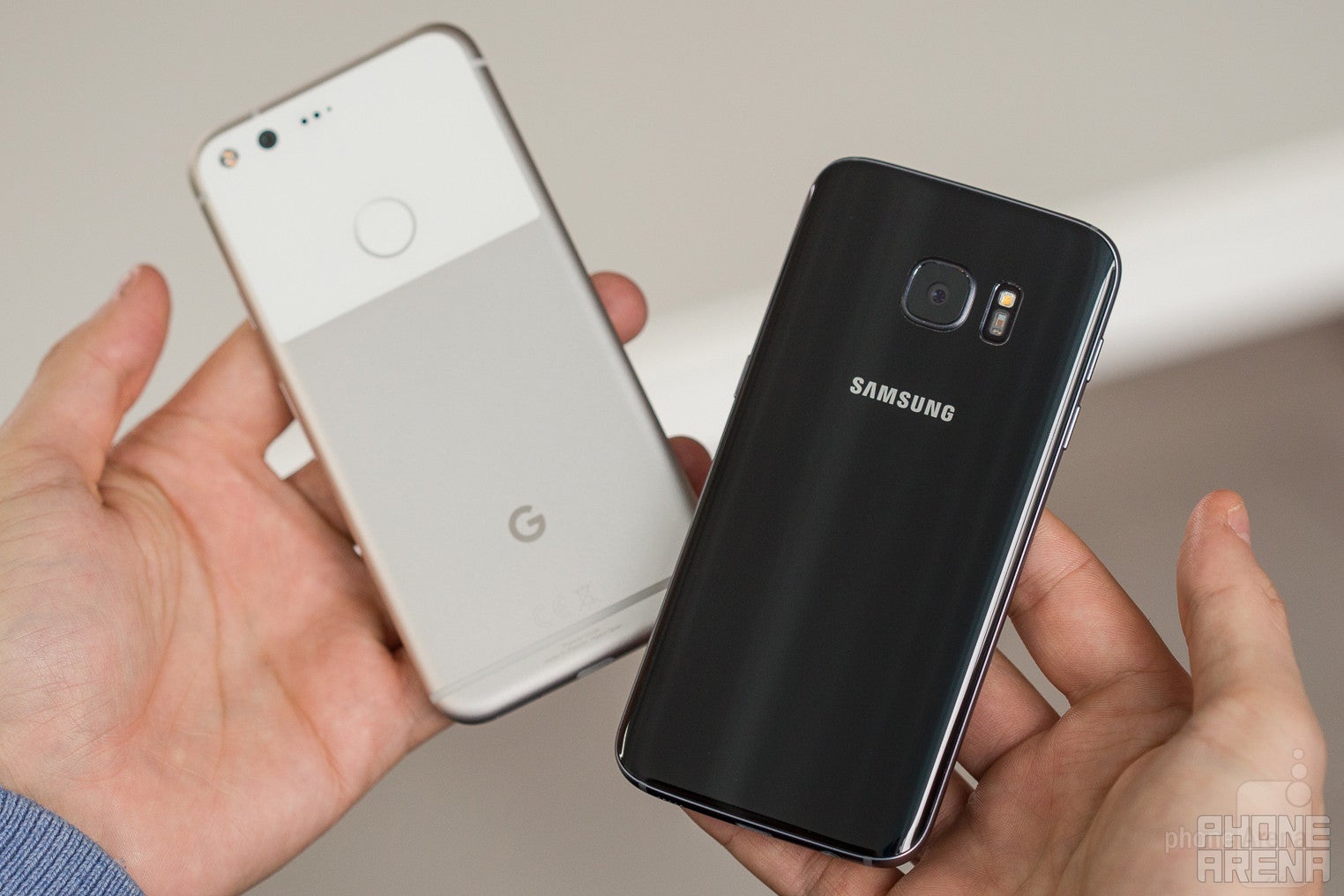
Samsung, a company once criticized for flooding the market with uninspiring plastic phones, has changed tremendously in the past couple of years, and its latest Galaxy S7 is in fact a trend-setter in modern phone design. A beautiful glass sandwich with a metal frame, the S7 has evolved to feature subtle curves that make picking it up from a table and handling it in the hand easier and more pleasant than earlier Samsung phones. Unfortunately, the glass surfaces of the phone are also ones to attracts a ton of fingerprints and glass - as beautiful as it looks - is also prone to shattering, and to costly repairs.
Both phones have a fingerprint scanner: the Galaxy S7 has it on the front, while the Pixel - on its back. If you haven’t used a back-positioned fingerprint scanner before, it definitely takes some getting used to and feels a bit less practical, especially when you want to quickly check something when your phone is lying on a table and you can’t just tap a button, but you have to actually pick up the device to get to that rear-positioned finger scanner.This is much easier with a front fingerprint reader. For all else, both fingerprint scanners are fast, but we find the one on the Pixel more accurate and a bit snappier, as we get misreads a bit too often on the Galaxy S7.
Both phones also sport a good ol’ 3.5mm headset jack and both feature a single, bottom firing speaker that you can easily muffle with your hand when watching videos / listening to music in landscape orientation. Not a big deal, but something to keep in mind.
The S7 also has one cool feature that the Pixel lacks: water protection with an IP68 rating (meaning the phone can be submerged in up to 5 feet of water for up to 30 minutes).

5.66 x 2.74 x 0.34 inches
143.84 x 69.54 x 8.58 mm
5.04 oz (143 g)

5.61 x 2.74 x 0.31 inches
142.4 x 69.6 x 7.9 mm
5.36 oz (152 g)

5.66 x 2.74 x 0.34 inches
143.84 x 69.54 x 8.58 mm
5.04 oz (143 g)

5.61 x 2.74 x 0.31 inches
142.4 x 69.6 x 7.9 mm
5.36 oz (152 g)
See the full Google Pixel vs Samsung Galaxy S7 size comparison or compare them to other phones using our Size Comparison tool.
Display
Two gorgeous AMOLED screens.
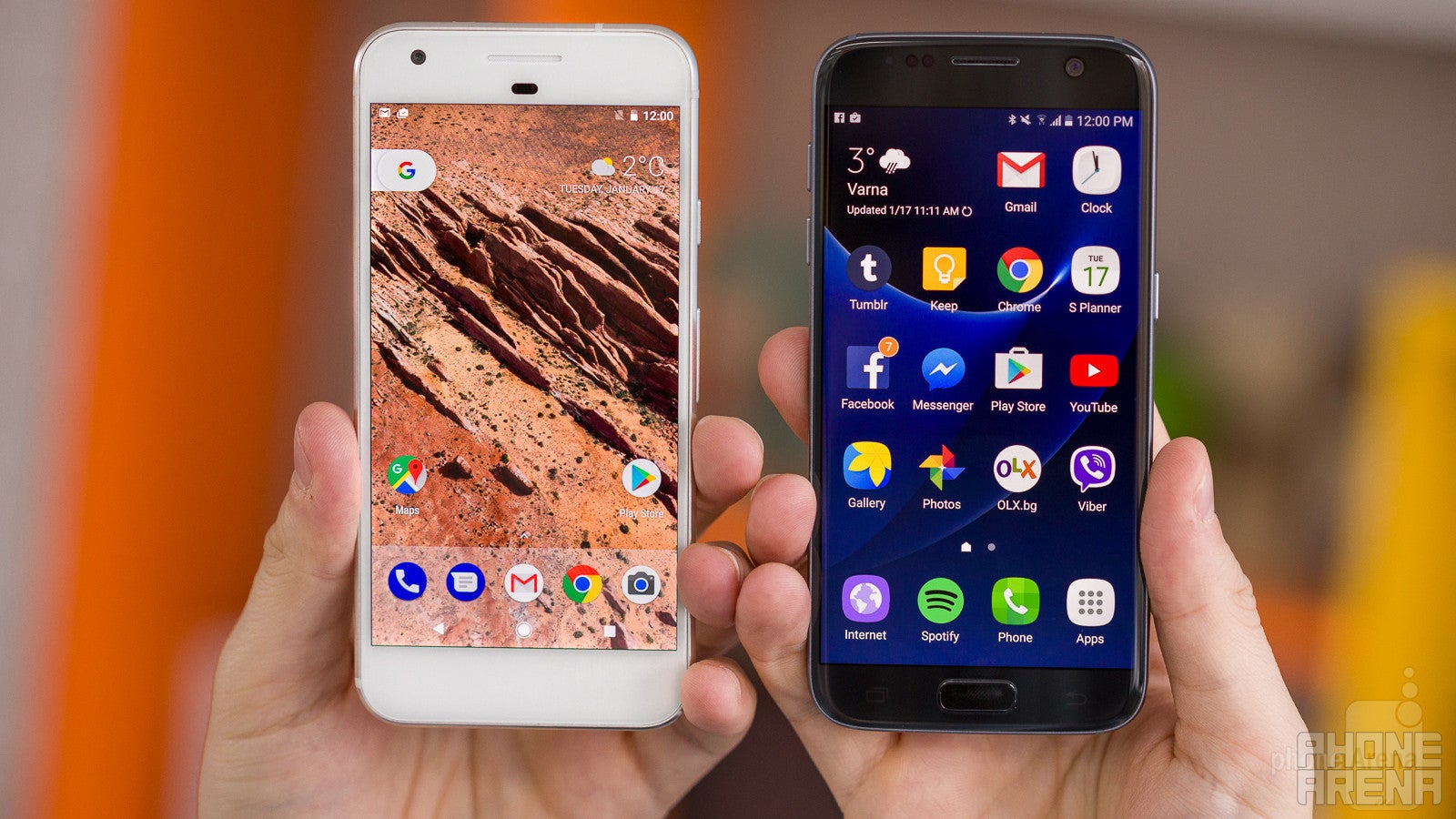
The S7 features a 5.1” display, while the Pixel goes with a 5” screen, but in reality the perceived difference is even bigger: on-screen buttons take up some 6.6% of the screen on the Google Pixel, which means that when the on-screen buttons are on (which is most of the time), you will only be able to see 4.67 inches of usable space on the Pixel. The Galaxy S7 uses traditional buttons below the display, so the usable screen space amounts to the full 5.1 inches of the screen.
Both phones use AMOLED technology. This is interesting to see particularly on the Pixel: it shows the way Google sees things going in the future. Samsung is of course manufacturing AMOLED displays, and has been using and improving the technology for years. The advantage of AMOLED is that pixels can be controlled individually: you can turn individual pixels off, which results in perfect blacks and brings excellent contrast rates on the two.
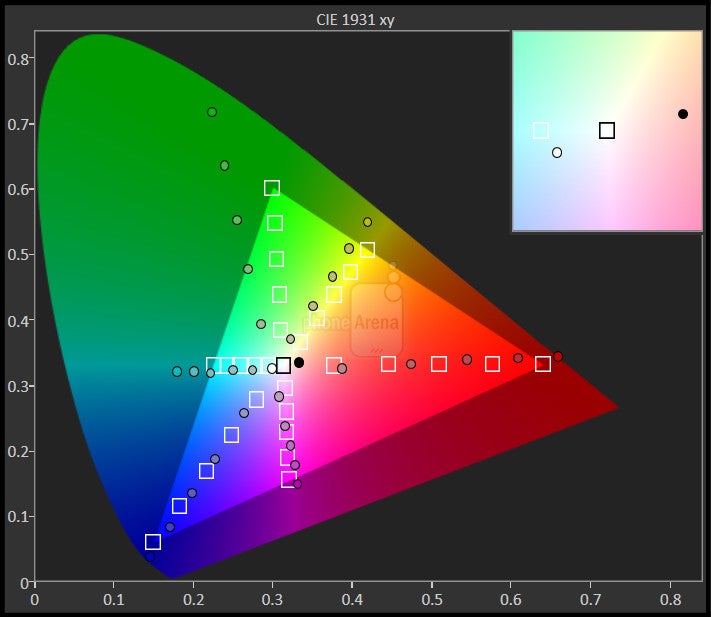
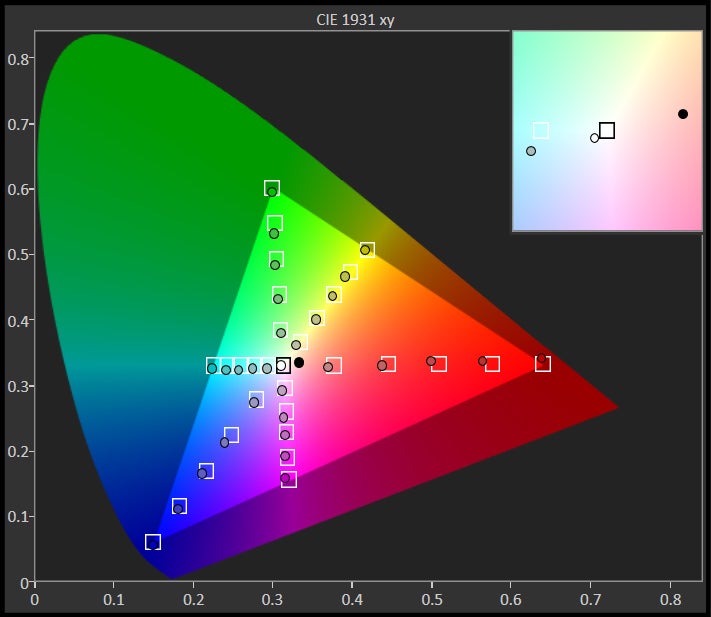
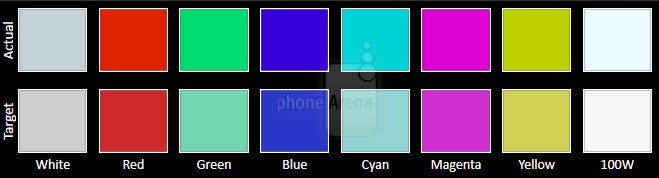
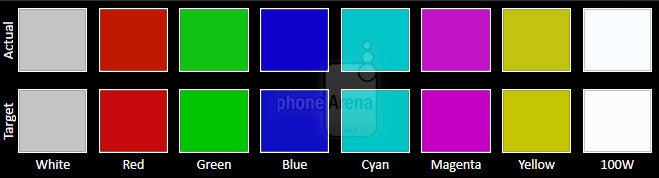
The S7 defaults to punchy, slightly overblown colors that many people like. For photography enthusiasts and color perfectionists, the S7 also comes with an sRGB color mode (sRGB is the color standard that is universally accepted globally for pictures and video). You switch to this mode by going into Settings > Display > Color mode > Basic.
The Pixel also defaults to over-saturated colors as Google targets the NTSC color gamut. It’s not perfectly-balanced, but it does look good to the casual observer. If you want a color setting that corresponds to the industry-standard sRGB color gamut, you can switch to it in settings as well.


Interface and features
The Galaxy S7 features the finest TouchWiz with a ton of features, but we prefer native Android features and the fast updates that you get with the Pixel.
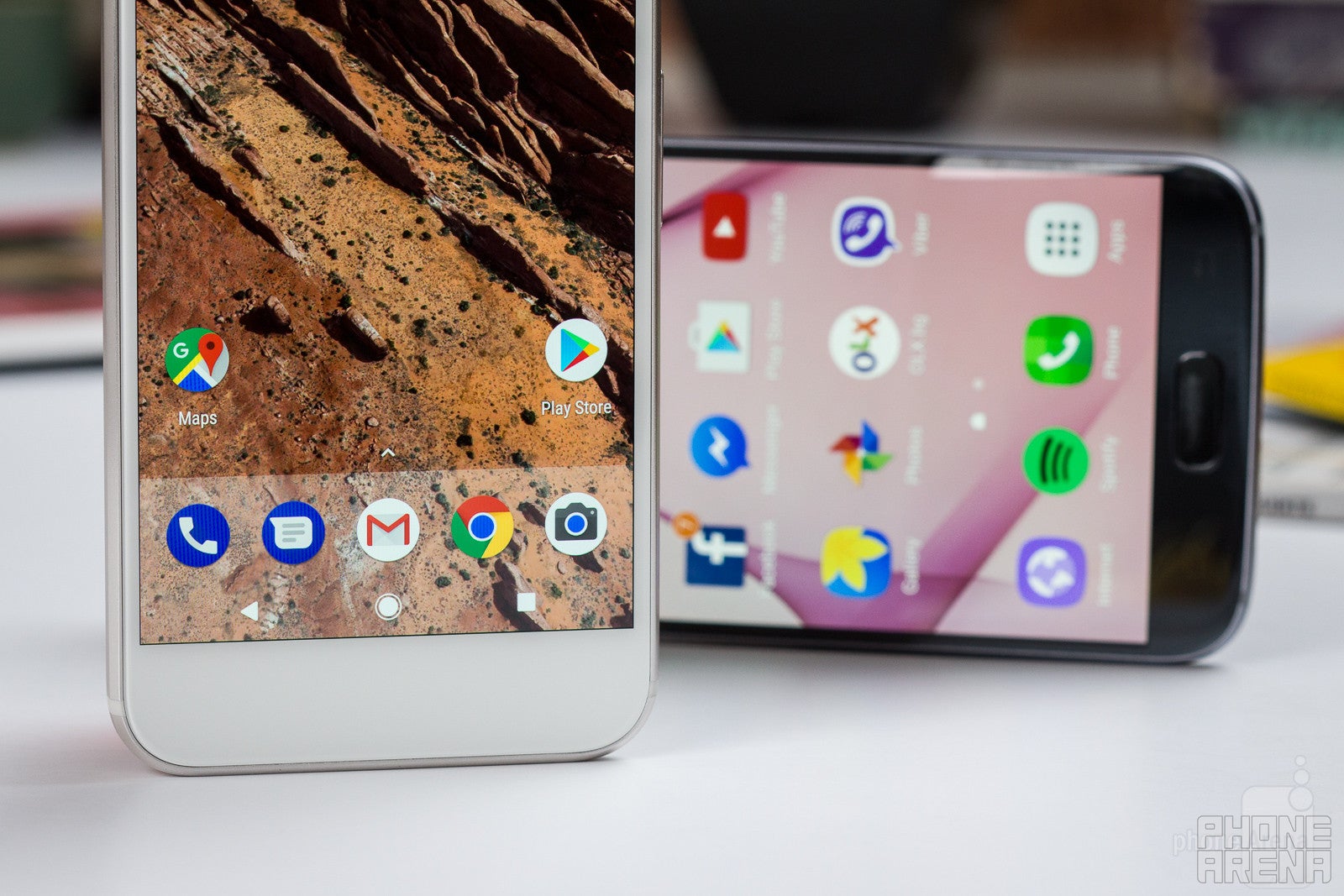
Waiting to get the newest version of Android on a phone not made by Google is a bit like waiting for the Cubs to win the World Series: you wait way too long for this to happen, and when it finally and suddenly does happen, it’s almost too surreal to believe.
This is part of what makes the Google Pixel special: it’s getting a fast lane with updates, receiving them by Google on day one.
The Pixel has got all the cool native features of Android 7: the split-screen multitasking, double tap the task switcher for an alt-tab-like shortcut, the cool bundled notifications, the improved Doze that results in better battery life. It’s also got a few tricks up its sleeve like a stunning selection of wallpapers that uses a 3D effect that is way flashier than the subtle parallax effect you’ve probably seen on iPhones and Galaxies.
The Pixel phones introduce us to Android 7.1
But then, a lot of the signature Nougat features are already available on the S7: the split-screen multitasking (but it does not work with all apps and feels less fluid), as well as Samsung’s own battery optimizations.
It’s also interesting that there seems to be a new vibration motor on the Pixel with a particular pattern that you ought to feel yourself to fully understand. Is it an improvement? It’s a subjective thing: some people in our office like it, yours truly considers it to be rather vague and not very helpful in typing. The Galaxy S7, on its part, defaults to a very strong, loud vibration, but you can adjust it by going into Settings > Sound and vibration > Vibration intensity.
TouchWiz is running on top of Android on the Galaxy S7
Performance, Processor and Memory
The Galaxy S7 is fast, but feels a bit jittery, whereas the Pixel is buttery smooth. Not quite iPhone-like, but close.
The Galaxy S7 comes in two versions: a US one running the Snapdragon 820 system chip, and an international one with a Samsung Exynos chipset. The Pixel, on the other hand, has the newer Snapdragon 821 SoC, which is a bit faster and more power efficient. Both phones feature 4GB of RAM.
Specs never told the full picture about performance, so we need to look at the actual experience of using the phones. Here is where the Google Pixel shines: there must be some clever Google optimizations taking place to make this a very smooth experience. The Galaxy S7 in comparison feels fast, but in a jittery, stuttery manner, while animations run smoother on the Pixel. You definitely notice this in daily use.
Samsung embraced expandable storage with the Galaxy S7: the phone has 32GB of on-board storage and it supports microSD card expansion. Google, on the other hand, sticks to its guns and offers the Pixel in a 32GB and a 128GB version, but neither supports expandable storage. To alleviate the pains of no expandable storage, though, Google gives Pixel customers unlimited storage of photos and videos via the Google Photos cloud storage. It’s not clear whether this deal extends for the full period of Pixel ownership, or for some limited period, though.
Camera
Both are excellent cameras. Here are the details: the Pixel captures richer color and a more balanced image. The Galaxy has fast auto-focus, but it’s sharpening everything way too aggressively.
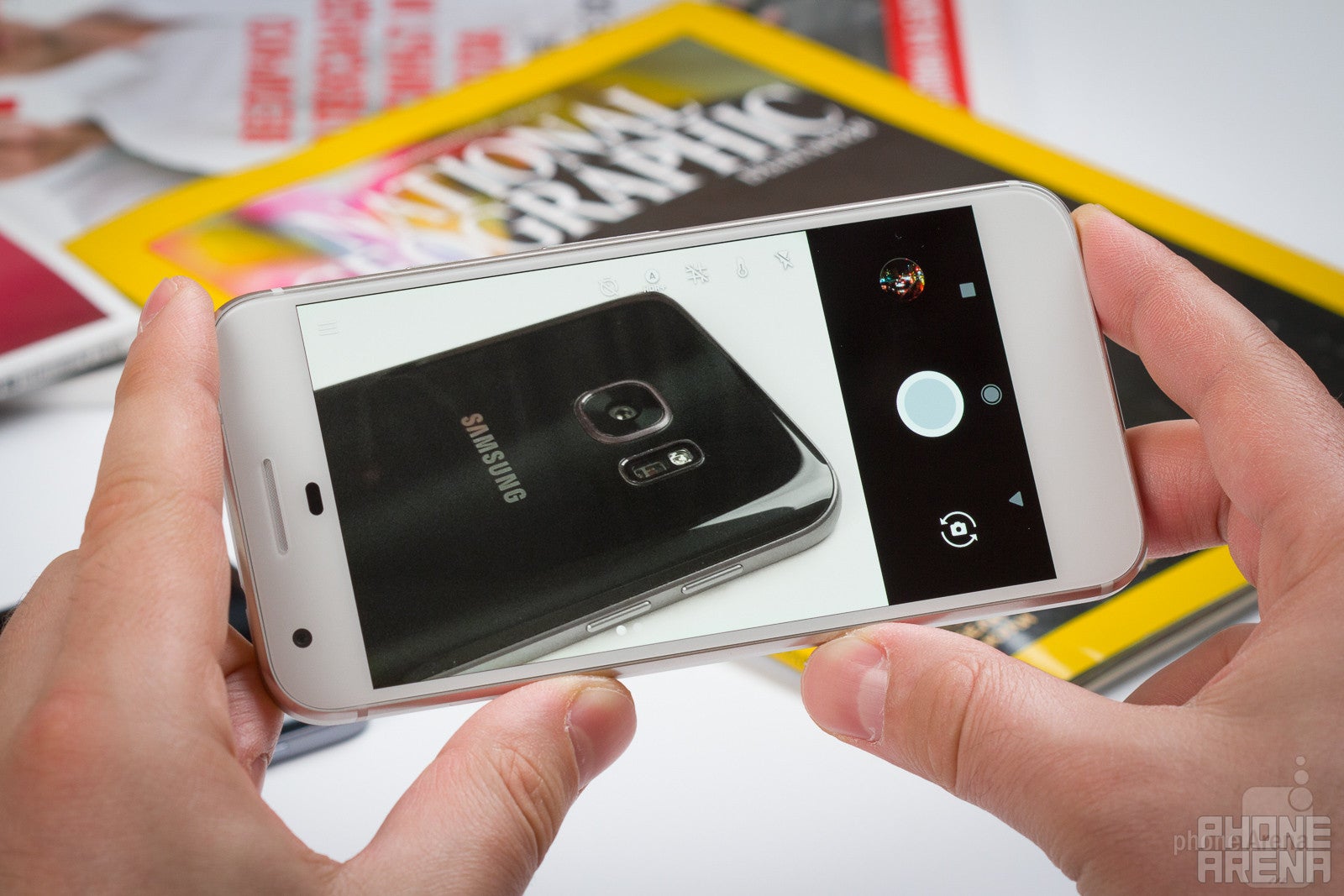
To rival one of the most popular high-end Android phones, Google had to equip the Pixel with a great camera. And it did just that.
On the S7’s list of advantages is Dual Pixel auto-focus system, the first in a phone, which makes it the fastest focusing handset out there. It also has optical image stabilization (OIS), a feature that the Pixel does not have.
Camera interface of the Google Pixel
Camera interface of the Samsung Galaxy S7
Looking at the camera apps, you can fire up both quickly with a shortcut: double-press the home key on the S7, or double click the lock key on the Pixel. Both get the job done, but Samsung’s app has controls within easier reach: you can start recording a video with one tap, while on the Pixel you need to swipe to the side to switch to video mode. In terms of special sauce, Samsung has got a manual mode as well as Motion Photos that capture a moment before and after the image, and animate your otherwise still photograph memories. The Pixel lacks such an option, but it has HDR+ by default, a nice option that boosts the dynamics of an image. It also has a photo sphere option and lens blur, an effect similar to the new Portrait mode on the iPhone 7 Plus, where the background of an image gets blurred, while the subject remains in sharp focus.
Image Quality
Both phones capture images that are some of the best that you can get from a phone. Yet they are different. The Pixel takes pictures with wide dynamic range (HDR+ is always on by default) and rich color, balanced in terms of exposure and color. The Galaxy S7, on its part, tends to focus very quickly and is able to capture sharp, in-focus images in darker situations, when the Pixel takes longer to focus. Pictures from the S7 have balanced colors and very good dynamics, but they are also artificially over-sharpened, which gives them a peculiar style that is easy to recognize.
Both phones have a strong flash that illuminates a pitch dark scene, but not in a particular flattering way as the light is a bit harsh from both.
Google Pixel vs Samsung Galaxy S7 sample images
Video Quality
Both the Galaxy and the Pixel record 4K video at 30 frames per second, and they can also record 1080p videos at either 30 fps or 60 fps.
Apart from color reproduction and getting the exposure right, having fast and accurate auto-focus is probably the most important consideration for video quality. The two do an admirable job getting colors on point and nailing the right exposure. Both phones also do very well with auto focusing, but the Galaxy S7 is noticeably faster in switching focus and this gives it one key advantage.
Google Pixel vs Samsung Galaxy S7 sample videos
Multimedia and sound quality
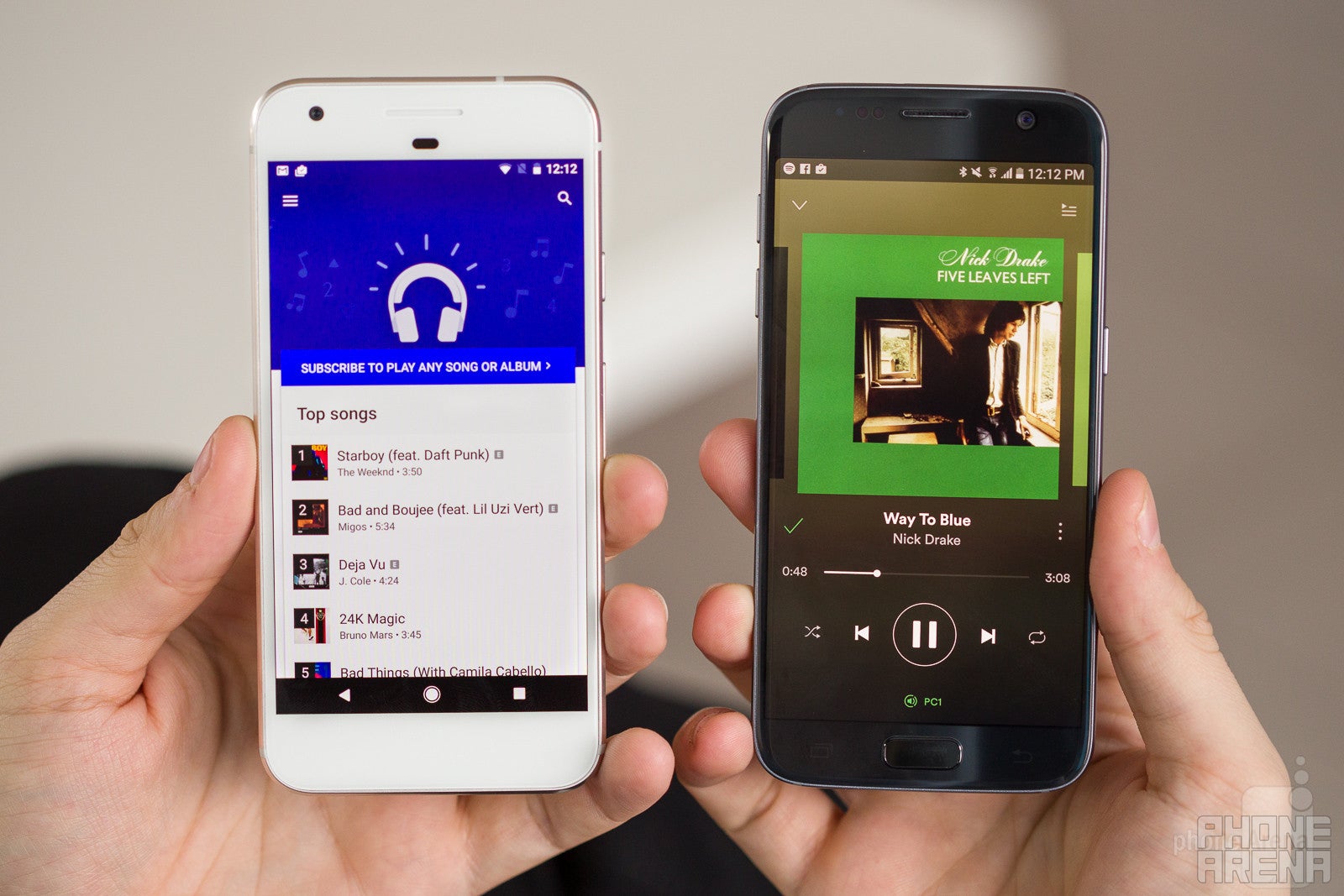
We’ve already touched on the sound quality out of the speakers of each phone: the Galaxy S7 has somewhat metallic, tinny-sounding speaker that lacks in volume in pronunciation. It’s okay, but just not great by any means. The Pixel tops this with a single speaker of its own, which delivers very crisp and sufficiently loud, well-balanced output. It’s clearly the better sounding of the two.
We’re also happy to see both phones sport a good ol’ 3.5mm headset jack. Wireless audio sure is the way of the future, but in the present there seem to be a lot of audio devices that still use a wired port.
Call quality
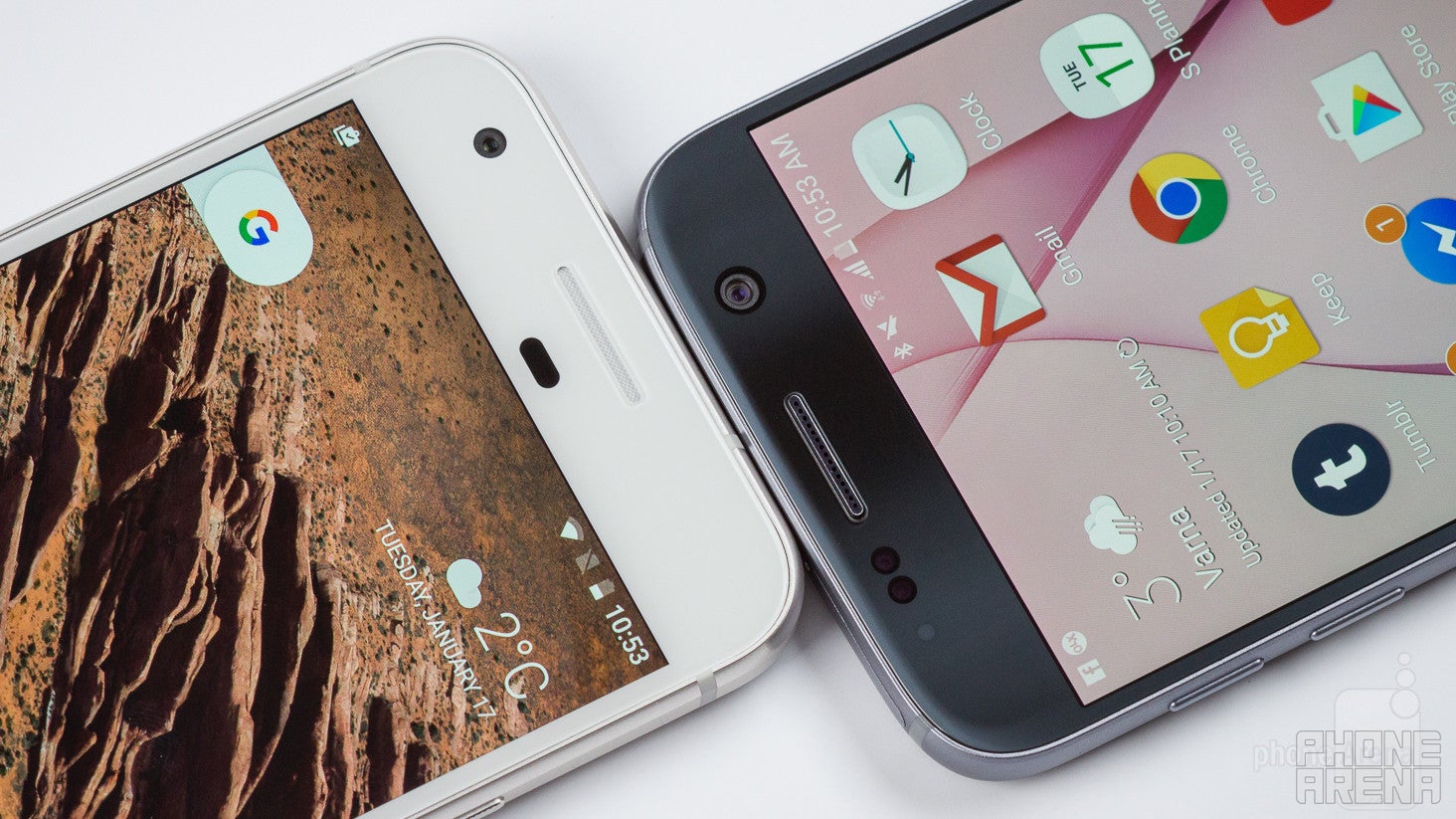
As you’d expect from modern smartphones, both the Galaxy S7 and the Pixel excel in terms of call quality. Both are able to convey voices that sound clear, crisp and sufficiently loud.
On the other end of the line, callers also report recognizing our voice easily and in its natural tonality.
Battery life
The Pixel’s smaller battery actual delivers longer battery life.
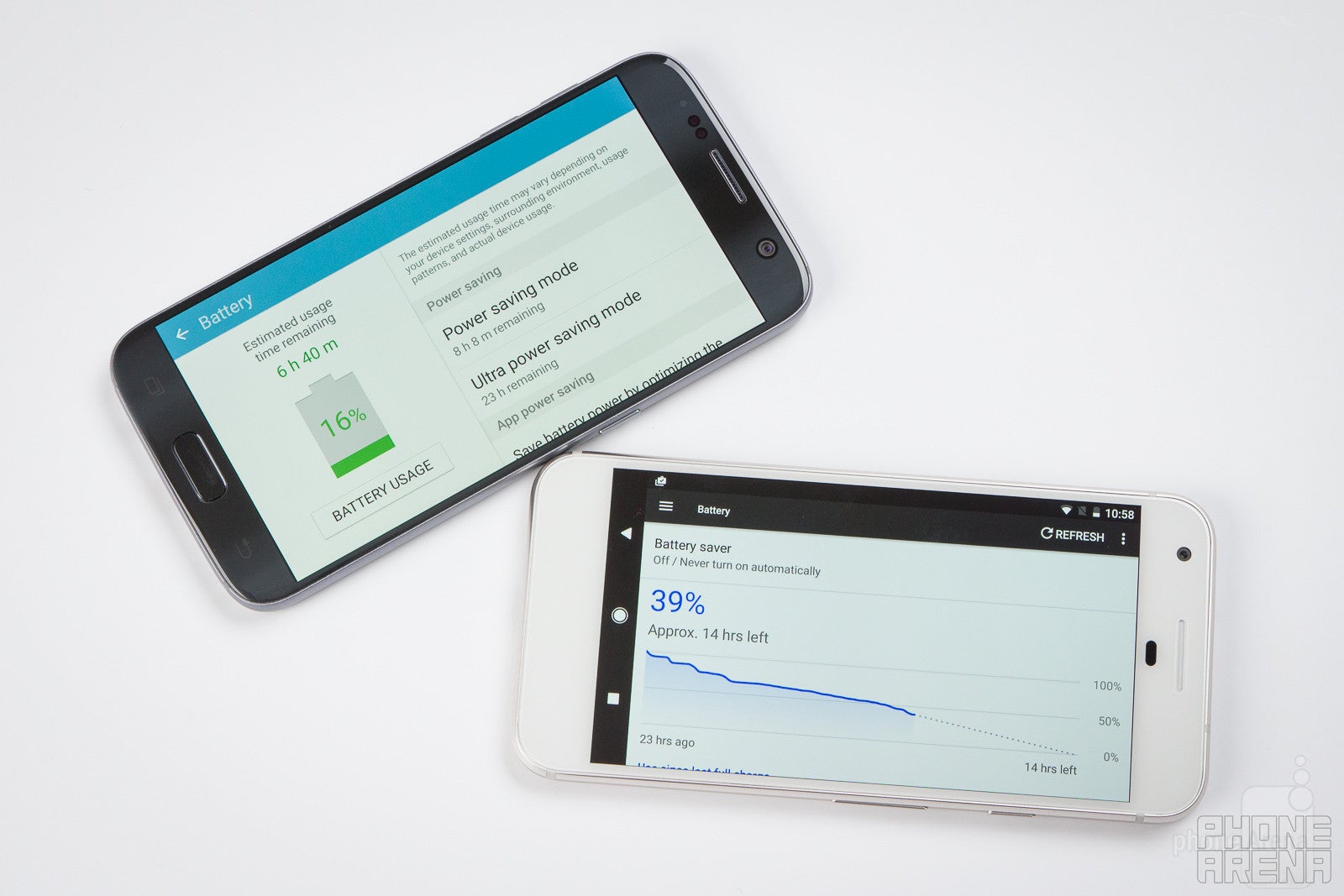
Battery capacity is a good starting point when we talk about battery life, but it’s not the end point. This is clearly emphasized once again with this comparison: the Pixel features a 2,770 mAh battery, while the Galaxy S7 sports a 3,000 mAh cell.
Does this automatically mean that the Galaxy S7 last longer in real life, though?
The answer is: not really. In fact, our custom battery test, where we tune both phones to 200-nit brightness and run them through the same typical usage scenario, shows that the Pixel outperforms the S7. The larger-battery Galaxy S7 actually scores 6 hours and 37 minutes, while the smaller-battery Pixel sports 7 hours and 45 minutes of battery life.
In real life, both phones are able to get you through a full day of use, but it is the Pixel that lasts longer in the second day, and with scarcer use you can get two days on a single charge here.
Both phones have quick charging, a great option if you need to quickly top up your battery. Here, the Galaxy S7 is faster: it takes just slightly short of an hour and a half to get re-charged fully from 0 to 100%, while the Pixel achieves the same task for slightly less than two hours.
Conclusion
At the end of the day, it’s clear that the Google Pixel is a surprisingly solid phone, especially considering that it’s a first-generation product.
The Galaxy S7, though, has both this and a much more affordable price tag. In the months since it launched in April 2016, its price has dropped to $500, while the Google Pixel is much pricier at $650 for the base version.
Even if we take the price advantage away, though, the Galaxy S7 is clearly on par with the Pixel in many areas. While design is a subjective matter (the Galaxy S7 is more impressive, but less practical), the Pixel wins in the performance department with its fluid movement. It’s also got the promise for quick updates, something that Samsung phones have never had: you are guaranteed your Pixel will get updated to the newest version of Android right after it’s launched, while with Samsungs you’d have to wait months on end, if your phone is even eligible. The Pixel also wins in terms of battery life.
In terms of camera, the Pixel wins in terms of quality, but the Galaxy S7 still impresses with its extremely fast focusing. We also like having that water-proof design on the S7 and the option to expand the storage via microSD cards.
So which one should you get? It all depends on your priorities! What we can assure you is that neither phone disappoints.
Google Pixel
Pros
- Solid design
- Latest version of Android on board, promise to get updates on day one
- Well-optimized, smooth-performing Android
- Camera captures great stills and video, excellent dynamics
- Very good battery life
Samsung Galaxy S7
Pros
- Premium eye-catching glass design
- Water resistance is a nice extra
- The fastest focusing smartphone camera
- More affordable
- Expandable storage
- Wireless charging







Popular stories



Latest News






Things that are NOT allowed:
To help keep our community safe and free from spam, we apply temporary limits to newly created accounts: