Google Recorder app for Pixels gets a UI tweak
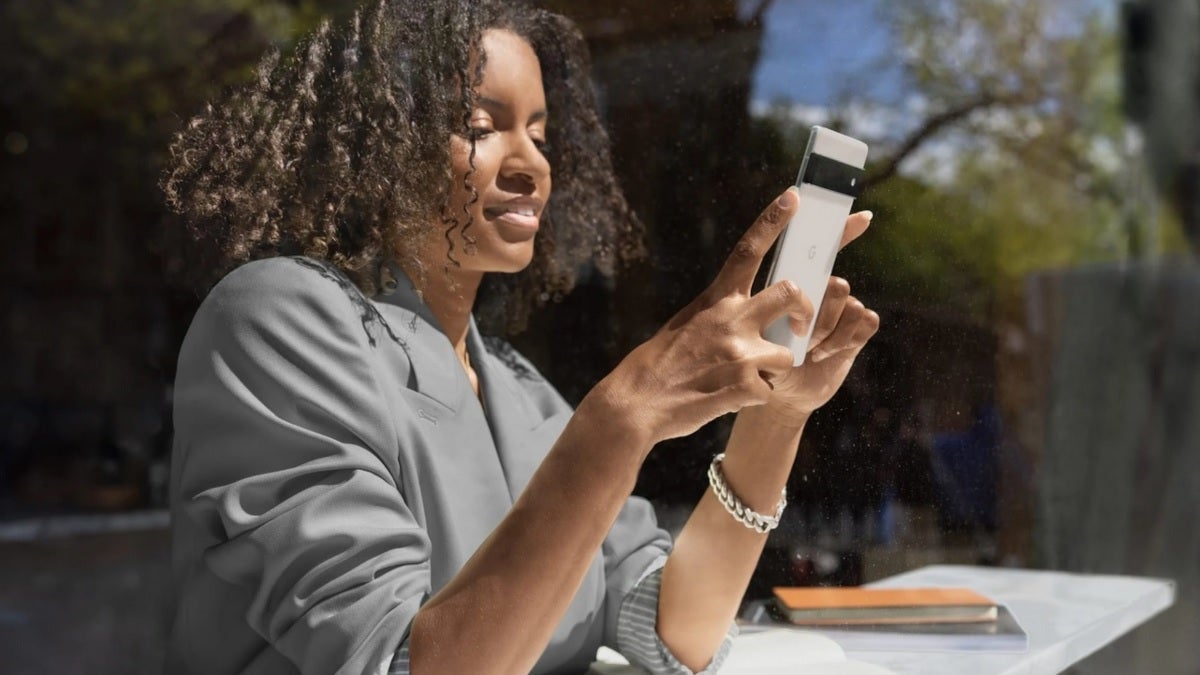
Back in 2019, the Pixel 4 series featured an app called Recorder that was designed to record and store audio. It also delivered real-time transcriptions right on the phone's screen. You might recall that The Wall Street Journal found that the app could keep up with one of the fastest talking women in the world and performed well. Eventually, older Pixel models received the Recorder update in a subsequent update.
Since its release on the Pixel 4, the Recorder app can be found in the Google Play Store right here. Officially, the app is for Pixel 3 and newer models only, but yours truly was able to get it to work on the Pixel 2 XL when the app was first offered to older Pixel phones. According to 9to5Google, some cosmetic changes are being made to the app partially to keep it in line with the Material You design.
The rectangular (with rounded corners) pause/play button is being replaced with a circle in version 3.5, which has started rolling out now. On the left side and right side of the circle are buttons that have been made larger than before. The button on the left will rewind 5 seconds when playing the audio while the button on the right will fast forward the audio for 10 seconds.
Above the progress bar on the display, two pill-shaped buttons have been moved slightly. These allow you to switch between playing audio or viewing saved transcripts. Icons found below the status bar for editing and search (along with the three-button overflow menu) now have the same background color as the bottom of the app, and Google has awarded Recorder its own tile in Quick Settings.
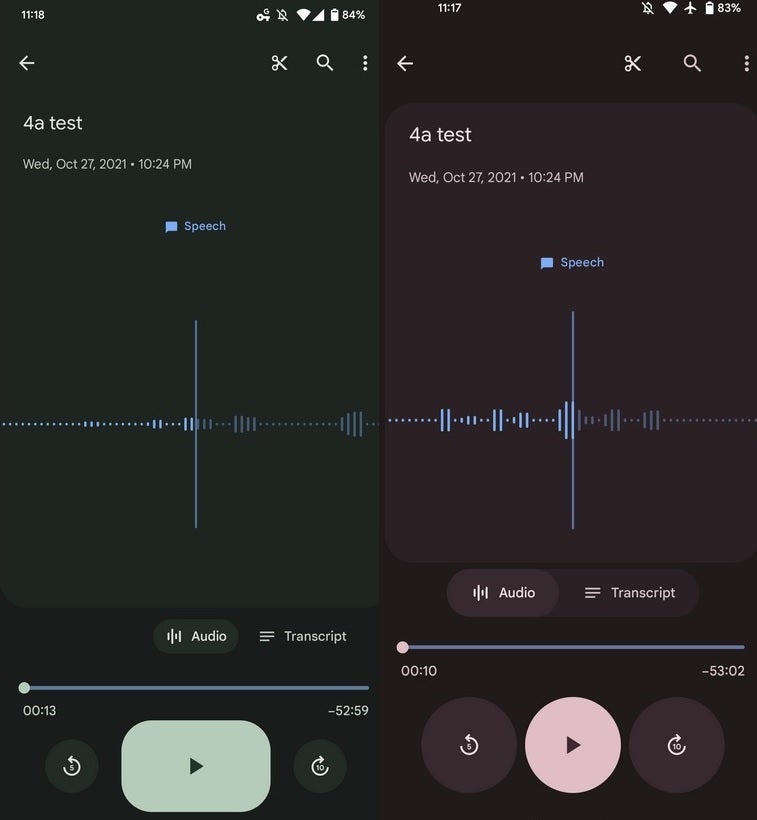
Updated version of Google Recorder app is on the right. Credit 9to5Google
To add the tile, drag the screen down twice from the top. Tap the pencil icon on the left below the tiles you now have set. Find the "Recorder" tile and drag it to wherever you would like to reside in Quick Settings. The tile will turn on and turn off the app's recording function while showing you its current status.
You can also set the app to display in Light theme, Dark theme, or use the System default. To set this, open the app and tap the profile picture in the top right corner. Select Recorder settings and tap on Theme.
As we noted above, the update started rolling out last week although it has yet to surface on all compatible Pixel phones.


Popular stories



Latest News






Things that are NOT allowed:
To help keep our community safe and free from spam, we apply temporary limits to newly created accounts: