Google Chat update makes it easier to respond to messages
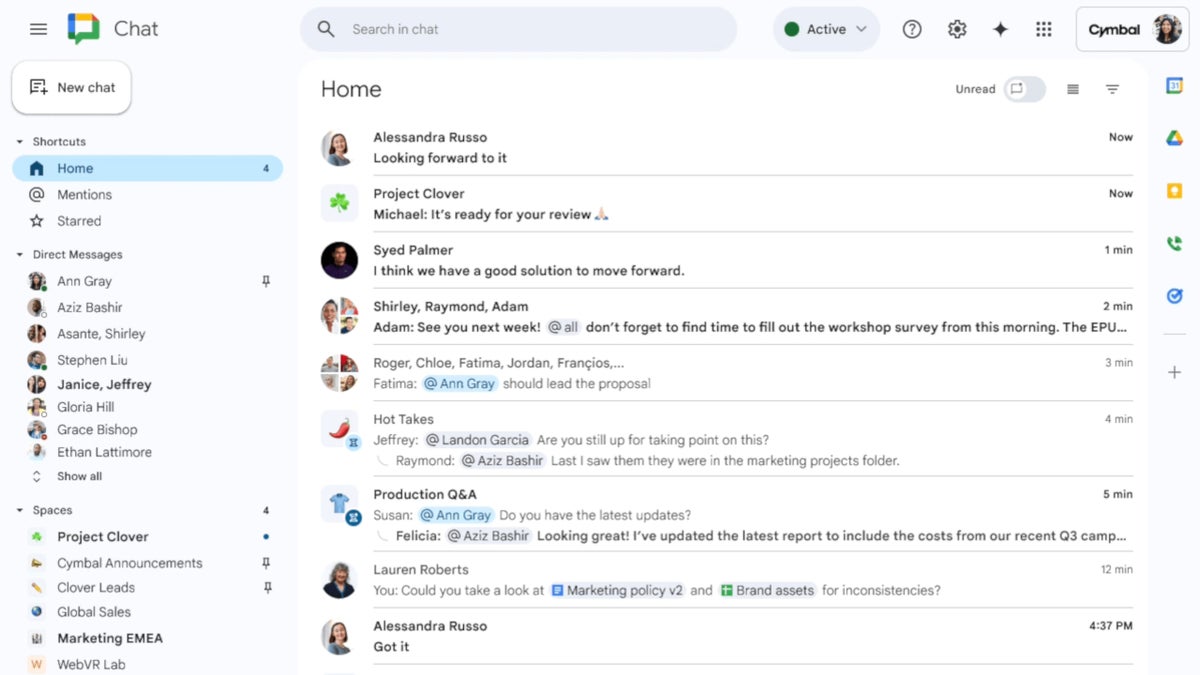
After bringing Gemini summaries in home for its Chat app, Google is now rolling out a new update that makes it easier to find what users need without having to leave the home view in the app.
A new split pane in the home view is now making its way to Google Chat. The split pane allows users to respond directly to a space, group or direct message without having to navigate away from the home view in Google Chat.
To make use of the new feature, simply click on a message and the split pane should immediately open with the conversation. If you want to view a specific conversation in full screen, simply click on the expand icon in the conversation header.
Additionally, Google says that it’s possible to toggle the split pane mode in the home header in case you want to completely enable or disable opening conversations in the split pane.
According to the Mountain View company, thew new split pane in the home view is rolling out to Google Chat users enrolled in the Rapid Release domains starting today. The rollout should be completed by November 29.
The rest of the Google Chat users won’t be getting the updated app until December 4 at the earliest. Either way, everyone should benefit from the new perk by December 19, so keep your eyes peeled for a new update if you’re a hardcore Google Chat user.
Speaking of which, Google announced that the new feature will be available to all Google Workspace customers and Workspace Individual subscribers.
A new split pane in the home view is now making its way to Google Chat. The split pane allows users to respond directly to a space, group or direct message without having to navigate away from the home view in Google Chat.
To make use of the new feature, simply click on a message and the split pane should immediately open with the conversation. If you want to view a specific conversation in full screen, simply click on the expand icon in the conversation header.
According to the Mountain View company, thew new split pane in the home view is rolling out to Google Chat users enrolled in the Rapid Release domains starting today. The rollout should be completed by November 29.
The rest of the Google Chat users won’t be getting the updated app until December 4 at the earliest. Either way, everyone should benefit from the new perk by December 19, so keep your eyes peeled for a new update if you’re a hardcore Google Chat user.


Popular stories





Latest News





Things that are NOT allowed:
To help keep our community safe and free from spam, we apply temporary limits to newly created accounts: