Yahoo Mail for Android receives update allowing users to have better customization options
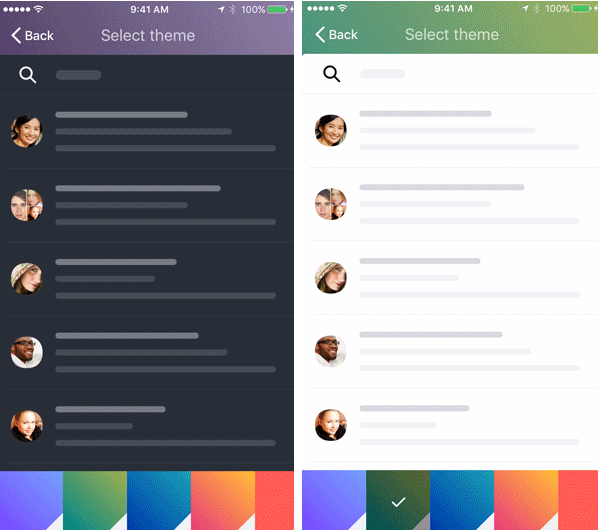
Two of the new themes available with the updated Yahoo Mail for Android
In the account switcher, long-press on your account titles to rename them You can use monikers like "Personal" or "Work" to help you find what you are looking for quickly. Preview or save pictures of images sent to you in a message by tapping on them. While composing a message, you can move an image between the body of the message and your attachment tray by clicking "..." on the image.
With the update rolling out today, you can go to the Google Play Store, tap the hamburger menu in the upper left corner, tap on "My apps & games" and scroll down to Yahoo Mail. If the update is there, you will be able to click on the appropriate button to get the process started.
source: YahooMail (Android|iOS)


Popular stories




Latest News



Things that are NOT allowed:
To help keep our community safe and free from spam, we apply temporary limits to newly created accounts: