
How to connect a USB accessory to an Android smartphone or tablet

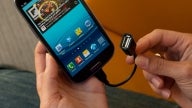
With Android 3.1, Google's mobile platform added a new trick to its repertoire – USB host functionality. In plain words, that allows for Android devices to work with a broad range of USB peripherals, such as keyboards, mice, USB flash memory sticks, and even gamepads. But what about smartphones and tablets that don't have a full size USB port? Well, they still can get along well with such accessories too, with the help of an inexpensive gizmo.
The USB On-The-Go cable adapter plugs into the microUSB port of an Android device and provides a standard size USB port on its other end. All you have to do is to plug in the desired USB accessory in there and you should be good to go.
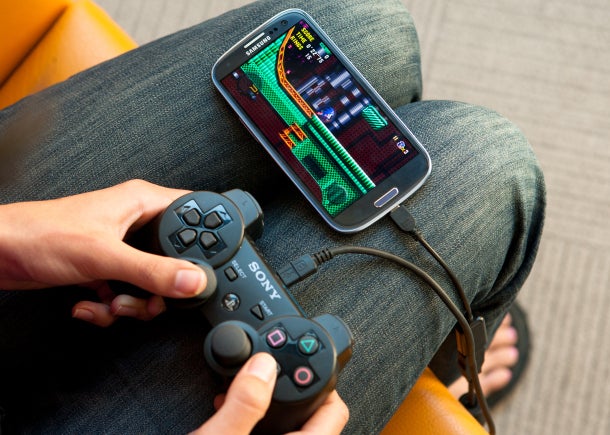
PS3 controller connected to a Samsung Galaxy S III using a USB OTG adapter
- Samsung Galaxy S II
- Samsung Galaxy S III
- Samsung Galaxy Nexus (USB flash drives not supported)
- Google Nexus 7 (USB flash drives not supported)
- Motorola Droid RAZR
- Samsung Galaxy Tab
- Acer Iconia Tab A200
- Acer Iconia Tab A500
- Archos G9
- Notion Ink Adam
- Motorola XOOM
- Toshiba Excite 10
- Sony Tablet S
For anyone who is interested, Amazon has cheapo USB On-The-Go adapters in stock and they only cost a few dollars. Those of you who might get one, what USB accessory would you connect to your smartphone? Drop a comment below and let us know.
source: CNET


 FCC OKs Cingular\'s purchase of AT&T Wireless
Things that are NOT allowed:
To help keep our community safe and free from spam, we apply temporary limits to newly created accounts: