Directions for Samsung's Bixby AI assistant surface
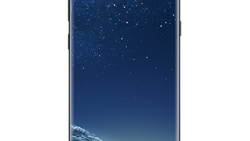
Twitter based tipster @Ricciolo1 has sent out a few tweets showing images related to Samsung's AI assistant Bixby. One image says that Bixby is an intelligent voice assistant that makes using your Samsung Galaxy handset more convenient. To activate Bixby, press the Bixby key, or say Bixby. Similar to how Siri or Google respond to verbal cues, Bixby will let you know that he has heard you and is awaiting your command.
You can tell the AI assistant exactly what you need from him by writing your question or demand. You can also say exactly what you want done, or ask a question that you need the answer to. Bixby will then give you your answer, show you the information you were seeking, or launch the application that you wanted opened.
Bixby image search is another feature of the AI assistant that allows you to use images to help you search for information. To use Bixby image search, activate the feature and use the camera to capture images. You will be able to scan a product and find out where to find it online, or at nearby locations. This sounds strikingly similar to the Firefly feature found on the now departed Amazon Fire Phone.
For Bixby to work, you must be connected to a Wi-Fi or a cellular network. Additionally, you must be signed into your Samsung account. And you need to keep in mind that some Bixby functions are not available in certain markets. Lastly, the AI assistant supports only certain languages.
source: @Ricciolo1
You can tell the AI assistant exactly what you need from him by writing your question or demand. You can also say exactly what you want done, or ask a question that you need the answer to. Bixby will then give you your answer, show you the information you were seeking, or launch the application that you wanted opened.
For Bixby to work, you must be connected to a Wi-Fi or a cellular network. Additionally, you must be signed into your Samsung account. And you need to keep in mind that some Bixby functions are not available in certain markets. Lastly, the AI assistant supports only certain languages.
The Bixby AI assistant is coming to the Samsung Galaxy S8 and Samsung Galaxy S8+
source: @Ricciolo1


Popular stories






Latest News


Things that are NOT allowed:
To help keep our community safe and free from spam, we apply temporary limits to newly created accounts: