Android 6.0 Marshmallow: how to access the built-in, hidden file manager

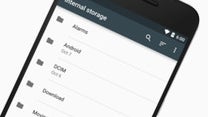
Many are the new features introduced to Android by the 6.0 Marshmallow update. Many of them we've talked about already – Android's latest release brings better control over app permissions, improved power management, native support for fingerprint scanners and the USB Type-C connector, as well as enhanced search features powered by Google Now on Tap. But for every major Android 6.0 feature, there's probably a dozen minor ones that we may have not mentioned yet. One of these minor features is the new, built-in file manager.
Yup, there's a file manager build into Android 6.0, and even if you've updated your device already, you might haven't even noticed its presence. That's because it isn't launched your app drawer. It wouldn't have been fun if it was that obvious, would it? Here's what you need to do to access Marshmallow's file manager feature:
- Open Settings
- Go to Storage and USB
- Scroll down and tap on Explore
And now you should be looking at Android 6.0's on-board file manager. True, it feels crude compared to most third-party options. It can't rename files, it can't cut files, and it can't make new folders, to be more specific. But it gets the job done for some other basic tasks. The manager lets you copy files around, it can sort them in a specific order, and it lets you share them via other apps. There's also a search function if you're looking for a specific file that you know the name of.
So, do you like this handy Android 6.0 trick? Do you think you'll be using it often? Let us know in the comments!
Accessing the Android 6.0 file manager

Popular stories






Latest News






Things that are NOT allowed:
To help keep our community safe and free from spam, we apply temporary limits to newly created accounts: