Google has just released a small yet very important Chrome update, which promises to streamline the browsing experience when transitioning between native apps and web content.
Before the update, users had to close their Chrome browsing session when swapping between a webpage and an app. The Chrome M124 update makes it possible to do that without closing the browser, at least for some Android apps.
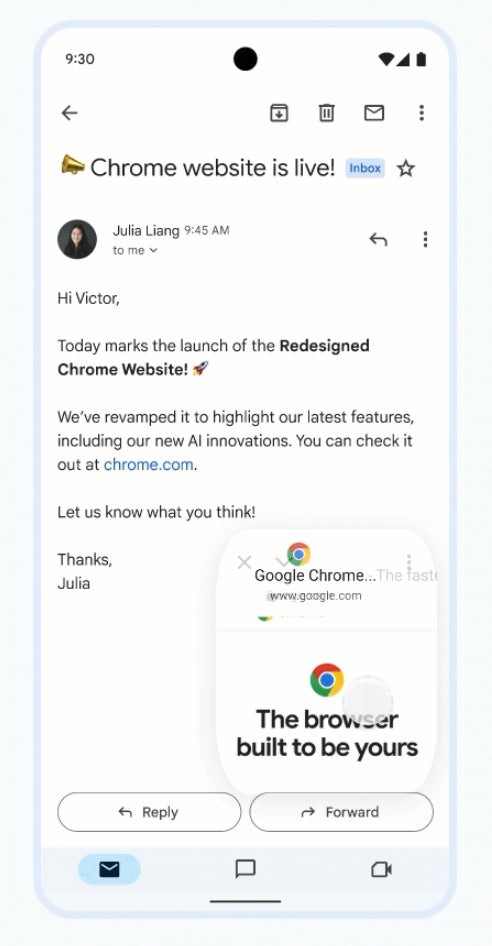
A new feature called Minimized Custom Tabs allows users to tap on the down button in the Chrome Custom Tabs toolbar to minimize a Custom Tab into a compact, floating picture-in-picture window.
Tapping on the floating window will maximize the tab, restoring it to its original size. If you’re using an Android phone, you should see the Minimize icon in the Chrome Custom Tab toolbar.
According to Google, developers who use Chrome Custom Tabs should see the change automatically applied starting with this specific Chrome version (M124).
Obviously, this will only work with Android apps that use Chrome Custom Tabs, and you can see that if the new down button appears in the top-left corner on an in-app webpage.
Mint Mobile's 6-month plans now cost $10/mo
$10
/mo
$35
$25 off (71%)
Mint Mobile is celebrating its 10-year anniversary with a special offer on its six-month subscription plans. For a limited time, you can get your preferred tier (6GB, 17GB, 23GB or unlimited) for just $10/mo. That saves you between 50% and 71% on the carrier's mobile plans, making it way easier to recommend.
Cosmin, a tech journalist with a career spanning over a decade, brought a wealth of experience to PhoneArena. His expertise lies in brands like Samsung and Nokia, and he has a keen interest in innovative technologies. After a brief stint in PR, Cosmin returned to tech journalism in 2016, committed to delivering clear and objective news. When he's not writing or appearing as a guest on TV and radio shows, Cosmin enjoys playing RPGs, watching Netflix, and nurturing his passion for history and travel.
COMMENTS (0)
COMMENTS (0)
All comments need to comply with our
Community Guidelines
PhoneArena Community Rules
A discussion is a place, where people can voice their opinion, no matter if it
is positive, neutral or negative. However, when posting, one must stay true to the topic, and not just share some
random thoughts, which are not directly related to the matter.
Things that are NOT allowed:
Off-topic talk - you must stick to the subject of discussion
Offensive, hate speech - if you want to say something, say it politely
Spam/Advertisements - these posts are deleted
Multiple accounts - one person can have only one account
Impersonations and offensive nicknames - these accounts get banned
To help keep our community safe and free from spam, we apply temporary limits to newly created accounts:
New accounts created within the last 24 hours may experience restrictions on how frequently they can
post or comment.
These limits are in place as a precaution and will automatically lift.
Moderation is done by humans. We try to be as objective as possible and moderate with zero bias. If you think a
post should be moderated - please, report it.
Have a question about the rules or why you have been moderated/limited/banned? Please,
contact us.













Things that are NOT allowed:
To help keep our community safe and free from spam, we apply temporary limits to newly created accounts: