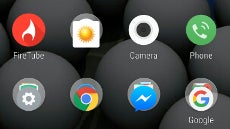
Scrolling through an endless list or pages upon pages in the app drawer to find and start the app you need, is becoming less and less needed, that is why we asked you last week what is your preferred, most used method for accessing and launching apps on your Android device. It turns out that a good chunk of our respondents, about 38%, are still accessing them through the app drawer, while the 58% majority have them tucked neatly on the homescreen(s) for faster access. Less than 4% usually search for apps, indicating that this method might be used mostly for applications we rarely launch, and don't want to bother finding in the clutter.
App drawers might be going the way of the dodo bird, at least if you ask Chinese makers, as very often their Android overlays consist simply of an endless homescreen carousel where apps are placed in neatly arranged grids or folders, with no app drawer to be seen or found anywhere.
Adding insult to injury, most launchers these days, stock or third-party, offer the ability to categorize your apps in folders automatically, thus easing the trend that the vast majority of your most used apps get launched directly from the home screen in a tap or two. Moreover, as an alternative way to run apps you rarely use, Android offers you the ability to search for them, again directly from the bar on the homescreen. Most often you need to only key in the first two or three letters of an app name, and then tap on the suggestion to launch it.
What's your preferred way of accessing apps on your Android device?
Daniel, a devoted tech writer at PhoneArena from 2010 to 2025, has been engrossed in mobile technology since the Windows Mobile era. His expertise spans mobile hardware, software, and carrier networks, and he's keenly interested in the future of digital health, car connectivity, and 5G. Beyond his professional pursuits, Daniel finds balance in travel, reading, and exploring new tech innovations, while contemplating the ethical and privacy implications of our digital future.
COMMENTS (7)
COMMENTS (7)
All comments need to comply with our
Community Guidelines
PhoneArena Community Rules
A discussion is a place, where people can voice their opinion, no matter if it
is positive, neutral or negative. However, when posting, one must stay true to the topic, and not just share some
random thoughts, which are not directly related to the matter.
Things that are NOT allowed:
Off-topic talk - you must stick to the subject of discussion
Offensive, hate speech - if you want to say something, say it politely
Spam/Advertisements - these posts are deleted
Multiple accounts - one person can have only one account
Impersonations and offensive nicknames - these accounts get banned
To help keep our community safe and free from spam, we apply temporary limits to newly created accounts:
New accounts created within the last 24 hours may experience restrictions on how frequently they can
post or comment.
These limits are in place as a precaution and will automatically lift.
Moderation is done by humans. We try to be as objective as possible and moderate with zero bias. If you think a
post should be moderated - please, report it.
Have a question about the rules or why you have been moderated/limited/banned? Please,
contact us.
Things that are NOT allowed:
To help keep our community safe and free from spam, we apply temporary limits to newly created accounts: