How to find uninstalled Android apps and games and reinstall them

With over 1.5 million apps and games available on Google Play as of 2015, Android users often install plenty of applications just to uninstall them at some point (usually discovering that they don't really need them). But what's there to do if you happen to want an uninstalled app or game back, and you can't remember its name? Well, Google lets you easily check out a list that contains all your uninstalled titles, alongside the installed ones. This list also includes apps that you had installed on older devices (assuming that you were using the same Google account that you're using now).
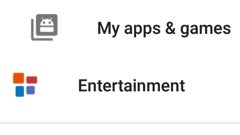
The complete list of uninstalled and installed apps and games can be accessed from Google Play (as long as you're logged in). Open the Google Play app on your Android phone or tablet, and tap on the menu button (the three lines that show up in the upper left corner). When the menu is revealed, tap on "My apps & games." Next, tap on the "All" button, and that's it: you'll be able to check all your apps & games, both uninstalled, and installed.
Taping on an uninstalled app leads you to its Google Play page, from where you can reinstall it. If you no longer want an uninstalled app to be on the list, you can easily remove it by taping on the X that you can see in its upper right corner.
P.S.: This tutorial was made on a smartphone running stock Android 6.0.1 Marshmallow. Things may look different on your device.
Taping on an uninstalled app leads you to its Google Play page, from where you can reinstall it. If you no longer want an uninstalled app to be on the list, you can easily remove it by taping on the X that you can see in its upper right corner.
How to find uninstalled Android apps and reinstall them

Popular stories






Latest News






Things that are NOT allowed:
To help keep our community safe and free from spam, we apply temporary limits to newly created accounts: