HTC 10's Freestyle layouts: here's how to enable and customize the new themes in Sense 8
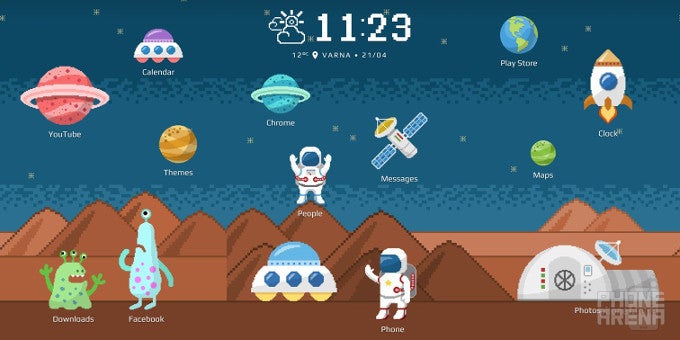
One of the exciting new software features of the HTC 10 is the pretty customizable home screen. The so-called Freestyle layout allows for an unprecedented level of customization for a stock manufacturer Android skin. Оf course, as with all things Android-related, there are ways to emulate HTC's Freestyle layout on any Android phone if you don't mind the tinkering. Still, for a stock skin, Sense 8 UI is entirely customizable.
So, what's the big deal here, and why should you care? Freestyle layouts allow you to customize the home screen theme by assigning app shortcuts to different stickers, as well as hide app labels altogether and create a sleek theme with shortcuts hidden in plain sight.
It's quite easy to customize this, though you might easily get lost if you don't know what you're doing. We will show you the ropes on how to do so.
HTC's Freestyle layout


Popular stories





Latest News






Things that are NOT allowed:
To help keep our community safe and free from spam, we apply temporary limits to newly created accounts: