Google's Voice Access app gives you complete voice control over your Android device
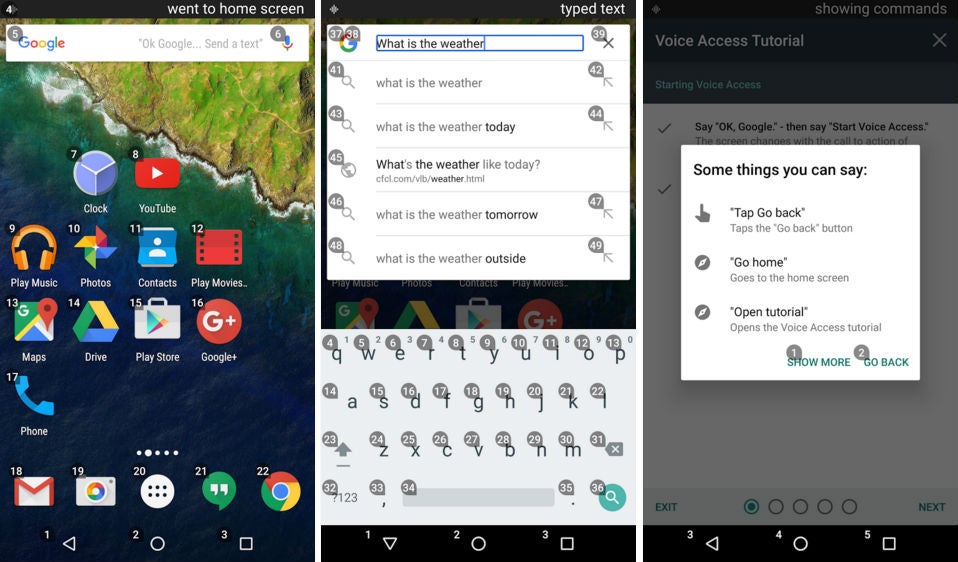
It's in this context that Google has introduced Voice Access, an experimental app that allows Android users to control their device by voice. Google has published a beta version of the app on the Play Store, but at the time this article was published, all of the beta-tester positions have been filled. Don't worry, though, we've included a link to an APK mirror at the bottom of this article.
The new Google Voice Access app only complements Google's push towards making Android more accessible: the new Android N Preview comes with improved accessibility features while the Google Docs have recently been updated with improved voice commands.
What do you guys think of this new Android feature?
source: Google | APK Mirror


Popular stories



Latest News






Things that are NOT allowed:
To help keep our community safe and free from spam, we apply temporary limits to newly created accounts: