BlackBerry Passport Review

Introduction
It’s amazing how things can quickly go to hell for some companies in the mobile space, where one day they’re a top-tiered contender, to being overlooked as an antiquated player who can’t seem to innovate. One company in this particular predicament is BlackBerry, who is still to this time trying to stay afloat amidst the stiff competition that’s around.
Interestingly, it’s been nearly 2 years already since BlackBerry launched the Z10 – an all-touch smartphone running the company’s contemporary BlackBerry 10 OS, which aimed to bring the company back into good light. Sadly, though, that wasn’t the outcome, as the company continues to struggle to be a relevant player.
From the looks of it, they’re going back what they’re most noteworthy for bringing to the smartphone world. Touch is all nice, but the BlackBerry Passport sports a familiar form factor that builds upon the reputation of the company. Paired with a physical keyboard, a standout and iconic feature of past BlackBerries, the Passport is the modern BlackBerry reincarnated. Will paying homage get consumers excited for it?
The package contains:
- microUSB cable
- Wall charger
- Stereo headphones
- Start guide
- Product safety and warranty information user manual
Design
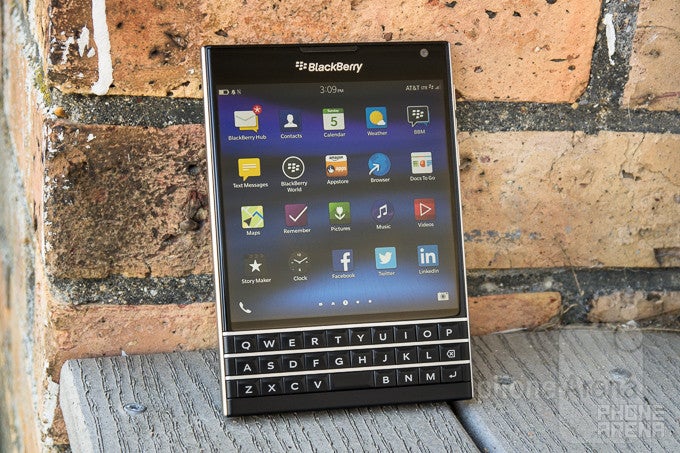
Reinventing the look of a BlackBerry, the Passport is beautifully crafted and designed to exude a modern finish that looks good.
This is a beautifully designed, solidly constructed phone that’s very different from the usual slates we’re accustomed to seeing nowadays. At the same time, it bears a faint familiarity to past BlackBerry smartphones, but its edgier look gives it an elevated, contemporary design that’s unique in the space at the moment.
Small design choices, like its stainless steel frame, tells us that the company invested a lot of time and care to designing the Passport. If there’s one qualm we have about the device, it’s that it’s pretty wide – to the point that it’s almost unwieldy to hold for those with smaller hands. Heck, it’s wider than the iPhone 6 Plus! Call it ironic, but the Passport nearly matches the dimensions of an actual passport.
All of the handset’s ports and buttons are placed along the stainless steel frame. They include the power button, 3.5mm headset jack, microUSB 2.0 port, left & right speakers, microphone, volume control, and a quick key button placed in between the volume control that acts as a pause/play function, as well launching BlackBerry Assistant with a long press. Part of the rear cover can be removed to access its nanoSIM and microSD card slots, but the battery is not accessible.

5.04 x 3.56 x 0.37 inches
128 x 90.3 x 9.3 mm
6.91 oz (196 g)
6.22 x 3.06 x 0.28 inches
158.1 x 77.8 x 7.1 mm
6.07 oz (172 g)

6.04 x 3.09 x 0.33 inches
153.5 x 78.6 x 8.5 mm
6.21 oz (176 g)

5.76 x 2.94 x 0.35 inches
146.3 x 74.6 x 8.9 mm
5.26 oz (149 g)

5.04 x 3.56 x 0.37 inches
128 x 90.3 x 9.3 mm
6.91 oz (196 g)

6.22 x 3.06 x 0.28 inches
158.1 x 77.8 x 7.1 mm
6.07 oz (172 g)

6.04 x 3.09 x 0.33 inches
153.5 x 78.6 x 8.5 mm
6.21 oz (176 g)

5.76 x 2.94 x 0.35 inches
146.3 x 74.6 x 8.9 mm
5.26 oz (149 g)
Compare these and other phones using our Size Comparison tool.
Keyboard
Disorganized, cramped, and some other weird quirks make the keyboard almost impossible to use effectively.
Well, there are new innovations that we applaud – like how it’s touch sensitive. In fact, it’s useful in the way that we can swipe our finger over the keyboard to place the cursor in a specific spot, which is a lot more intuitive than other touchscreen-only implementations. In addition, its enhanced predictive text feature allows us to swipe up from the left, center, or right areas of the keyboard to select a specific predictive word.
Despite those new features, the keyboard as a whole is still not as intuitive or hassle-free than a standard all-touch. Indeed, some people will prefer the physical response of its keyboard, but it’s a shame that it doesn’t act in the same useful manner as previous BlackBerry keyboards.
Display
The wider look of the display is unconventional, but it proves to be ideal for productivity centric tasks.
An unconventional shape, the Passport features a squarish 4.5-inch 1440 x 1440 IPS LCD display, which is the sharpest (453 ppi) and highest resolution screen to grace a BlackBerry smartphone. Details are undoubtedly crisp, but the true benefit here is that we can see more of a web page or document because it’s 30% wider than the average 5-inch display.
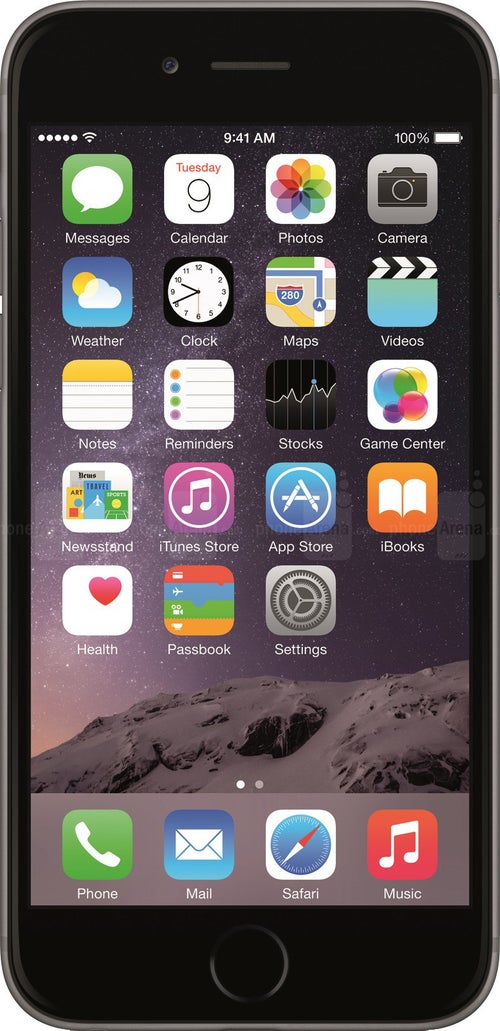
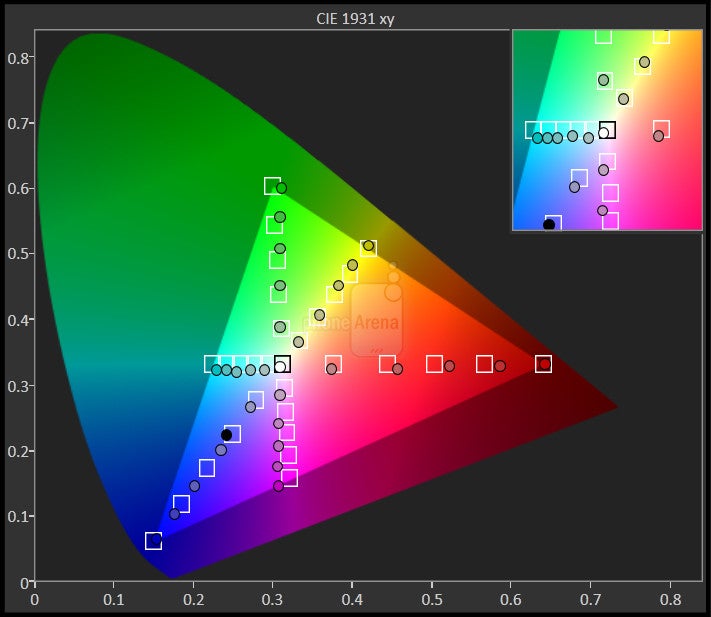
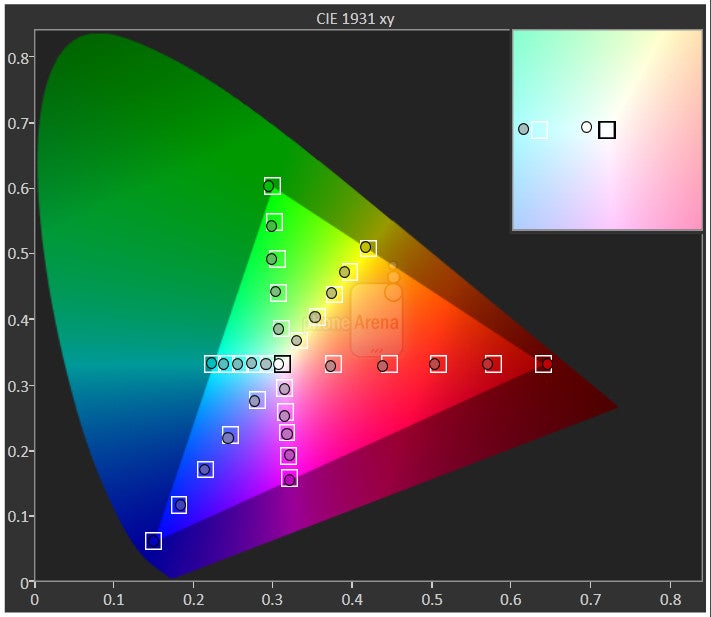
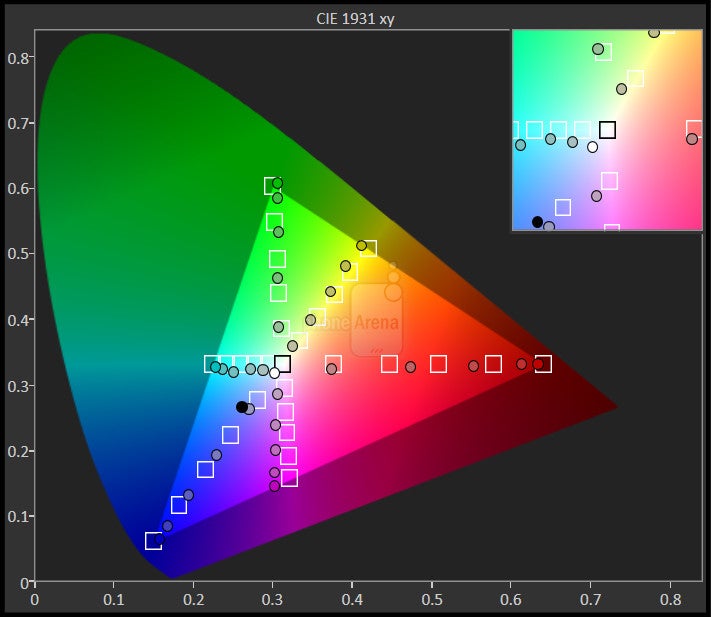
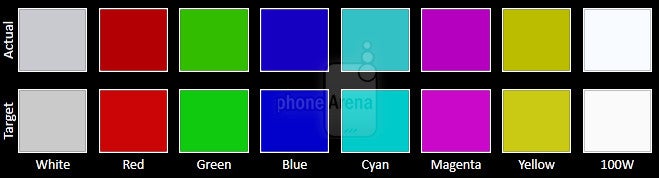
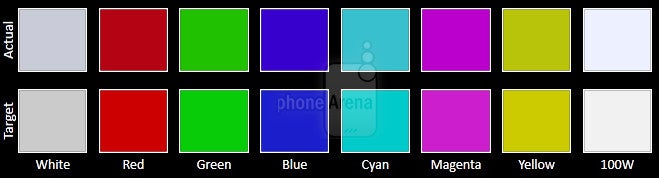
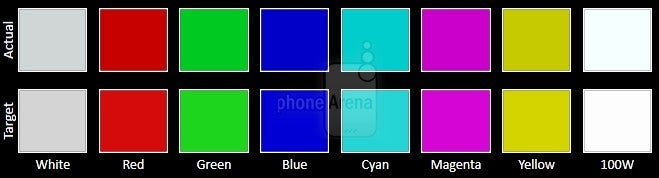
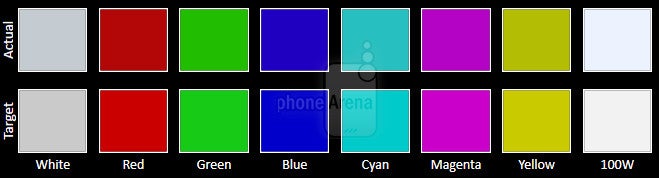
What’s especially nice, too, is that the screen exhibits some high quality elements. Impressively, it produces a blinding maximum brightness output of 894 nits, which makes it extremely visible outdoors with the sun present. Just for a comparison, the iPhone 6 manages to deliver 606 nits of brightness with its display. Meanwhile, its color temperature of ~7000 K (reference value of 6500 K) means the white point is pretty accurate, only slightly blueish. And finally, it’s pretty accurate with its color reproduction – where it hits very closely to the various reference points in our display benchmarking test.





Interface and Functionality
BlackBerry OS 10.3 features several new enhancements, but it’s still accompanied with an antiquated feel and poor ecosystem.
The platform’s strength, however, lies in how it adheres to productivity conscious and enterprise users. Naturally, it’s exceptionally adept at handling all of our emailing needs, since BlackBerry is legendary when it comes to the process – though, the keyboard itself makes the typing experience rather problematic. Out of the box, it’s packaged along with Document To Go, which works well in editing files on-the-go with the Passport’s sizable screen. Fortunately, BlackBerry Assistant manages to be a great addition in helping to keep us organized, as it works similarly to other voice assistant services.
When it comes to third-party apps support though, it’s still very light in comparison to rival platforms. Indeed, we can sideload many popular Android apps, but the majority of them just don’t run properly – so that’s a headache on its own.
Processor and Memory
Everything about its performance is top-notch, thanks to the contemporary piece of silicon under the hood.
Definitely a beast of a smartphone, the Passport is using the same guts as most other high-end phones in the market now – a quad-core 2.2GHz Qualcomm Snapdragon 801 SoC coupled with the Adreno 330 GPU and beefy 3GB of RAM . Armed with a contemporary chip, the Passport rarely shows any evidence of slowdown with its performance. Well, we can certainly attest that it’s a speed demon with everything it does.
BlackBerry is kind enough to offer a spacious 32GB of internal storage with the Passport, which can be supplemented thanks to tis microSD slot.
Internet and Connectivity
Again, the phone’s wider display lends its usefulness in the web surfing experience – where pages appear less cramped, giving us a significantly better viewing experience. It also helps that other aspects of the experience, like its fast page load, instant page rendering, and smooth navigational controls, all combine to solidify its excellent performance. Oh yeah, we can even use the touch-sensitive keyboard to scroll – and it works exquisitely too!
World travelers will be especially pleased to know that the BlackBerry Passport has its own passport to support the various networks abroad – while also being treated to LTE connectivity as well. Much like its contemporaries, it’s connectivity arsenal consists of aGPS with Glonass, Bluetooth 4.0 LE, dual-band 802.11 b/g/n/ac Wi-Fi, and NFC.
Camera
It’s decent looking with its results, as long as lighting is plentiful, but it’s prone to blurring due to its slow focus.
Seriously, we were eager to use this camera – like a lot! However, the results have left us somewhat unimpressed. Don’t get us wrong, it takes some stunning photos when lighting is plentiful, but details as a whole are average looking. Additionally, it favors an over-exposed composition than anything else. Our biggest concern with the camera, however, is how painfully slow it is at focusing and snapping a shot. In fact, a majority of our shots come out blurred or out-of-focus. On top of everything else, it’s just a poor performer under low light.
BlackBerry Passport sample images
The same sentiments extend into its 1080p video recording, where it simply takes way too long to adjust focus when something comes closer to the camera. Overall, there’s a slightly hazy look to its quality, which naturally softens details.
BlackBerry Passport Sample Videos
Multimedia
This isn’t the kind of phone meant for watching videos.
The music player with BlackBerry OS 10 is your standard fanfare, as it offers the most basic of functions with playback – albeit, it’s pretty generic looking with its presentation. Sporting two speakers along its bottom edge, they deliver an ear popping 82.7 dB of audio power. No doubt it’s pretty deafening at the loudest volume setting, but there’s a shrill tone that accompanies it – giving it an unpleasant quality.
Even though its display resolution is impressive for any smartphone, the square shape of the display doesn’t necessarily make the Passport the most ideal thing for watching videos. Sure, it’s able to run them effortlessly, but it just feels rather awkward to watch – more so when there are thick bars running along the top and bottom of the video.
Call Quality
Call quality is pretty good for the most part, except for the minor static noise heard through the earpiece.
Its call quality is good, since its earpiece and speakerphone emit such strong volumes that make them audible in noisy environments. Still, there is a subtle amount of static noise that we can hear through the earpiece, which in turn distorts voices just a bit.
Battery
The battery life will keep you working continuously without any concern.
Tough to imagine that BlackBerry is able to throw in a massive sized 3450 mAh battery inside of the Passport, we’re nonetheless relieved to find out that it delivers long-lasting battery life. A full charge in fact, offers us close to 2-days of normal usage – so even power users will get through a day with no worry at all!
Conclusion
Visually, the BlackBerry Passport is a delectable treat – one that not only pays homage to the BlackBerry smartphones of yesterday, but it oozes with a modern design to die for. For all of its attractiveness, we’re confused by the company’s decision to go with an entirely different keyboard layout. Quite simply, it’s less productive than the experience we get from an all-touch keyboard! We know, it’s crazy to say, but it’s true.
Aside from the keyboard, BlackBerry 10.3 just doesn’t have the completeness we’d get from other rival platforms. Indeed, the phone is a fantastic choice for the mobile professional, but it’s only catering to a small fraction of the market.
Here in the US, it’s bound to come to AT&T at some point – though, there’s no indication to how it’ll be priced when it’s available. At the moment, it can be picked up for $600 through BlackBerry’s web site and Amazon, which puts it in line to its contemporaries flagships in the space right now.
As the dust settles, the Passport can’t quite get out of customs, even though it has a passport that shows it’s capable of proceeding onward. For roughly the same amount of money, we can recommend several other flagship smartphones that have a more rounded appeal than this. Sorry Passport, you tried desperately to beat out these all-touch smartphones, but at the end of the day, your poorly laid out keyboard and antiquated software experience validates you’re just not ready for the big leagues.
Software version of the review unit: 10.3.0.738

Popular stories




Latest News

Things that are NOT allowed:
To help keep our community safe and free from spam, we apply temporary limits to newly created accounts: