Having all of your apps updated to the latest version is usually recommended as developers strive to provide a more pleasing and issue-free experience to users, but sometimes, just sometimes, there's some incentive to not update a certain app.
Maybe it's new versions bring features that actually couldn't care less, maybe the app no longer works with your device any more, or maybe it breaks your whole Substratum setup. Few, but important reasons that could easily hold you off from updating your apps.
But how do you disable app updates for a specific app only? A layman would normally struggle with the numerous settings and totally disable the Play Store's auto-update feature from fear of receiving that dreaded update for a certain app. That's only making things worse though, as regular apps go together in the pot with the app that should't get updated.
Of course, there's a built-in native way to prevent a certain app from getting updated but it's a bit hidden away from plain sight and could easily evade your grasp. We will show you ho to do just that.
Step #1
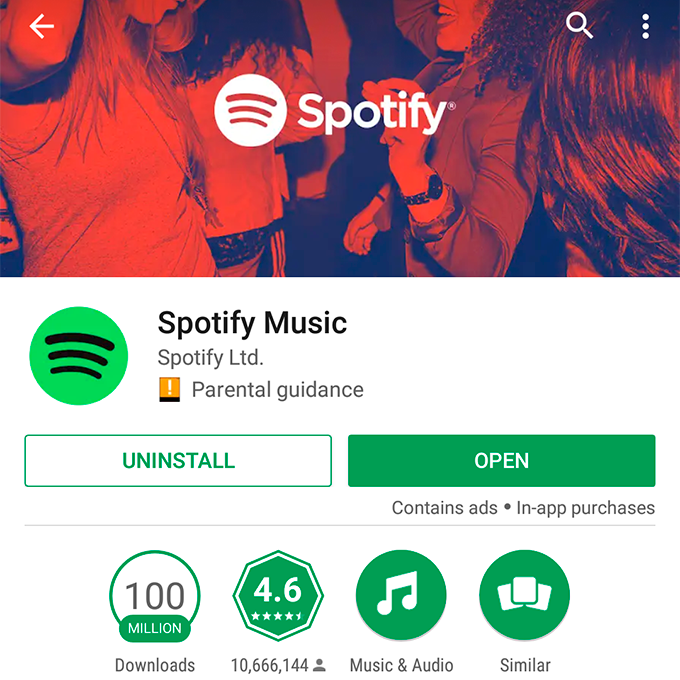
Open up the app's Play Store page. In this guide, I will be meddling with Spotify's otherwise-impeccable app updates by disabling them. No beef, Spotify, it's just business.
Recommended For You
Step #2
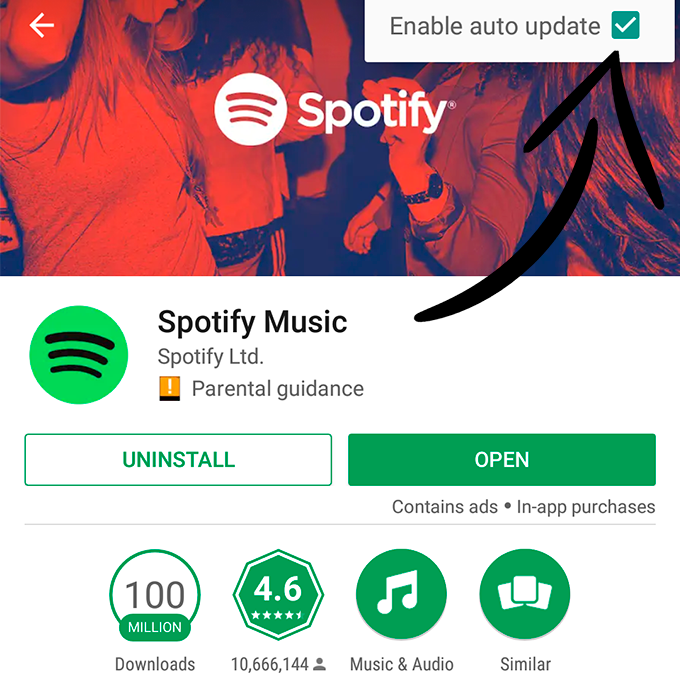
Now disabling app updates is super-easy and can be done from this screen alone. Can you guess where? Of course, as most things Android, the most important options are tucked away beneath the three-dot menu in the top right corner.
Step #3
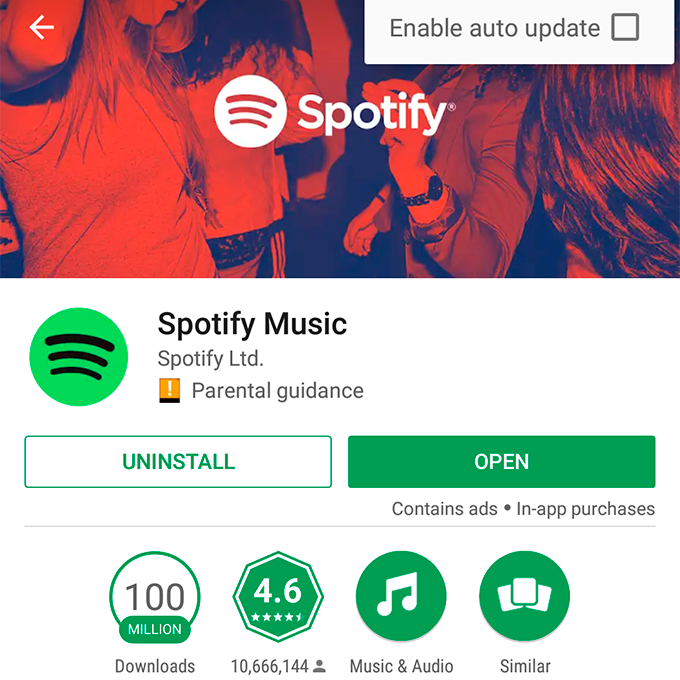
Simply untick the default state of automatically updating the app and you're good to go. It will never update on its own again on this device without your permission. It will only do so if you choose to update it manually.
Get iPhone 18 Pro with Visible, get $480 off!
$719
/mo
$1199
$480 off (40%)
On the Visible+ Pro plan, you get access to 5G Ultra Wideband data on Verizon's fastest network. Along with unlimited roaming across Mexico and Canada, 2 days of Global Pass per month, 3x hotspot speeds, 4K streaming, and Smartwatch service.
Peter is a skilled writer with over 13 years of experience at PhoneArena. He has published nearly 300 phone reviews and comparisons. This vast experience helps him navigate the mobile tech landscape with ease. He enjoys everything Android but relies on a MacBook Pro daily.
A discussion is a place, where people can voice their opinion, no matter if it
is positive, neutral or negative. However, when posting, one must stay true to the topic, and not just share some
random thoughts, which are not directly related to the matter.
Things that are NOT allowed:
Off-topic talk - you must stick to the subject of discussion
Offensive, hate speech - if you want to say something, say it politely
Spam/Advertisements - these posts are deleted
Multiple accounts - one person can have only one account
Impersonations and offensive nicknames - these accounts get banned
To help keep our community safe and free from spam, we apply temporary limits to newly created accounts:
New accounts created within the last 24 hours may experience restrictions on how frequently they can
post or comment.
These limits are in place as a precaution and will automatically lift.
Moderation is done by humans. We try to be as objective as possible and moderate with zero bias. If you think a
post should be moderated - please, report it.
Have a question about the rules or why you have been moderated/limited/banned? Please,
contact us.














Things that are NOT allowed:
To help keep our community safe and free from spam, we apply temporary limits to newly created accounts: