How to clear app defaults on any Android device
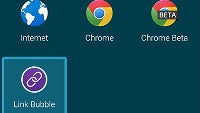
One of the many reasons behind the success of Android is the wide berth it gives to users in terms of functionality. One such example is having the option of picking between two or more separate apps that can all carry out a similar task, like opening an image. Specifically, if you have another photo editing app other than the default gallery app on your phone, or have more than one app that handles text documents, Android will ask you which one you'd like to use over and over. As you can guess, this can get a bit annoying for some, so the next time they see the prompt, they choose the "Always" option when selecting a given app, making it the default app for that specific operation.
The reality, however, is that sooner or later, you might want to be given that choice once again. Or perhaps you're just sick and tired of the fact that every link you try and open automatically launches your built-in browser app, and not your Chrome. By default. In those cases, all you need to do is clear app defaults, and it's super-easy as long as you know where to look at. Let us show you!
P.S.: If your Android device doesn't run any of the below proprietary versions of the operating system, just apply the same logic with whatever you have. Android is pretty uniform in this particular regard, and the procedure is likely very similar.
Here's how to clear app defaults on any Android device

Follow us on Google News








Things that are NOT allowed:
To help keep our community safe and free from spam, we apply temporary limits to newly created accounts: