Garnering plenty of attention from almost every critic, thanks to its combinational stellar pricing and expansive functionality, the Asus Eee Pad Transformer managed to rise to the top of the ranks within the Android Honeycomb landscape last year. For round two, Asus isn’t simply going to be content with making the usual set of iterative improvements, oh no, but instead, they’re aiming to grab a firm grasp on the market while setting the benchmark for everyone else.
Perhaps, it’s the allure of being the very first to feature the NVIDIA Tegra 3 quad-core processor, or maybe that it’s one of the few devices to offer the most up-to-date Android experience in Ice Cream Sandwich, whatever it is, the Asus Transformer Prime is here to tantalize us with its all-encompassing magnificence. Knowing it’s packed to the roof with dreamy hardware, the $500 pricing it’s sporting is simply icing on the cake – though, all talk is nice, but let’s find if it can walk the walk.
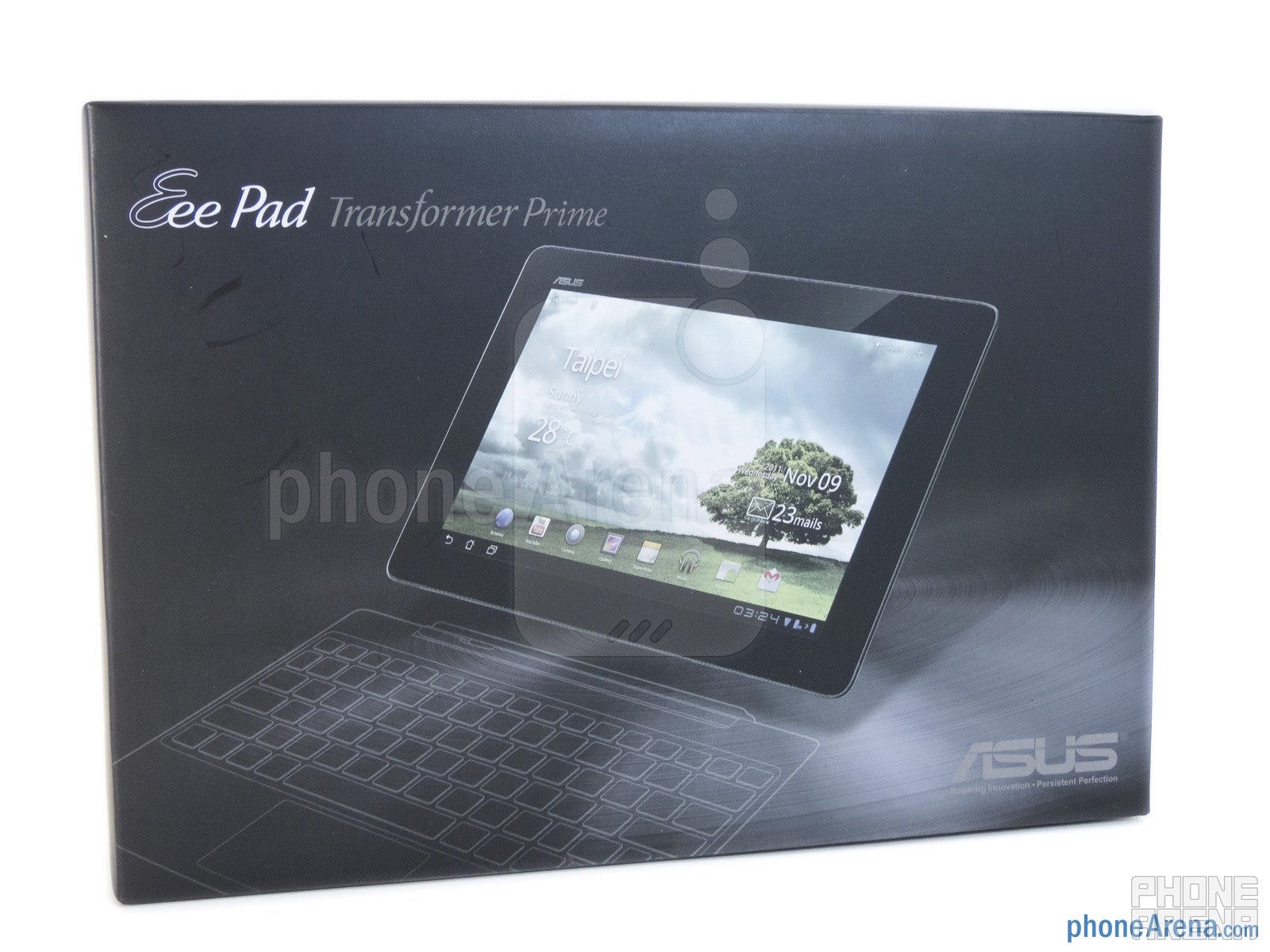
The package contains:
Proprietary USB cable
Wall Charger
User’s Manual
Cleaning cloth
Design:
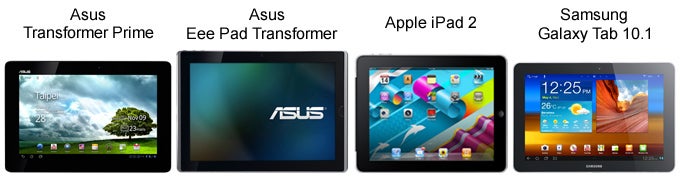
Impressively, Asus went all out this time around with the design of the Transformer Prime seeing that they didn’t leave any stone unturned in crafting this beauty. Simply put it, the Asus Transformer Prime is one of the best-looking tablets we’ve seen to date – hands down! Needless to say, that’s some serious talk from us, but after scoping out the premium choice of materials it’s using, like the metallic spun finish of its rear casing, it’s easily on par to the iPad 2 in terms of quality and durability, though, it’s marginally lighter (20.67 oz), but not as light as the airy Samsung Galaxy Tab 10.1 (19.75 oz).
Feasting our eyes on its industrial design, we adore that it has an overall clean appearance, but even more impressive is the fact it’s able to pack everything into its compact 0.41” thick body – and it’s uniform too! For the most part, it’s comfortable to hold with both hands for an extensive period of time, however, its edges are a bit sharp feeling and can become slippery to grasp. Beyond that, we have to applaud Asus in crafting something so beautiful and easily exude the top-notch qualities we’d expect out of a $500 priced tablet.
On its left edge we find most of the tablet’s ports, like its microSD card slot and microHDMI port, while the microphone and stiff feeling volume control are also located closeby. Towards the top left corner, the lonely narrow looking dedicated power button pops out, and its response is better when pressed. Meanwhile, the directional microphone is perched directly in the middle of the top edge, while the 3.5mm headset jack is the sole thing taking up the right side of the tablet. Lastly, the proprietary data/charging port and dock connecting notches are all positioned on the bottom edge.
Above the display, a 1.3-megapixel camera sits squarely in the middle ready for all of our video chatting needs and self-portraits. Strangely, even though it’s running Android 4.0 Ice Cream Sandwich, face unlock is nowhere to be found as an option with the tablet. Flipping over to its backside, the tablet is treated to one very respectable 8-megapixel auto-focus camera with flash, which features an F2.4 lens and backside illumination. Finally, the tablet’s sole speaker is found nearby towards the left edge.
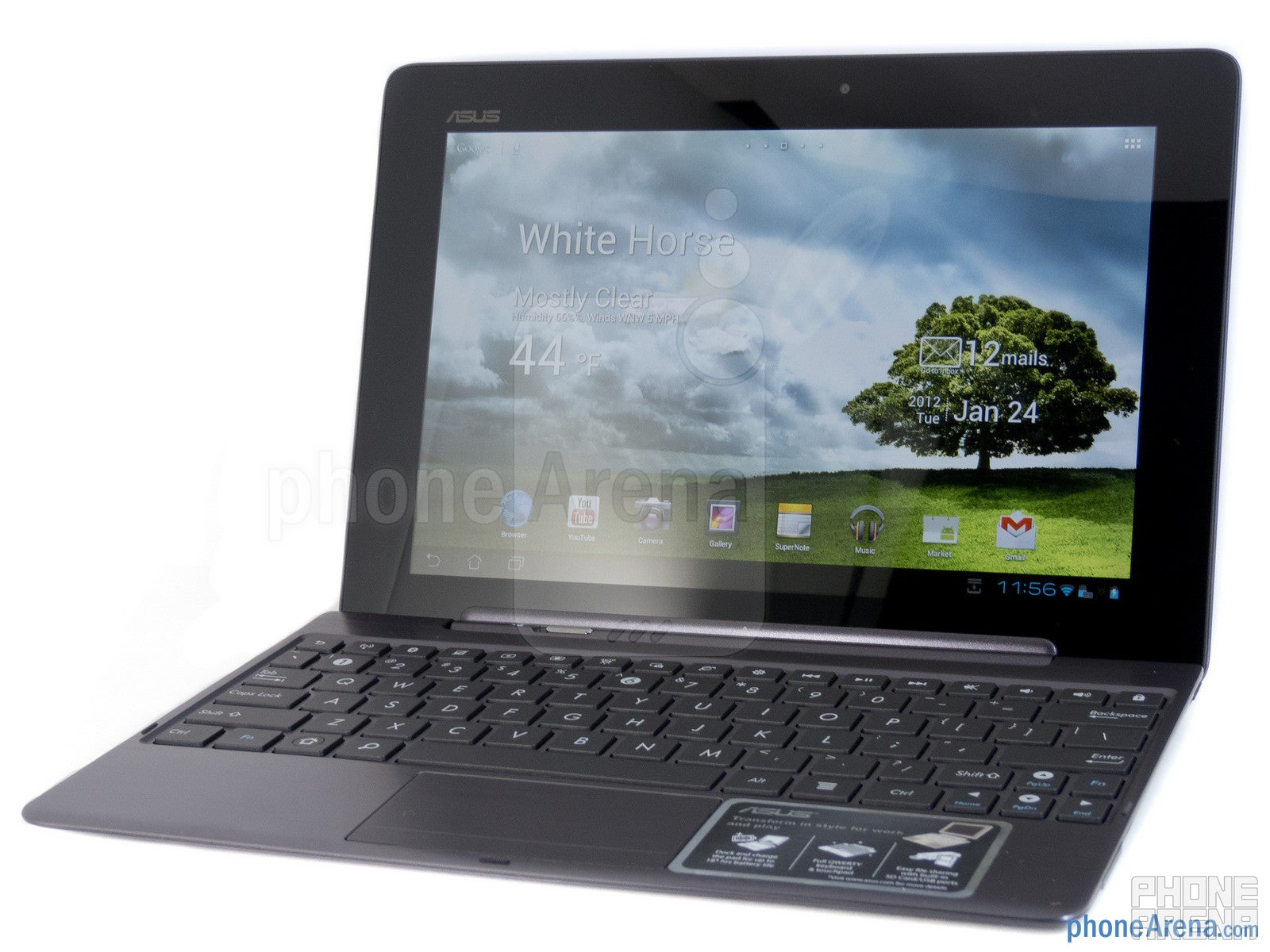
Just like the Eee Pad Transformer from last year, the Transformer Prime also sports a convertible style design with the aid of its optional $149.99 keyboard dock. When it’s snuggly fastened in, the 10.1” tablet is transformed to a chic looking ultraportable that’s equipped with the usefulness of a full QWERTY keyboard, trackpad, USB port, full-sized SD card slot, and an extra battery that provides up to 18 hours of total battery for the tablet. However, if there’s one gripe that we have, it has to be that the chicklet style buttons on the keyboard are very tiny! Therefore, if you consider yourself to have above average sized hands, just expect the keyboard to feel very cramped. Aside from that, it’s definitely one accessory worth picking up for the money and added functionality.
Display:
We’ve seen plenty of tablets utilizing IPS displays of some sort, like the iPad 2 and Galaxy Tab 10.1, but the Transformer Prime goes beyond them both by offering us a 10.1 WXGA (1280 x 800) LED backlit Super IPS+ display. Yeah, we know that’s mouth full, but there’s good reason for that. Frankly, this is the sharpest looking display we’ve seen to date on any 10-inch tablet, and rightfully so, it deserves a lot of recognition thanks to its wide-viewing angles, realistic color production, high contrast, and superior clarity while outdoors. Obviously, its resolution isn’t as awe-inspiring, since it’s the typical thing we tend to see with this size category, but nonetheless, it’s adequate enough to produce sharp details that are legible to the eye. Two modes are available, IPS and Super IPS+ mode, but the latter tends to be the better option while using outdoors with the sun present. Gorgeous! That pretty much sums up its display.
Interface:
Taking it out of the box for the first time, the tablet was running Honeycomb, but after installing a software update, we’re quickly presented with Google’s most up-to-date platform – Android 4.0.3 Ice Cream Sandwich. Initially navigating across its homescreen, there is very little evidence of ICS, and to tell you the truth, it didn’t look any different from stock Honeycomb. However, it’s abundantly clear that it’s ICS because of the app panel, as we’re greeted with the familiar paper stacking animation while moving between menus. Moreover, when we meticulously look at it, there are a few new widgets on board – such as the weather, email/date, MyZine, and One-click Clean widgets. As a whole, it’s nothing terribly different from what we saw already with the Samsung Galaxy Nexus, but still, it boasts plenty of customization aspects to tailor uniquely to each individual user.
Functionality:
For those of us that experienced ICS on the Galaxy Nexus, there isn’t a whole lot new when peering over some of the organizer apps on the Asus Transformer Prime – and in fact, their presentations are similar to their Honeycomb counterparts. Actually, there’s nothing different with things like the Calendar, which sports that all too characteristic two-panel layout that we’re familiar with. Again, the same goes with the People app as it details most of the information for each individual in the main panel on the right side – while our scrollable contacts list is found on the left. As for the rest, like the clock and calculator, they’re nothing else more than stretched out versions that we find on the Android smartphone platform.
Being a 10.1” tablet and all, it’s undoubtedly blessed with plenty of real estate to make all of its available on-screen keyboards very easy to use. On top of that, it sports a very responsive rate to keep up with all of our movements, which is attributed to its quad-core CPU. Between the stock ICS and Asus keyboards, we actually prefer the stock one for the simple reason that its buttons are larger and much more manageable to press. With the Asus keyboard, it mimics the Swype method of inputting text, though, we’re still able to type letters individually – but we’d recommend taking a slow pace with it because being too fast results in swipe gestures.
Emailing is an integral part of any mobile device, and not surprisingly, the Asus Transformer Prime adheres to our needs perfectly – albeit, it’s the same experience we find with any other Honeycomb flavored tablet. In actuality, there’s no upgrade with either the Gmail and email apps, since their presentations are similar in the fact that they utilize that familiar two-panel layout. As for setup, it’s a painless process that basically requires our email address and password for automatic setup.
Processor and Memory:
Nonchalantly setting the benchmark for all things coming out this year, the Asus Transformer Prime sets the bar in terms of performance with its quad-core NVIDIA Tegra 3 processor, which is comprised of a 1.4GHz ARM Cortex-A9 multi-core processor with 4 cores, 1 extra low power “companion” core, and 12 graphics cores. Talk about fast, but this takes everything we’ve seen with Android-based tablets to a whole new level! Effortlessly accomplishing all bask tasks without any fluff, we’re astounded by the fluidity that it exhibits while maintaining a tight tracking of our finger as we flip through its homescreen. Even more, it doesn’t seem tested whatsoever with processor intensive tasks – such as navigating with a live wallpaper activated or playing graphically superior games. Amazingly, it produces close to the same level of responsiveness found on the iPad 2, which is something that warrants a round of applause. Do you want fast, insanely fast actually? Well, this is pretty much as good as it gets on an Android tablet – bar none!
Normally, most people would tend to agree that at $500, you’re getting something with 16GB of memory, but in fact, the Transformer Prime is graced with an even more generous 32GB of internal storage, which can be further supplemented by adding a microSD card of some sort.
Internet and Connectivity:
We’ve always been favorable with the web browsing experience on most Honeycomb flavored tablets, but for some, the experience is marred by choppiness and sluggishness. Well folks, that’s not the case with the almighty Asus Transformer Prime, as it represents what a flawless web browsing experience should be like. Not only is it able to load complex web pages very fast and accurately, it doesn’t flinch whatsoever when pages littered with heavy Flash content try to test it. All in all, it maintains its steady responsiveness and fluidity with various navigational controls to make it such a joy traversing through content heavy web pages. Seriously, we sometimes find ourselves getting lost in perusing a variety of pages for the simple reason that its performance is near perfect.
Connected to a Wi-Fi network, the tablet is able to establish a solid connection with very little evidence of fluctuation – and more importantly, it’s still able to connect perfectly at 30 feet away. Meanwhile, we’ve heard plenty of stories about the nightmare surrounding the tablet’s GPS signal strength – with some saying that it’s the metallic casing that’s causing interference. Granted that there have been reports of it not working altogether, we’re happy to report that our review unit manages to establish connections to various GPS satellites, though, it’s on the weak side both indoors and out when compared to other devices. Lastly, Bluetooth 2.1 with EDR is on board to enable it to connect to various wireless peripherals.
Camera:
Turning our attention to its camera interface, it manages to get a slight makeover – though, it combines some elements found with the ICS camera interface for smartphones and the previous Honeycomb one. Sporting a very clean looking interface with very little obscuring the viewfinder, most of the buttons are found on the right edge. We actually like it since our thumb has quick access to a variety of functions while it readies to snap photos – like setting the white balance, exposure, scene modes, and other options. It’s not quite in-depth with its manual settings, but there’s enough to entice most people. Lastly, it takes approximately 2 seconds to snap an image, which is indeed fast, but it’s clearly not as swift as the Galaxy Nexus.
Taking into account the kind of camera it’s packing on, there’s naturally some high expectations attached to it, since it carries something that’s beefier than other tablets. As a whole, its quality is good enough to accept for the majority, but not great to put in in good light with the quality exhibited by some smartphones. Details are average looking, but for some odd reason, outdoor shots and indoors under florescent lighting tend to have a cooler looking color production – thus, casting a distinctive bluish/greenish hue to our photos. However, we’re sorely disappointed that its quality tanks in extremely low lighting situations. Plainly, it’s diminished by its poor details, pervasive digital noise, and inability to handle dynamic range. However, its LED flash is able counteract some of the devastating results, though, we still find its color production to be rather inaccurate.
As for high-definition 1080p video recording, its quality is very similar as it’s very pleasing to watch, but nowhere close to being stellar. Looking over the video we shot on a fairly sunny day, details are average yet again, while its 30 frames per second capture rate keeps things extremely buttery smooth. However, when panning very quickly, we tend to notice some artifacting. As for nighttime video recording, there’s nothing pretty to say considering it’s plagued by the same things – with graininess and digital noise being the most prevalent issues. Eh, we can nitpick some of its problems, but knowing that this is a tablet we’re talking about, it’s not all that bad compared to the competition.
Asus Transformer Prime Sample Video - daytime:
Asus Transformer Prime Sample Video - night:
Multimedia:
Not surprisingly, there’s no difference found with the stock ICS music player for tablets on the Asus Transformer Prime. In fact, it’s the same exact one we’re familiar with! Well, at least it’s still an attractive looking one thanks to the 3D-carousel we’re presented with when browsing through albums. Even though it packs a single speaker, it produces a good amount of intensity with its output – with no evidence of crackling during our usage. Additionally, there are various equalizer settings, even manual ones too, that fine-tunes the quality for each specific genre of music.
Do you need a traveling companion that’s worthy enough to play that 2-hour movie on the road? Well, the Asus Transformer Prime is easily the number one candidate with its gorgeous looking display and indomitable quad-core processor. With our test video that’s encoded in DivX 1920 x 1080 resolution, it’s simply a joy to watch thanks to its smooth playback, realistic colors, and sharp details.
Video playback
Sharing content is easily accomplished on the tablet due to the microHDMI port it tacks on, thus, enabling us to get a mirrored experience on a big screen TV. Once connected, not only can we kick back and surf the web on a high-def TV, but we can also relish in some 3D intensive games since its performance is top-notch.
Software:
Interestingly, the tablet isn’t bogged down out of the box by bloatware, and in fact, preloaded third part apps are kept to a minimum. Specifically, it’s preloaded with apps like Amazon Kindle, Glowball, Netflix, Polaris Office, Press Reader, TegraZone Games, and Zinio. Of course, we find Google’s typical set of apps on board as well – such as Google Maps, Google Latitude, Google Talk, and YouTube. Looking at them individually, there’s no difference from what we’ve seen on other tablets. Lastly, the MyCloud app is a cloud storage service from Asus that allots registered users 8GB of storage.
Performance:
One of the main concerns with the Asus Transformer Prime right from the get-go, is the kind of battery life it’ll produce – especially when there’s a quad-core processor beating within its body. Well, we’re happy to report that there is no cause for alarm whatsoever as we’re able to clearly obtain stellar battery life. Setting it to automatic brightness and standard IPS mode, we’re able to effortlessly get by one whole day on normal usage – though, we’re left at the 50% mark by the end of the day. Conversely, placing it on Super IPS+ mode, it’s still able to provide us with at least a day with heavy usage. And if you decide on picking up the keyboard dock, you can work continuously throughout the day with no worries since it’s expected to offer up to 18 hours of battery. Honestly, its performance is close to the iPad 2.
Conclusion:
All we can say at this point is WOW! Unquestionably, this is the tablet to own right now if you’re in the market of buying one, and trust us, you won’t be disappointed at all. First and foremost, we have to give Asus credit in taking the opportunity in delivering such a high-caliber tablet that’s no doubt a benchmarker in almost every category. From head to toe, attention to detail is seen throughout every aspect of the tablet, thus, culminating in one refined product that easily gives the iPad 2 a run for its money.
Ushering us into the age of quad-cores, the Asus Transformer Prime screams remarkably in the processing department – making it the fastest and best performing Android tablet we’ve had the prestigious opportunity of checking out. For some time now, Android had this stigma of never achieving the fluidity and responsiveness found with iOS, but this seemingly breaks them down and shows the endless possibilities of an Ice Cream Sandwich powered device. To balance things out, we’re also impressed that battery life isn’t compromised in the least bit, as it’s able to surprise us with its above average performance.
When we think about its killer industrial design, muscle power quad-core processor, impeccable battery life, and brilliant looking Super IPS+ display, we’re all easily shocked that Asus has somehow managed to keep its cost of ownership extremely affordable. At $500, it already beats the iPad 2 in many categories – especially when it boasts 32GB of internal memory. Plus, if you’re able to shell out an additional $149.99 for its optional keyboard dock, it’s functionality is expanded even further. For the money and features that this tablet is able to present us, it’s undeniably the one to own right now, and there’s no arguing about that!
Software version of the reviewed unit: Android Version: 4.0.3 Build Number: IML74K.US_epad-9.4.2.11-20120117 Kernel Version: 2.6.39.4
Asus Transformer Prime Video Review:
Pros
Super-fast quad-core processor
Brilliant Super IPS+ display
Killer industrial design
Convertible aspect with its optional keyboard dock
A discussion is a place, where people can voice their opinion, no matter if it
is positive, neutral or negative. However, when posting, one must stay true to the topic, and not just share some
random thoughts, which are not directly related to the matter.
Things that are NOT allowed:
Off-topic talk - you must stick to the subject of discussion
Offensive, hate speech - if you want to say something, say it politely
Spam/Advertisements - these posts are deleted
Multiple accounts - one person can have only one account
Impersonations and offensive nicknames - these accounts get banned
Moderation is done by humans. We try to be as objective as possible and moderate with zero bias. If you think a
post should be moderated - please, report it.
Have a question about the rules or why you have been moderated/limited/banned? Please,
contact us.














 FCC OKs Cingular\'s purchase of AT&T Wireless
Things that are NOT allowed: