PhoneArena is looking for new authors! To view all available positions, click here.
  • Home
  • News
  • Windows + Android = WindowsAndroid!
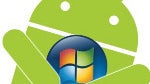
Windows + Android = WindowsAndroid!

Posted: , by Ray S.

Categories:

Share:

Discuss 33
Windows + Android = WindowsAndroid!
WindowsAndroid is a new PC program allowing you to run Android natively on your Windows 8, 7 or Vista PC. Some of you may remember BlueStacks - a program with a similar purpose, but not quite the same. While BlueStacks lets you run Android apps on your Windows PC, WindowsAndroid by Socketeq makes it possible to run Android itself, along with any apps you may want.

Right now, the WindowsAndroid program is not quite ready, and it seems it requires some geeky moves in order to get it working, but the developer promises that everything will be easily accessible for regular consumers once it's ready.

WindowsAndroid executes Android 4.0 using the Windows kernel, instead of the Linux one, which allows the mobile OS to perform smoothly since no emulation action is going on. The program should make it possible for every Android enthusiast to seamlessly run their favorite apps on their PC.

If you wish to give WindowsAndroid a try, you can download the program from the developer's website here. Note: If the link to the developer's website doesn't work for you, it's probably because of the "heavy load". It should be back up soon.

via: SlashGear

Share:

Discuss33

33 Comments

  • Options
    Close


Want to comment? Please login or register.

1. gmracer1 posted on 28 Jan 2013, 08:19 20

Not WindowsAndroid! It's WinDroid :D

14. sid07desai posted on 28 Jan 2013, 09:37 11 2

Or Andows? lol ;)

16. Synack posted on 28 Jan 2013, 10:24 1 1

Hmmmmmm, 4.0 is kinda old now.

17. windroid posted on 28 Jan 2013, 11:04 15

Have to ask for some royalties... they're using my nick!

19. gmracer1 posted on 28 Jan 2013, 11:16 2

I paid you with a thumbs up :-P

29. jinxed posted on 29 Jan 2013, 01:06

how about anotha patent trolls?? :D

2. imsickwithsmartphone posted on 28 Jan 2013, 08:19 4

Windows + Android = WindowsAndroid!
I like the idea of this thing..

4. gmracer1 posted on 28 Jan 2013, 08:23 3

Agreed! I love both platforms and this is like true love xD

3. Tsoliades posted on 28 Jan 2013, 08:22 2

Yessssssssssssssssssssssssssssssssssssssssssssssss​ss
This is amazing.

9. kartik4u98 posted on 28 Jan 2013, 08:43 1

There is a trojan in the file...Just deep scanned it after it took so long to get downloaded

23. aokde posted on 28 Jan 2013, 13:29

no there's not. kaspersky didn't detect anything. (kaspersky is most powerful antivirus i know for consumers...)

30. zazori08 posted on 29 Jan 2013, 02:35

nope i think the most powerful is Norton.

32. kartik4u98 posted on 29 Jan 2013, 09:23

yeah right..Norton is the most powerful but I think that Kaspersky is enough for Home users like me :)

31. kartik4u98 posted on 29 Jan 2013, 09:22

I also scanned the file with kaspersky....
it had trojan virus..
please deep scan again..

5. Nathan_ingx posted on 28 Jan 2013, 08:27 2

Cool! Can't wait to try it!

6. ray77 posted on 28 Jan 2013, 08:37 7 4

welcome to the android family window!!

7. wildcard posted on 28 Jan 2013, 08:41 5 2

that is great !!! long live android an the new member !!!

8. thelegend6657 posted on 28 Jan 2013, 08:42

Just install android x86 .
I've been running it since gingerbread

10. deadstroke posted on 28 Jan 2013, 08:43 5 2

welcome window to the house of android

11. kartik4u98 posted on 28 Jan 2013, 08:44 1

This s**t has a trojan virus..
Just deep scan it...You'll get to know it yourself.

12. yowanvista posted on 28 Jan 2013, 08:45

You can't just install any App yet, there isn't even Play Store. This version if full of bugs.

13. freebee269 posted on 28 Jan 2013, 09:03 2

and here comes the "put android on lumia 920 with this program" enthusiasts.

26. networkdood posted on 28 Jan 2013, 14:50

no, you would not do that....but Android ran on the last HTC windows superphone - I am sure Android can run on Win8, but it would be a dual boot.

15. raphz posted on 28 Jan 2013, 09:55 1

if this thing work perfect in windows 8, than it only a matter of time that this program will work too in wp8, IMO

18. yowanvista posted on 28 Jan 2013, 11:12

Unlikely, you can't run unsigned code on WP8 and there's UEFI which will block any non-MS code from being launched at startup.

20. freebee269 posted on 28 Jan 2013, 11:23

windows phone supports a wide range of codes including Javascript, HTML5, C#, c++, visual basic, etc.

For example, you can now write native Windows 8 Desktops programs (formally known as Windows Store Apps) in HTML5/CSS if you want, which is an easy language to support multiple devices with, and the Windows Runtime manages all the code, optimises it, and translates it into a language that Windows understands.

21. yowanvista posted on 28 Jan 2013, 12:18

Yes, but porting Android to the WP8 environment is simply impossible due to the code signing process (which has nothing to do with programming languages btw). Unsigned code must be loaded into memory during startup itself but it's impossible with UEFI in WP8 devices.

33. freebee269 posted on 30 Jan 2013, 10:24

just wondering, do you code apps for android and wp8? because if you do then you'd know it is not impossible. actually, it was easier to bring my app from android to wp8 than it was android to IOS.

22. BiN4RY posted on 28 Jan 2013, 12:43

It would be even better if they ported it for Windows RT

24. tkvdog posted on 28 Jan 2013, 14:18

Website Is Down Speaks Well?

25. networkdood posted on 28 Jan 2013, 14:49 1

Cool idea....again, possible because of what Android is based upon.

27. networkdood posted on 28 Jan 2013, 14:51 1

https://play.google.com/store/apps/details?id=com.gabelic123.desktop8&hl=en
Run the win8 launcher on Android

28. elirev4 posted on 28 Jan 2013, 15:54

Download it here for free...
appdroid.ws/com.gabelic123.desktop8

Want to comment? Please login or register.

Hot Phones

  • Samsung Galaxy S4Samsung Galaxy S4
  • Apple iPhone 5Apple iPhone 5
  • Samsung GALAXY Note IISamsung GALAXY Note II
  • HTC OneHTC One
  • Sony Xperia ZSony Xperia Z
  • Google Nexus 4Google Nexus 4
  • LG Optimus GLG Optimus G
  • Nokia Lumia 920Nokia Lumia 920