Motorola XOOM Bluetooth Keyboard Review

The Standard Dock for the Motorola XOOM
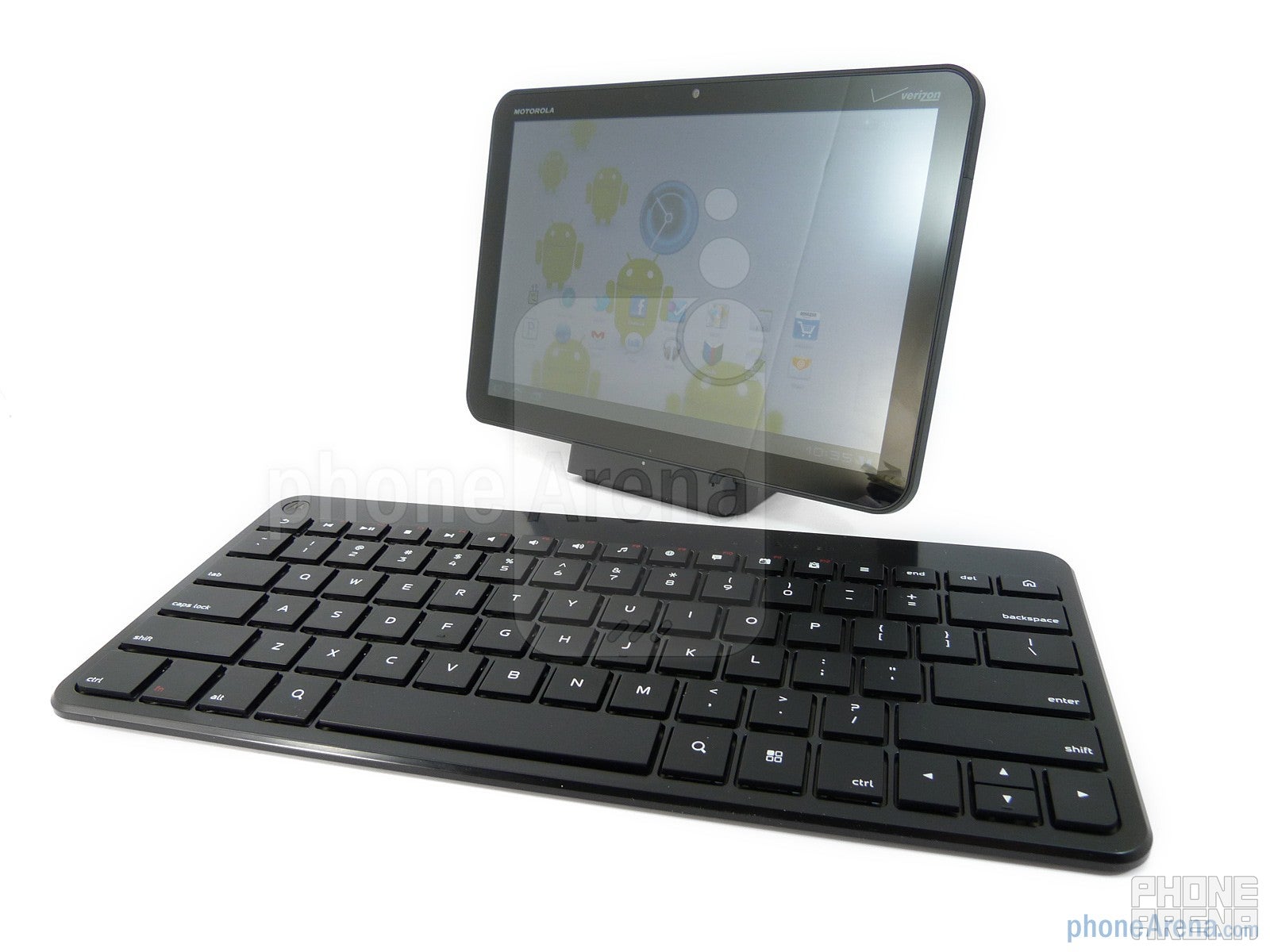
If you’re aiming to leave your laptop at home and rely on the Motorola XOOM, then you’re going to want to pick up Motorola’s Bluetooth Keyboard. Now this isn’t like the majority of Bluetooth keyboards out there, especially when it’s tied closely with the XOOM, but the best thing about it is the compact form that it’s sporting. Aside from the enlarged area reserved for its batteries, which requires two double A batteries, it’s fairly streamlined and compact all around. We’re glad to see this thing fit in our backpacks without adding any hefty weight, but more importantly, it doesn’t make it obvious that we’re carrying along an actual keyboard.
The Motorola XOOM Bluetooth Keyboard has chicklet style keys
Luckily, almost every nook and cranny of the keyboard is made to good use by its chicklet style keys – which are relatively normal sized. In fact, it didn’t take us that long to actually get a feel for its layout since it closely mimics the look and feel of some laptop keyboards. Even more, we like how the top row of buttons all execute some of the basic functions with the platform, like adjusting volume or launching an app, without having the need to rely on the customary use of the function button. Also, we’re satisfied with the moderate tactile response exhibited by its buttons as they’re pressed down – which doesn’t require much push from our fingers. So when it comes down to typing up an email of some sort, we’re able to comfortably type away without making that many mistakes in the process.
The Motorola XOOM Bluetooth Keyboard is fairly streamlined and compact all around
Granted that it’s far better to use the Bluetooth Keyboard than the on-screen options offered by the XOOM for typing things up, it still doesn’t give you full control in navigating around the Android 3.0 interface. Sure you can move around its homescreen via the directional buttons on the keyboard, but there are still some instances that require you to interact with the tablet’s touchscreen. Regardless of that, it definitely enables you to become more productive with the tablet, but we’re not yet completely convinced that the tandem will strategically sway you from using your laptop as your primary productivity machine.
Motorola XOOM Standard Dock & Bluetooth Keyboard Video Review:

Popular stories





Related Content
Latest News



Things that are NOT allowed:
To help keep our community safe and free from spam, we apply temporary limits to newly created accounts: