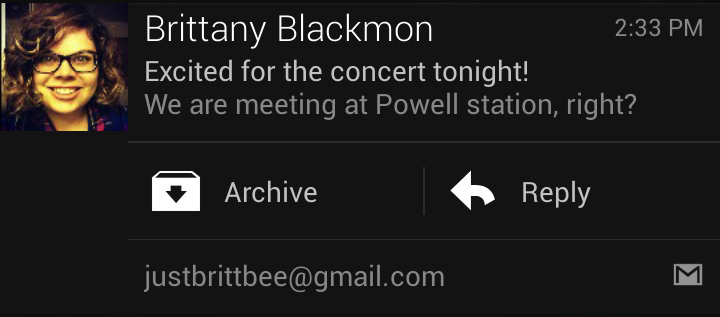
Reply, archive or delete Gmail straight from your notification drawer on Android 4.1+
Those with
Android 4.1+ or higher will be happy to hear that the update of Gmail that they received on Monday adds actionable notifications. This means that users can reply, archive or delete email from the notifications drawer. While that is not available for those with Android 4.0, Google didn't forget about you guys. Those with Android handsets powered by Android 4.0 will also receive a Gmail update, but this merely brings performance improvements and eliminates those nasty bugs (more on that below) .
With the update for Android 4.1+ or higher, you will still be able to use current notification features and customize which messages you receive notifications from and you can still set up custom notification sounds for certain emails. Those with Android 4.0 and higher will have
faster search and better search suggestions so messages can be found quickly whether you are online or offline.
You can find the updated Gmail app at the Google Play Store.
source:
Google via
AndroidCentral













 FCC OKs Cingular\'s purchase of AT&T Wireless
Things that are NOT allowed: