Have you seen PhoneArena's gadget-dedicated sister site? Check out MeetGadget.com Close

Verizon Wireless Razzle Video clips

Verizon Wireless Razzle Review
Pantech Jest Review
LG Cosmos VN250 Review
Samsung Intensity Review
Verizon Wireless Razzle TXT8030 Set Up
Verizon Wireless Razzle TXT8030 Camera
Verizon Wireless (Razzle) Review
Verizon Wireless Razzle Review.
Verizon Wireless Razzle Review
PCD (Verizon) Razzle - Hands-On @ CTIA
Verizon Razzle - Unboxing
(2009) Pantech Razzle (TXT8030) Ringtones (Verizon Wireless)
Verizon Wireless (PCD) Razzle Unboxing
Razzle TXT 8030 Music Player
Verizon Razzle Cell Phone Video Review
Verizon Wireless Blitz - Unboxing and Hands-On
Verizon (PCD) Razzle, Full Review
Verizon Razzle Overview at CES
verizon wireless JEST phone unboxing
Verizon Razzle made by PCD
Razzle TXT8030 Messaging
Verizon Razzle Review
Verizon (PCD) Razzle Part 2
Verizon Razzle Hands On
Def Leppard - Pour Some Sugar On Me (Live in Charlotte NC) H...
The verizon razzle review Part:1
How to flash Verizon BlackBerry 8830 to Cricket or Metro PCS...
Razzle from verizon
LG Accolade
Pantech Jest
Make your own verizon ringtones using iTunes!
Def Leppard Pour Some Sugar On Me/ Rock of Ages (HD)
This is my new phone the RAZZLE i callll it the razzle DAZZL...
HTC Droid Eris - Hard Reset and Update Tutorial
Medium Horizontal Pouch with Belt Clip - Black
Downloading ROAM Apps- Verizon Feature Phones
How To Access Droid Hidden Menu and Improve Call Quality HD
Samsung Intensity u450 Music Player
world`s best cell phone by verison wireless
Compare Intensity u450 Rival a455 and LG enV3 VX9200

more Verizon Wireless Razzle videos

Description

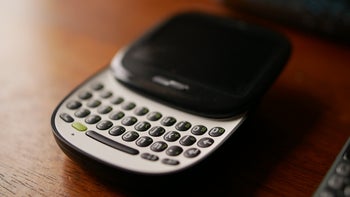
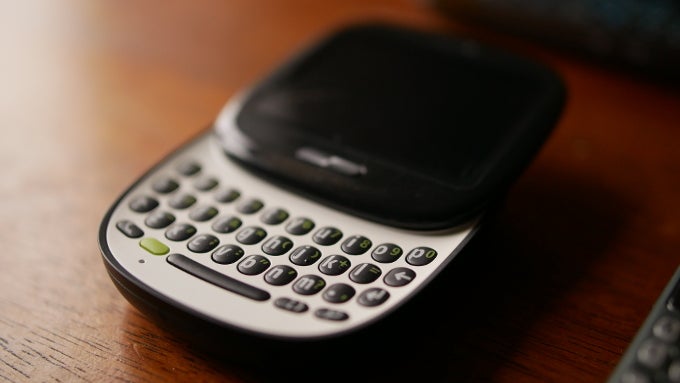
Chubby Checker would be very proud of the Verizon Wireless Razzle TXT8030. The device looks like your average candy bar styled handset albeit with an aging feature set that includes a 2.2 inch screen and a 1.3MP camera. There is support for a 16GB microSD card and the handset has a physical QWERTY which is where the fun begins. The bottom half of the model swivels to reveal the QWERTY keyboard and when you're done sending off that important email or text, you twist the device and a speaker with music controls twists to the front of the phone. A D-pad stays on the same side as the display.

All content (phone reviews, news, specs, info), design and layouts are Copyright 2001-2012 phoneArena.com. All rights reserved.
Reproduction in whole or in part or in any form or medium without written permission is prohibited!
Privacy | Terms of use