Here is how BlackBerry owners can get rid of Carrier IQ
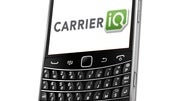
Soon after the Carrier IQ drama escalated, RIM took the stand and announced that it does not pre-load the controversial software in any of its smartphones. However, that did not stop some carriers (ahem, T-Mobile) from installing it on the BlackBerrys that they sell.
Fortunately, removing Carrier IQ from a BlackBerry smartphone is easier than one would assume. It turns out that one can simply follow the instructions for removing third-party software, which are available on the BlackBerry Knowledge Base. Located in the Application Management section under the Options menu, the software that users need to look for is named “IQ Agent”.
For further details on removing Carrier IQ from any BlackBerry smartphone, hit the source link below. Of course, do not hesitate bragging about it in the comments once you get rid of the mischievous software.
source: RIM via MobileBurn






 FCC OKs Cingular\'s purchase of AT&T Wireless
Things that are NOT allowed: