Have you seen PhoneArena's gadget-dedicated sister site? Check out MeetGadget.com Close

  • Home
  • News
  • Hands-on with Toshiba G900
Hands-on with Toshiba G900

Posted: 20 Jul 2007, 09:20, by Nanko R.

Categories: Bookmark

Share this page:

Discuss 2
Hands-on with Toshiba G900
In February, Toshiba announced two phones running on Windows Mobile OS, which characterizes them as smartphones. They are both under the Portege label, which is used by Toshiba also for some of their portable computers. We’ve already published the G500's review  and will soon post one of the G900, but here is our hands-on experience with it.

Hands-on with Toshiba G900

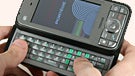
The G900 is a huge smartphone but this is excused thanks to the side-sliding QWERTY which feels just as good as it looks is and by the display. The G900 packs monsterous display with size of 3 inches and resolution of 800x480 pixels! It is very good and gives the WM6 for PPC OS a better look. Browsing on it is way more comfortable than on a QVGA.

Hands-on with Toshiba G900
The G900 has HSDPA 3.6Mbps and WiFi which allows it to connect to the internet with fast speed. Combining it with the QWERTY and the display, it is perfect for both internet browsing and messaging.


Expect our in-depth review of the Toshiba Portege G900 soon!

Share this page:

Discuss2

2 Comments

1. Zaelo (unregistered) posted on 20 Oct 2010, 01:41

Wanna few words? Everything except phone though limited features - sucks. But I still have it. After my disappointment I do believe I will fix the huge number of problems in the future. Maybe it works. But... remember, it will be fixations not original features. Of course they should share disappointment with freaking Windows ever. Sorry to say that.

2. GOA (unregistered) posted on 22 Sep 2007, 09:09

I just bought the G900 and was disappointed to find 1. no spare stylus 2. no carrying case 3. naked screen; no disposable plastic cover (as with htc) 4. slow processor, noticeable lag in response to touch 5. too quiet, cant get vol loud enough 6. poor documentation. Im still trying to figure how to lock into upper-case and numeric pad with the hardware keyboard. not in manual 7. plastic feel in the hand; not like the lush, sleek feel of the htc P4350, for eg. THE GOOD POINTS 1. The resolution! My james bond movies came out clear and sharp 2. USB host. Great for backing up (unfortunately cant use external power & USB simultan.) 3. Great keyboard layout I have heard of crashes and "sleep of deaths". Hasn't happened to me yet. For the sake of that screen and the USB connection I'm going to live with it, even if it dies a thousand deaths.

Want to comment? Please login or register.

All content (phone reviews, news, specs, info), design and layouts are Copyright 2001-2012 phoneArena.com. All rights reserved.
Reproduction in whole or in part or in any form or medium without written permission is prohibited!
Privacy | Terms of use

Close

We are hiring Contributing Authors (Worldwide)!


PhoneArena is looking for new Contributing Authors.
The main task to be executed is to write mobile-related articles a few times a month. If you are passionate and extremely knowledgeable about mobile technologies, then this message is for you!


Click here for more details how to apply.
or
Continue to your destination page.


You can always view the available positions from the Jobs link in the site footer.